Table of Contents
Paying your GOtv subscription shouldn’t leave you wondering whether or not your payment was successful. Unfortunately, delayed cable TV subscription payment processing or slow subscription activation on some platforms can leave your channels disconnected even after you’ve made payment. Instead of watching your favorite programs, you’re left refreshing your decoder, verifying your transaction, or contacting customer support to resolve an issue that could have been avoided.
You can escape this frustration by picking a reliable platform that ensures a fast and efficient payment process. This guide shows you how to pay your GOtv subscription online using your smartphone, what you need before making a payment, and the best platforms that offer a fast and smooth subscription experience.
What You Need Before Paying Your GOtv Subscription
Before paying your GOtv subscription on Prestmit, make sure you have:
- A Prestmit account: You need an active Prestmit account to access the bill payment feature. Creating an account is simple and usually takes about two minutes.
- Your GOtv IUC number: Your IUC number identifies your GOtv decoder and ensures that the payment is applied to the correct account. You can find it on your decoder or GOtv account details.
- A funded wallet: Make sure your Prestmit wallet has enough money to cover the cost of your selected GOtv package before starting the payment.
These are the key details needed to complete your payment without delay.
How to Pay GOtv Subscription on Prestmit — Step by Step
Step 1 — Open the Prestmit App and Go to Bills
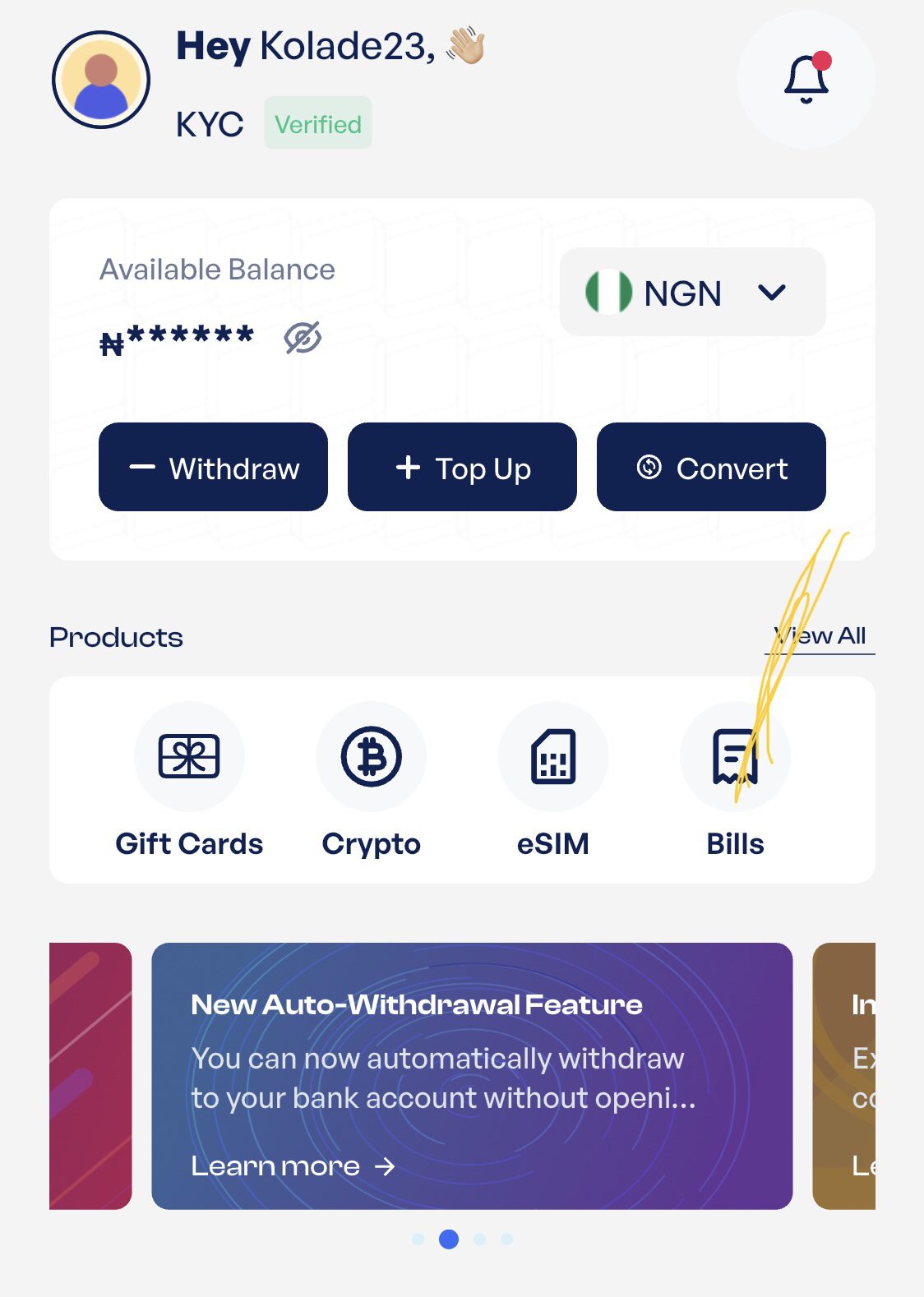
Visit the official Prestmit website or download the Prestmit app. Then select “Bills” from your dashboard.
Step 2 — Select Cable TV, Then GOtv
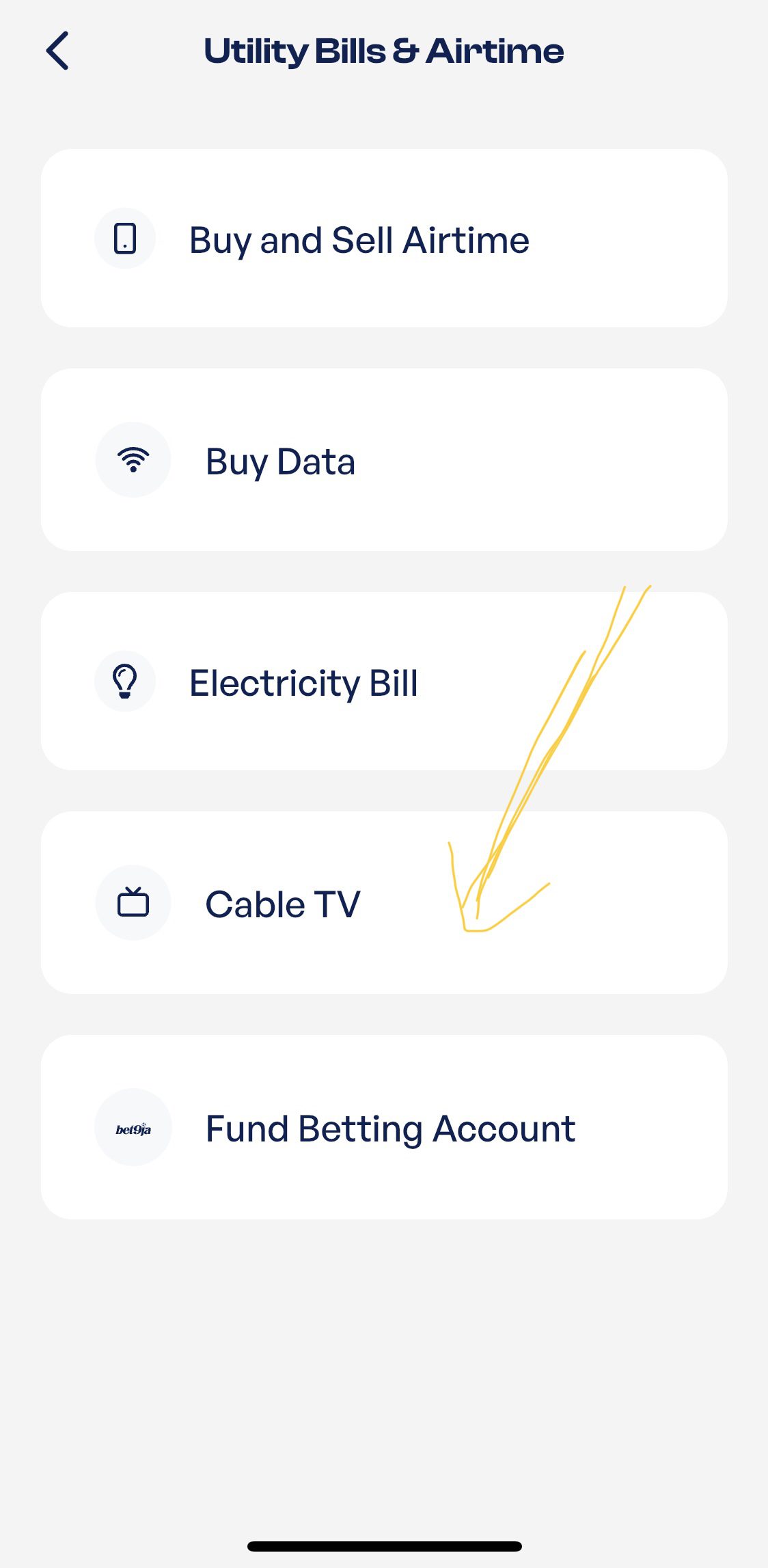
Choose “Cable TV” from the bill payment options.
Then select “GOtv Subscription on Multichoice Network” as your provider. But, if you are renewing your subscription, just tap on “GOtv Renewal on Multichoice Network.”
Step 3 — Choose Your GOtv Package/Bouquet
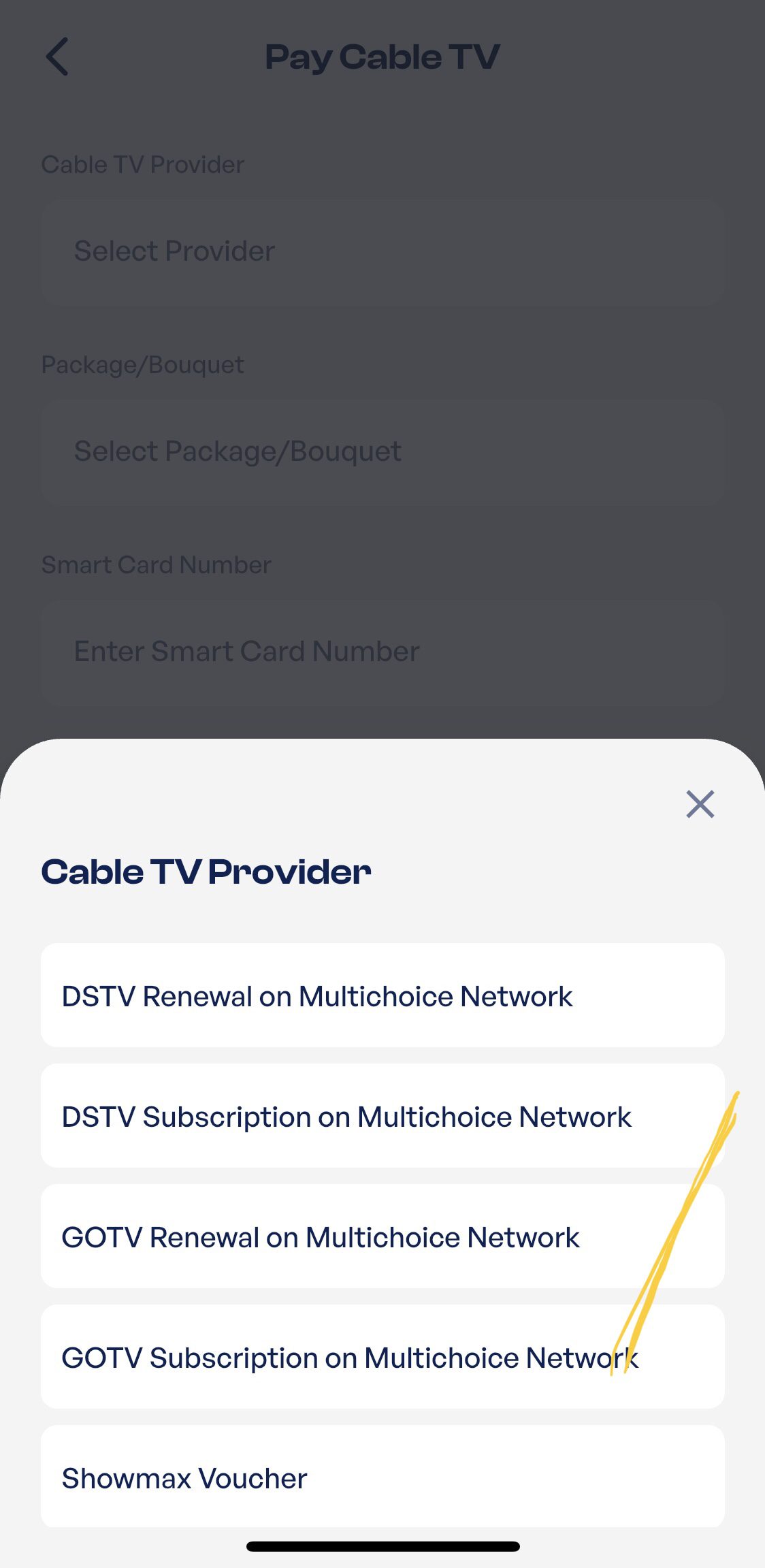
Select the GOtv package you want to pay for. Pick the bouquet that matches your budget and the channels you want to watch.
Step 4 — Enter Your IUC Number
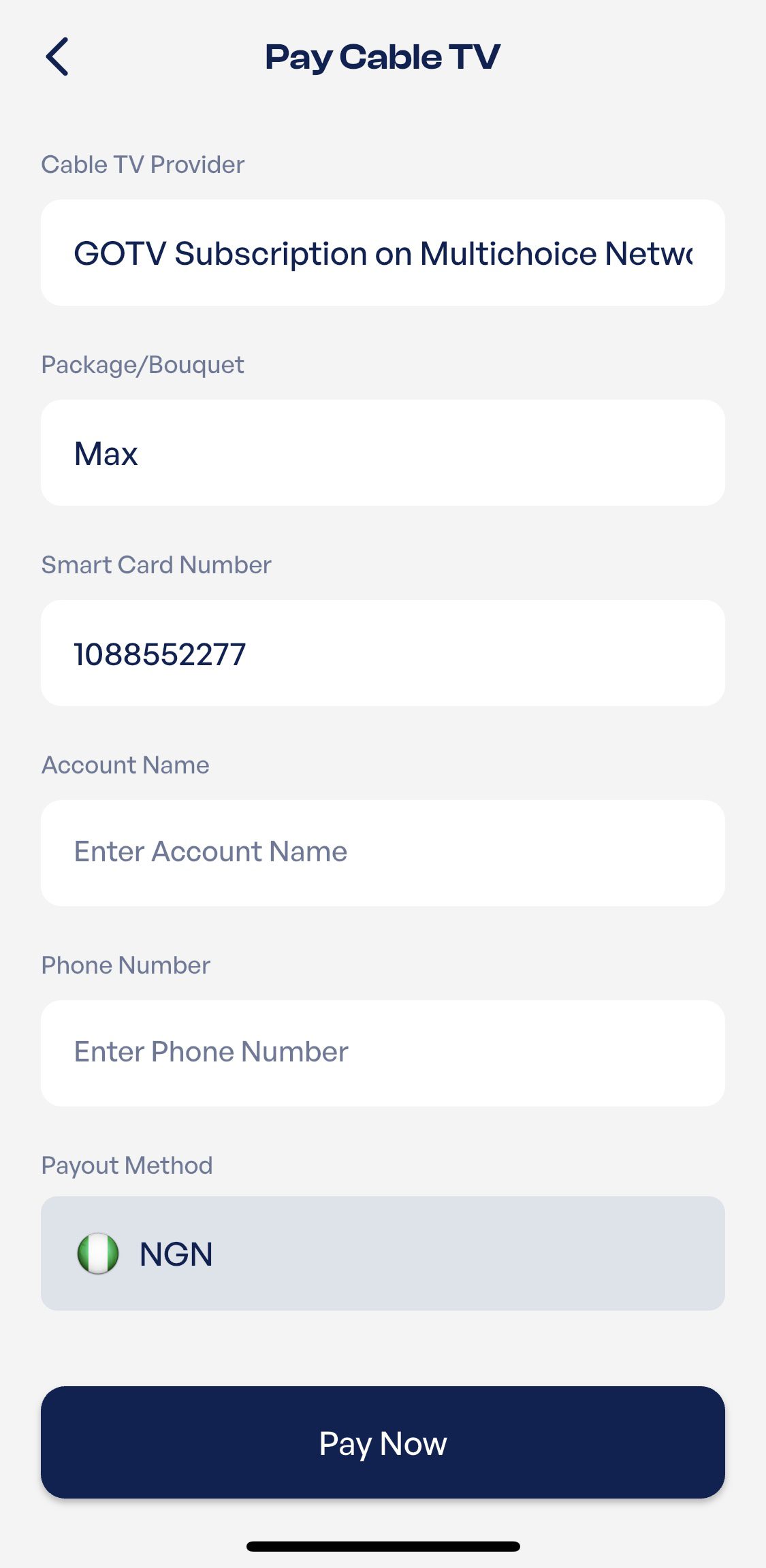
Enter your GOtv IUC number correctly. This number links the payment to your decoder account, so check it carefully before you continue.
Step 5 — Confirm Payment and Enter Your PIN
Review the payment details, confirm the amount, and enter your Prestmit PIN to complete the transaction.
Step 6 — You’re All Done
After payment, your GOtv subscription should reconnect shortly. You will also receive a payment confirmation. If your GOtv does not reconnect, check that your IUC number is correct and contact Prestmit support with your transaction details.
GOtv Subscription Packages and Prices in Nigeria
1. GOtv Jinja — ₦3,900/month
GOtv Jinja is an affordable package for viewers who want local channels, family entertainment, movies, news, and light sports coverage. It offers over 45 channels, including 20 local channels, two sports channels, one movie channel, and 25 channels across other genres. Some notable channels on the package are Africa Magic Yoruba, Trybe, JimJam, and SuperSport Select 1.
2. GOtv Jolli — ₦5,800/month
GOtv Jolli offers a broader entertainment line-up for households that want more movies, sports, children’s programmes, and international series. The package provides over 65 channels, including 22 local channels, four sports channels, two movie channels, and 36 channels covering other genres. Its channel selection includes Zee World, TNT Africa, Discovery Family, and Disney Junior.
3. GOtv Max — ₦8,500/month
GOtv Max is suitable for viewers who want stronger sports coverage, more movie options, international series, and family entertainment. It offers over 75 channels, comprising 22 local channels, six sports channels, five movie channels, and 44 channels across other categories. Popular channels available on this package include Star Life, M-Net Movies 4, Movie Room, and SuperSport LaLiga.
4. GOtv Supa — ₦11,400/month
GOtv Supa offers a mix of premium local programmes, sports, movies, children’s shows, lifestyle content, and international entertainment. The package comes with over 80 channels, including 22 local channels, seven sports channels, seven movie channels, and 48 channels from other genres. Its expanded line-up features channels such as M-Net Me, ROK, KIX, and ESPN.
Why Prestmit is the Best App to Pay for GOtv Subscription in Nigeria
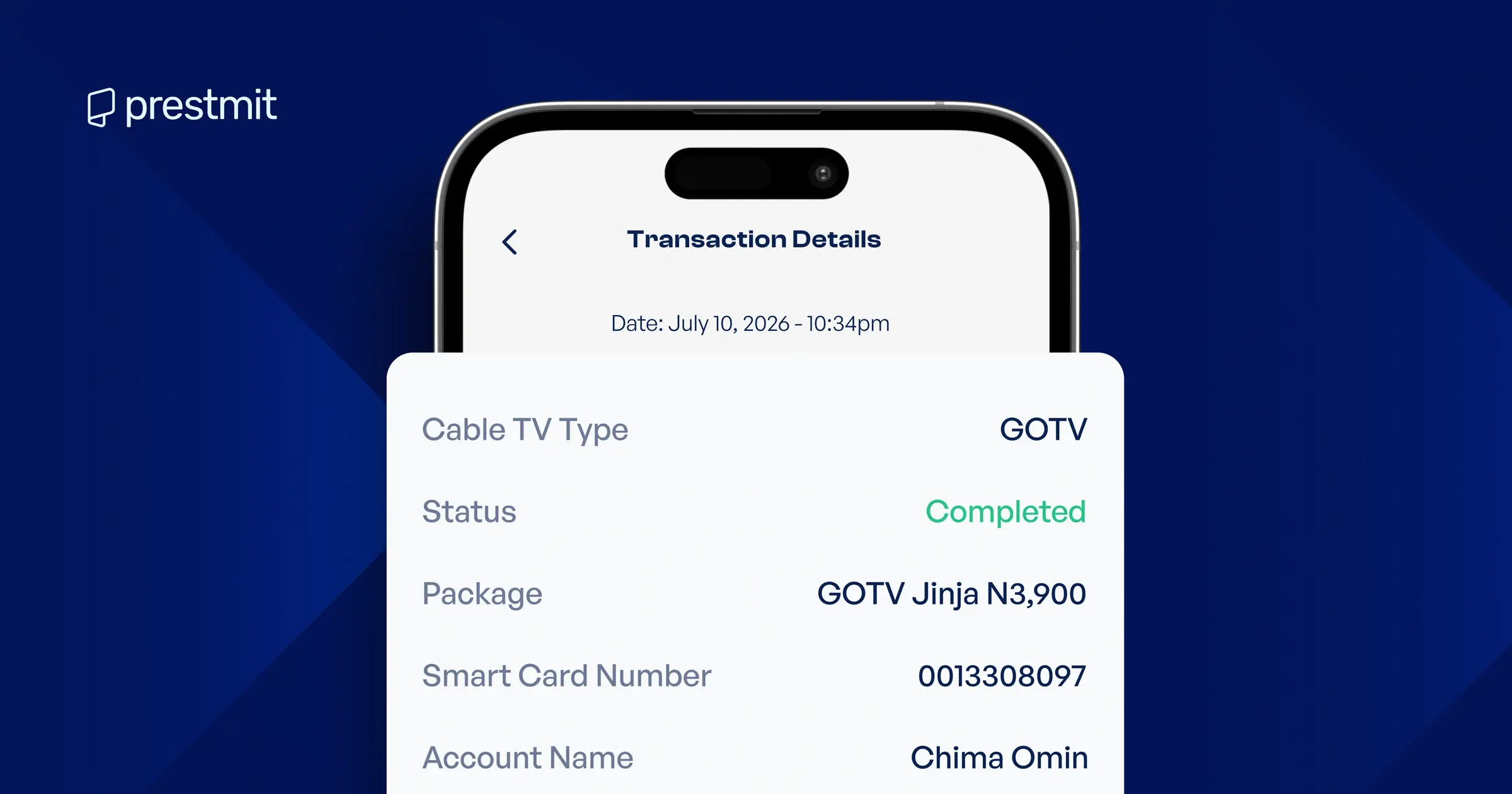
1. Quick Transaction Processing Time
Prestmit makes it easy to renew your GOtv subscription without long processing delays. Once you confirm the payment, the platform processes your subscription promptly so you can restore your viewing without unnecessary waiting.
2. No Hidden Charges
Prestmit does not add hidden charges to your GOtv payment. You pay the exact amount displayed for your selected package, allowing you to complete your subscription with a clear understanding of the total cost.
3. Use Your Digital Earnings to Pay for GOtv
Prestmit, as a digital marketplace, allows users to buy and sell gift cards, cryptocurrencies, and airtime. You can receive funds you earned from selling these digital assets in Naira, Ghanaian Cedis, USD, or cryptocurrency. With these funds, you can conveniently pay for your GOtv subscription.
But in a scenario where your wallet balance is in USD but you need to pay for your GOtv subscription in Naira, you can easily convert your funds using Prestmit’s multi-currency wallet. This allows you to switch between supported currencies seamlessly and use the converted balance to complete your GOtv subscription without delays.
Frequently Asked Questions
1. How long does GOtv take to reconnect after payment?
GOtv usually reconnects shortly after your payment is confirmed. If it does not reflect immediately, give it a few minutes and confirm that your IUC number was entered correctly.
2. Can I pay GOtv without the app using a USSD code?
Yes, you can pay for a GOtv subscription with USSD options via your mobile phone. Simply dial the official GOtv self-service code for your country or use your bank’s USSD payment code.
However, using the Prestmit app gives you a simple way to pay, track your transactions, and keep your receipts in one place.
3. How do I check my GOtv IUC number?
You can find your GOtv IUC number on the red sticker under your decoder, on your GOtv account, or through your decoder information menu.
4. What if my GOtv does not reconnect after payment on Prestmit?
First, confirm that the IUC number you entered is correct. Then check your payment receipt. If the issue continues, contact Prestmit support with your transaction details for assistance.
5. Can I upgrade my GOtv package on Prestmit?
Yes. You can select a higher GOtv package on Prestmit when making payment, as long as you enter the correct IUC number and confirm the right bouquet before checkout.
Also pay DStv, StarTimes, electricity, and betting accounts on Prestmit →