Table of Contents
Prepaid electricity meters have made it easier for Nigerians to manage their electricity consumption. One of the most useful features of a prepaid meter is the keypad. Besides entering recharge tokens, the keypad allows you to check your electricity unit balance, display your meter number, view previous tokens, and access other useful information.
However, many users struggle because keypad codes vary from one meter brand and model to another.
This article explains how to check your prepaid meter balance, the different types of prepaid meter codes, and how to conveniently buy electricity online with Prestmit.
Types of Prepaid Meters in Nigeria
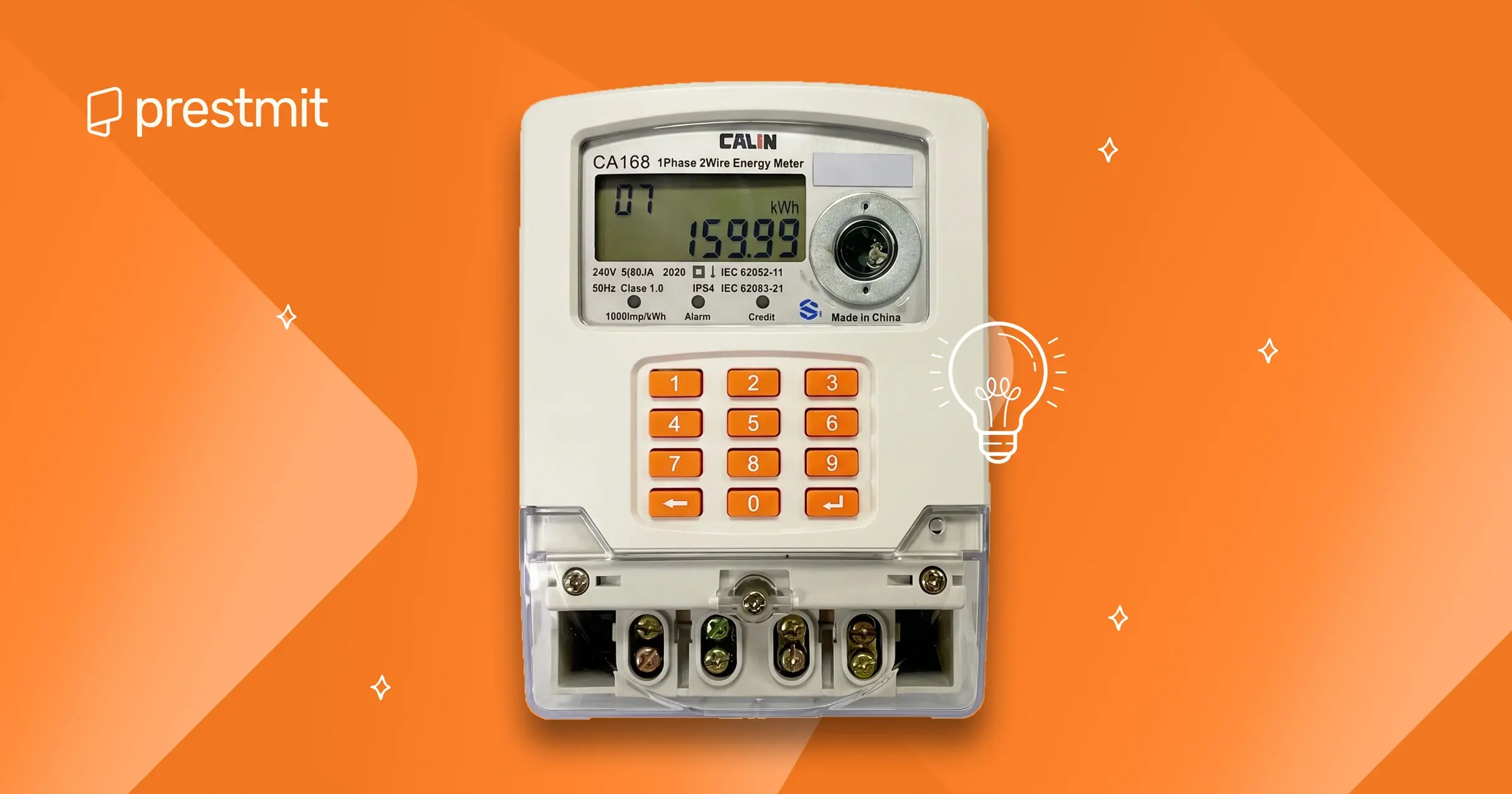
Nigeria uses prepaid meters from different manufacturers. While they all perform the same function, the keypad codes and menu options differ.
1. Split (CIU) Prepaid Meters
Split prepaid meters are the most common type of prepaid electricity meter used in Nigeria. They consist of two separate devices: the main meter, which is usually installed outside the building, and a Customer Interface Unit (CIU), which is placed inside the home.
The CIU serves as the keypad through which you enter electricity tokens, check your remaining balance, view your meter number, and perform other basic functions.
Examples of Split prepaid meters are Conlog, Hexing, Holley, MOJEC, and Landis+Gyr, which are available in split-meter configurations.
2. Integrated Keypad Meters
Integrated keypad meters have the keypad built directly into the meter, so there is no separate Customer Interface Unit (CIU). All functions, including loading electricity tokens, checking your balance, and accessing meter information, are carried out on the meter itself. This type of meter is often preferred because it combines all functions into a single device.
Common types of this meter include Longi, MEMMCOL, MOJEC, Sanxing, and Linyang.
Common Prepaid Meter Keypad Codes in Nigeria
Different manufacturers use different keypad commands. The codes below are the most commonly used across popular prepaid meter brands in Nigeria. Some newer or older models may use different firmware, so slight variations can occur.
| Meter Type | Check Meter Units Balance | CheckMeter Number | Turn Off Alarm | Check Last Token Recharged | Check Last Recharge Date | Check Total Energy Consumption |
| MOJEC | 009 | 100 | 045 | 203 | 200 | 004 |
| MEMMCOL | 801 | 804 | 812 | 824 | 815 | 808 |
| Conlog | #001# | #100# | Press and hold backspace (←) key for 3 seconds | #10# | #01# | #1# |
| Hexing | 801 | 804 | 812 | 817 | 815 | 800 |
| Holley | 101 | 301 | 812 | 200 | 201 | 204 |
| Landis+Gyr | 07 | i024 | Press and hold the 0 (zero) key for 5 seconds | 056 | 054 | 061 |
| Linyang | 019 | 100 | 103 | 200 | 201 | 003 |
| Longi | 801 | 804 | 613 | 841 | 816 | 800 |
| Sanxing | 801 | 804 | 809 | 100 | 203 | 800 |
How to Check Your Prepaid Meter Balance
There are several ways to check your prepaid meter balance, depending on your meter type and electricity distribution company.
1. Direct meter display/customer interface unit (CIU)
Many Nigerian homes use split prepaid meters, which come with a Customer Interface Unit (CIU). The CIU is the keypad installed inside your home, while the actual meter is mounted outside. For integrated keypad meters, simply enter the appropriate code directly on the meter. To check your balance on CIU:
- Plug the CIU into a working power socket
- Enter the balance code for your meter.
- Press the Enter or OK button
- Your remaining electricity units (kWh) will appear on the screen.
2. Mobile apps
Most DISCOs now have mobile apps. Download your Disco app and link your prepaid meter to it. You can then view your current balance on the app.
3. Customer service channels
If your meter screen is faulty or you’re unable to check the balance, here is how to check your prepaid meter balance using customer service channels:
- Call your Disco’s customer service
- Send your meter number via SMS, WhatsApp, or email to your Disco
- Use your Disco’s USSD code of available
- Visit your Disco’s office for help
What to Do If Your Prepaid Meter Code Doesn’t Work
If your prepaid meter balance doesn’t appear after entering the balance code or if a particular code doesn’t work, don’t panic. The issue could be caused by an incorrect code, a communication problem between your meter and the Customer Interface Unit (CIU), or a temporary system fault. Here are some troubleshooting steps you can try:
1. Confirm you’re using the correct code for your meter brand
Prepaid meter keypad codes vary by manufacturer. A code that works on a Hexing meter may not work on a MOJEC, Conlog, Holley, or Landis+Gyr meter. Double-check that you’re entering the correct balance code for your specific meter model and press the Enter key after typing the code if required.
2. Ensure the CIU is properly plugged in
For split prepaid meters, make sure the Customer Interface Unit (CIU) is securely plugged into a working wall socket. A loose connection or faulty power outlet can prevent the CIU from communicating with the meter, making it impossible to display your balance.
3. Restart the CIU
Sometimes, simply restarting the CIU can resolve temporary communication issues. Unplug the CIU from the power outlet, wait for about 30 seconds, and plug it back in. Once it powers up completely, enter the balance code again.
4. Check communication between the meter and CIU
If your meter uses Power Line Communication (PLC), Radio Frequency (RF), or another wireless communication method, poor communication can prevent the balance from displaying. Check whether the CIU shows communication-related errors or warning messages.
If your meter has recently been installed or relocated, it may need to be paired or reconfigured by your electricity distribution company.
5. Verify that the meter is working normally
Look at the meter display to see if it’s showing any error codes such as Tamper, Communication Error, Reject, or Fault. These messages may indicate a problem that prevents normal operation. Refer to your meter’s user guide or contact your electricity provider for assistance if an error code is displayed.
6. Confirm that you have a power supply
Some prepaid meters and CIUs may not work correctly during prolonged power outages or if there is an issue with the electrical supply to your premises. Wait until power is restored and try checking your balance again.
7. Contact your electricity distribution company
If you’ve confirmed that you’re using the correct code and the problem persists after restarting the CIU and checking the connections, contact your electricity distribution company (DisCo). Their customer support team can help diagnose communication issues, reactivate your meter if necessary, or arrange a technician visit if there’s a hardware fault.
How to Make Your Electricity Bill Payment with Prestmit
Buying electricity online is fast and convenient with Prestmit. You can pay electricity bills (prepaid or postpaid) for all the electricity distribution companies (DisCos) in Nigeria from the comfort of your home on Prestmit.
The platform offers a seamless payment experience, instant token delivery after successful payment, and a secure way to top up your prepaid meter anytime, anywhere. These features make Prestmit one of the best platforms to pay for electricity bills in Nigeria.
Follow the steps below to make your electricity bill payment on Prestmit:
- Download the Prestmit app from the Google Play Store or Apple App Store
- Log in to your account or create a new one if you’re a first-time user
- Create a virtual bank account (if you don’t already have one) and fund your Prestmit wallet by tapping Top Up on the homepage
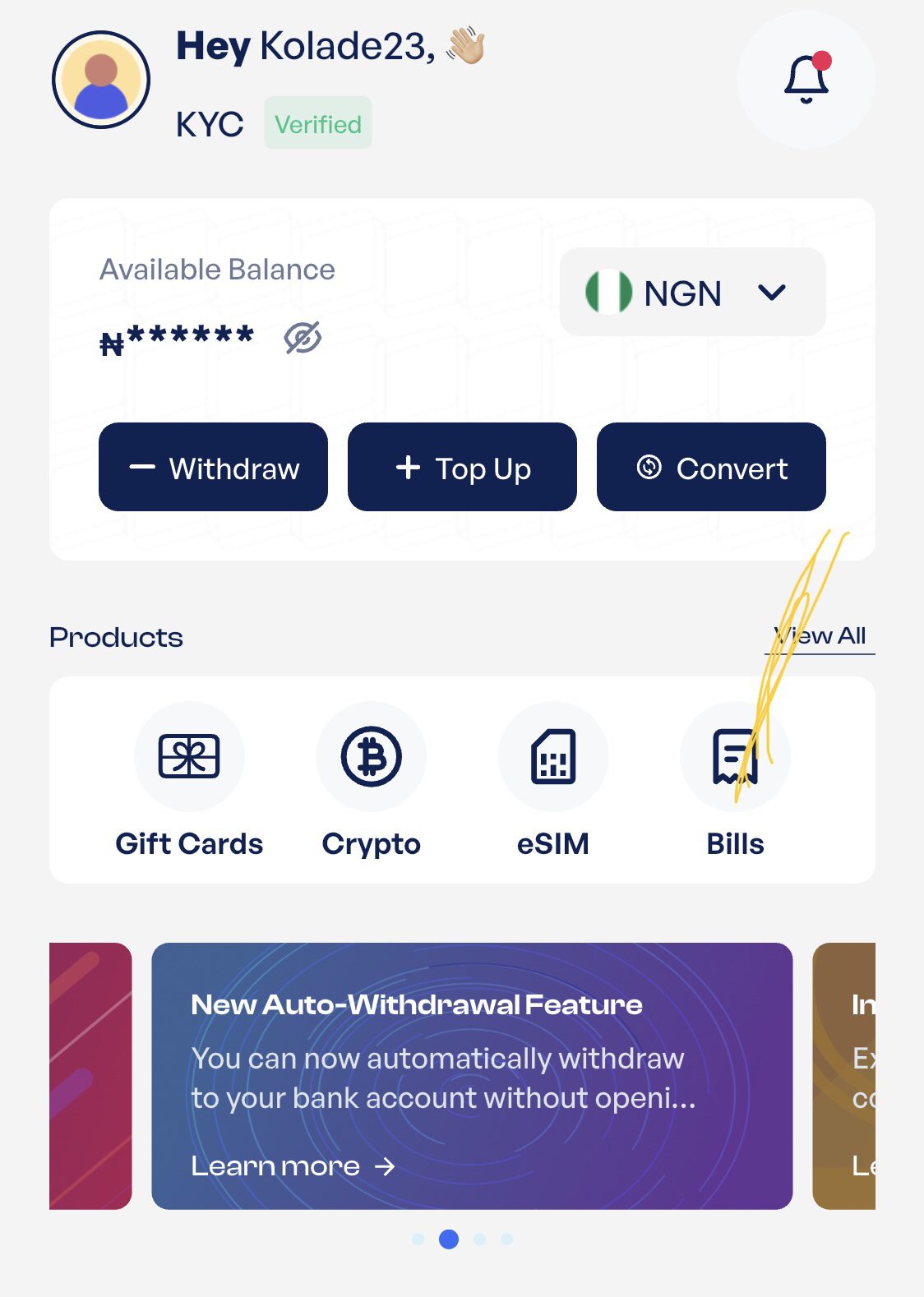
- Tap Bills on the homepage and select Electricity Bill
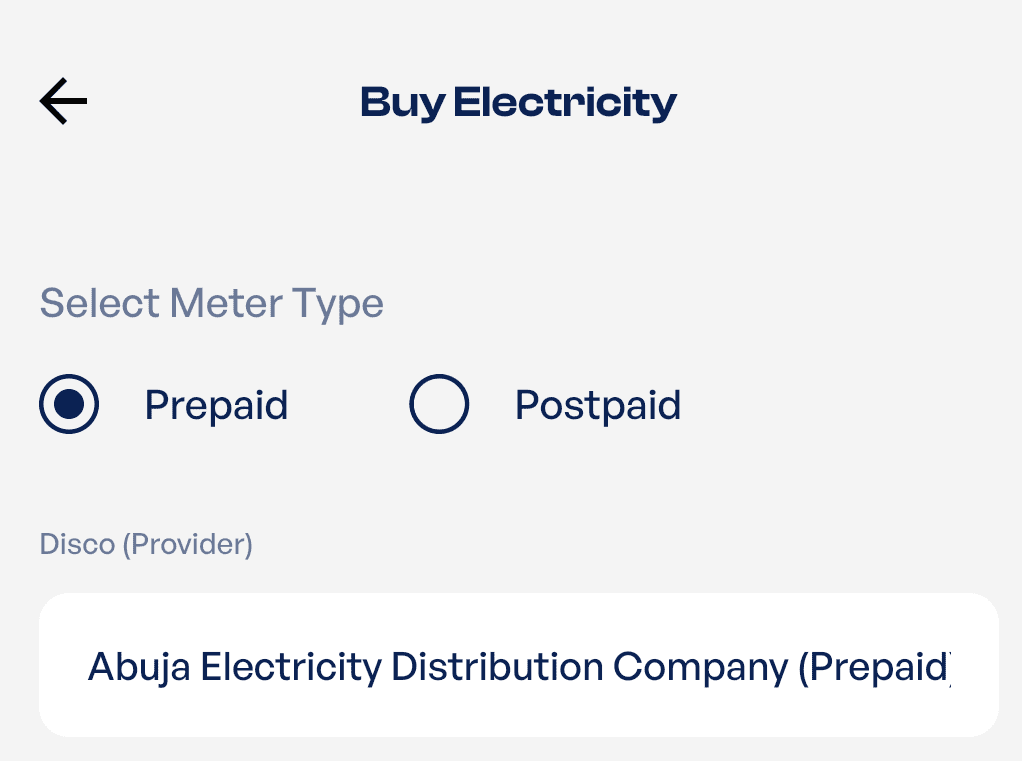
- Choose your meter type (Prepaid or Postpaid) and select your electricity distribution company (DisCo)
- Enter your meter number and the amount you want to pay or use to purchase electricity, then tap “Pay Now”
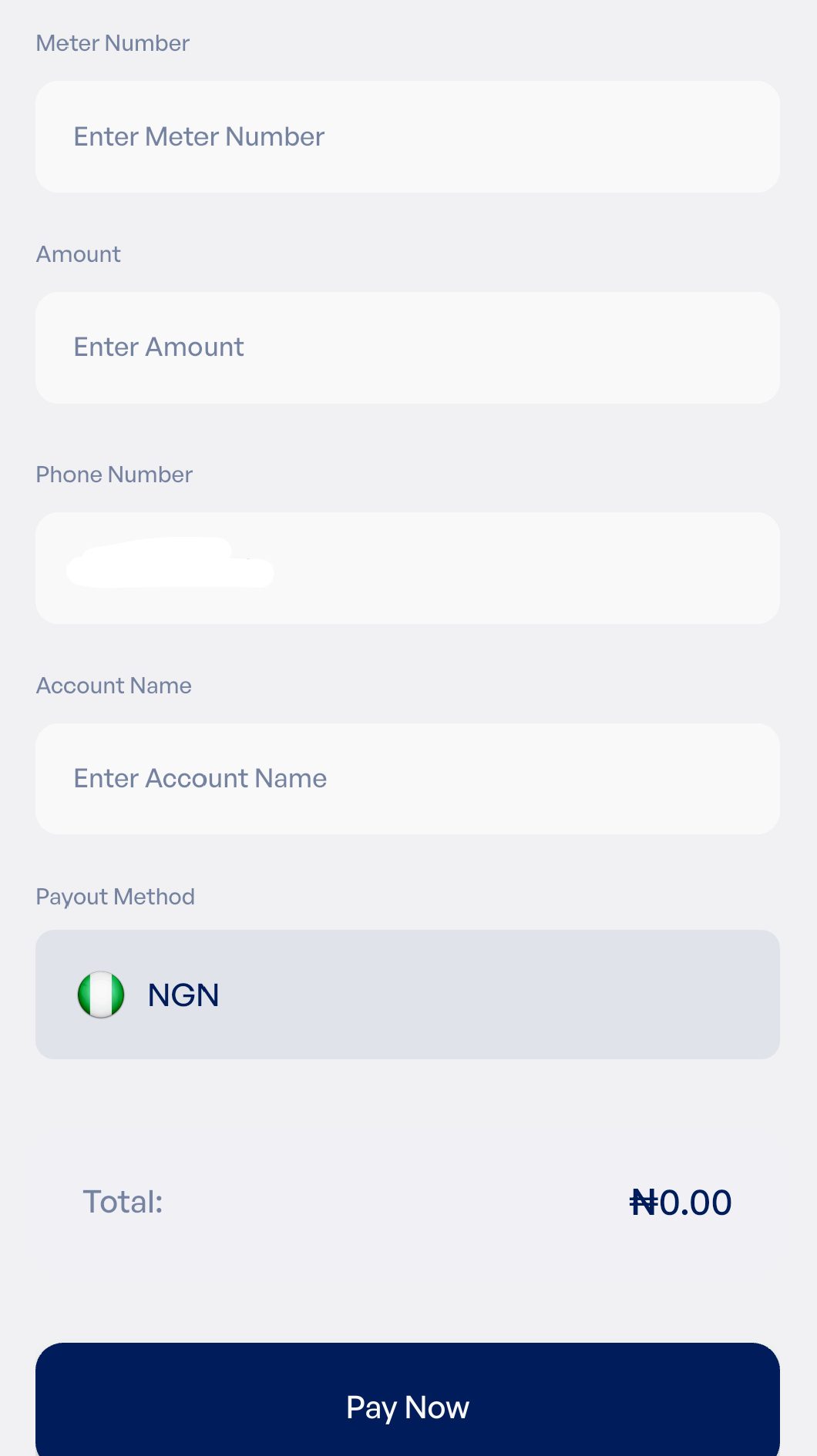
- If you’re using a prepaid meter, enter the 20-digit token sent after successful payment into your meter or Customer Interface Unit (CIU) to load your units. If you’re paying a postpaid bill, your payment will be credited directly to your electricity account.
Frequently Asked Questions
1. Do all prepaid meters use the same balance check code?
No. Prepaid meter keypad codes vary by manufacturer and model. For example, MOJEC, Hexing, Conlog, Holley, Landis+Gyr, and other meter brands each have their own set of codes. Always use the code designed for your specific meter model.
2. How do I know the brand or model of my prepaid meter?
You can find your meter brand and model number on the label attached to the meter or Customer Interface Unit (CIU). Common brands in Nigeria include MOJEC, Hexing, Conlog, Holley, Landis+Gyr, MEMMCOL, and Sanxing.
3. Can I check my prepaid meter balance without entering a code?
Some modern prepaid meters automatically display the remaining units by cycling through information on the screen. However, many meters require you to enter a keypad code to view your balance on the CIU.
4. Why does my prepaid meter display an error instead of my balance?
An error message may indicate a communication problem between the meter and the CIU, an incorrect keypad code, a temporary system fault, or a meter issue such as tamper detection. If restarting the CIU doesn’t resolve the issue, contact your electricity distribution company (DisCo).
5. What should I do if my meter balance seems incorrect?
Compare the displayed balance with your recent electricity purchases and usage. If the balance appears inaccurate after confirming your recent token was successfully loaded, contact your electricity distribution company for assistance.
Conclusion
Checking your prepaid meter balance is easy once you know the correct keypad code for your meter brand. Whether you use a MOJEC, Hexing, Conlog, Longi, Holley, Landis+Gyr, MEMMCOL, or another prepaid meter, understanding these keypad functions helps you monitor your electricity usage, locate your meter number, and troubleshoot common issues more easily.
When it’s time to recharge, you don’t have to visit a physical payment centre. With Prestmit, you can conveniently buy electricity online, receive your token within minutes, and keep your power running without stress. Looking to pay more than your electricity bill? You can also pay for DStv, GOtv, StarTimes, airtime, data, and betting accounts on Prestmit.