Table of Contents
Nothing is as frustrating as having your electricity go off because your prepaid units have run out, especially late at night or when you’re in the middle of something important. In moments like these, you don’t just need a way to pay your electricity bill. You need a platform that processes your payment quickly so you can get your electricity back without unnecessary delays.
Whether you’re buying units for your prepaid meter or paying a postpaid bill, a fast and seamless payment experience gives you peace of mind, knowing you can buy electricity whenever you need it, even outside regular business hours.
This article will show you how to pay your electricity bill conveniently, how to find your meter number, what to do after receiving your electricity token, and more.
Step-by-Step Guide to Paying Your Electricity Bills on Prestmit
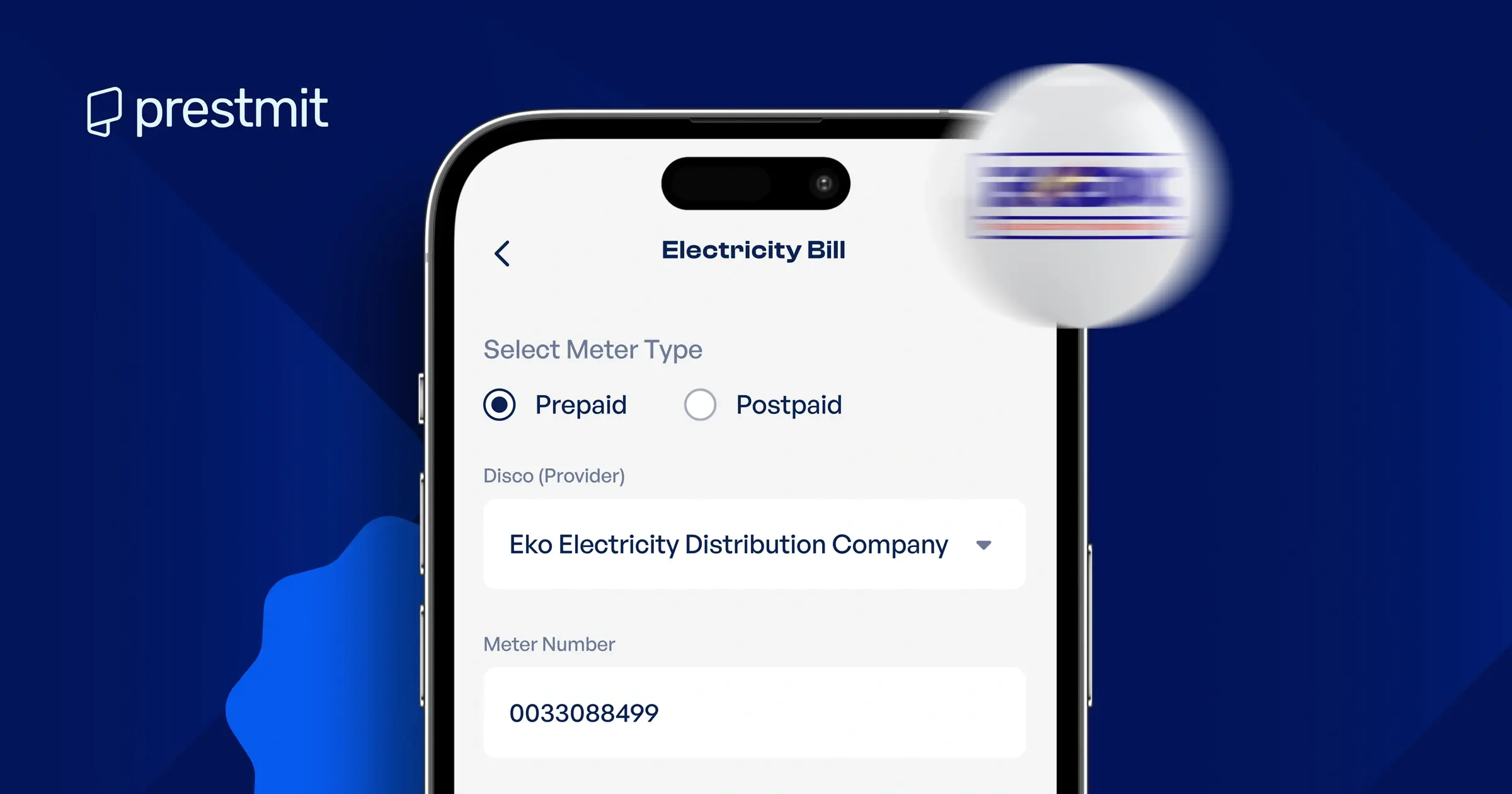
Prestmit provides a simple way to pay electricity bills from your smartphone. The platform supports both prepaid and postpaid electricity payments for all electricity distribution companies (DisCos) such as Ikeja Electric, Eko Electricity, Ibadan Electricity, Abuja Electricity, Port Harcourt Electricity, Kano Electricity, and others across Nigeria.
The platform offers a secure payment process, a user-friendly interface, quick payment processing, and easy access to your transaction history. These make Prestmit one of the best platforms to pay your electricity bills in Nigeria.
Follow these steps to pay your electricity bill on Prestmit:
Step 1: Download the Prestmit app
Download the Prestmit app from the Google Play Store if you use Android or the Apple App Store if you use an iPhone. Install the app and open it on your device.
Step 2: Log in or create an account
If you’re a new user, create a Prestmit account by providing the required details. If you’re an existing user, simply log in with your credentials.
Step 3: Create a virtual bank account and fund your wallet
To fund your Naira wallet, generate your virtual top-up account inside the app by clicking “Top Up” on the Homepage and following the subsequent prompts. You only need to do this once. After your account is created, you can transfer money to the virtual account, and the funds will reflect in your Prestmit wallet. If you have an existing virtual bank account, skip this step and fund your wallet directly.
Step 4: Select “Bills” on the homepage
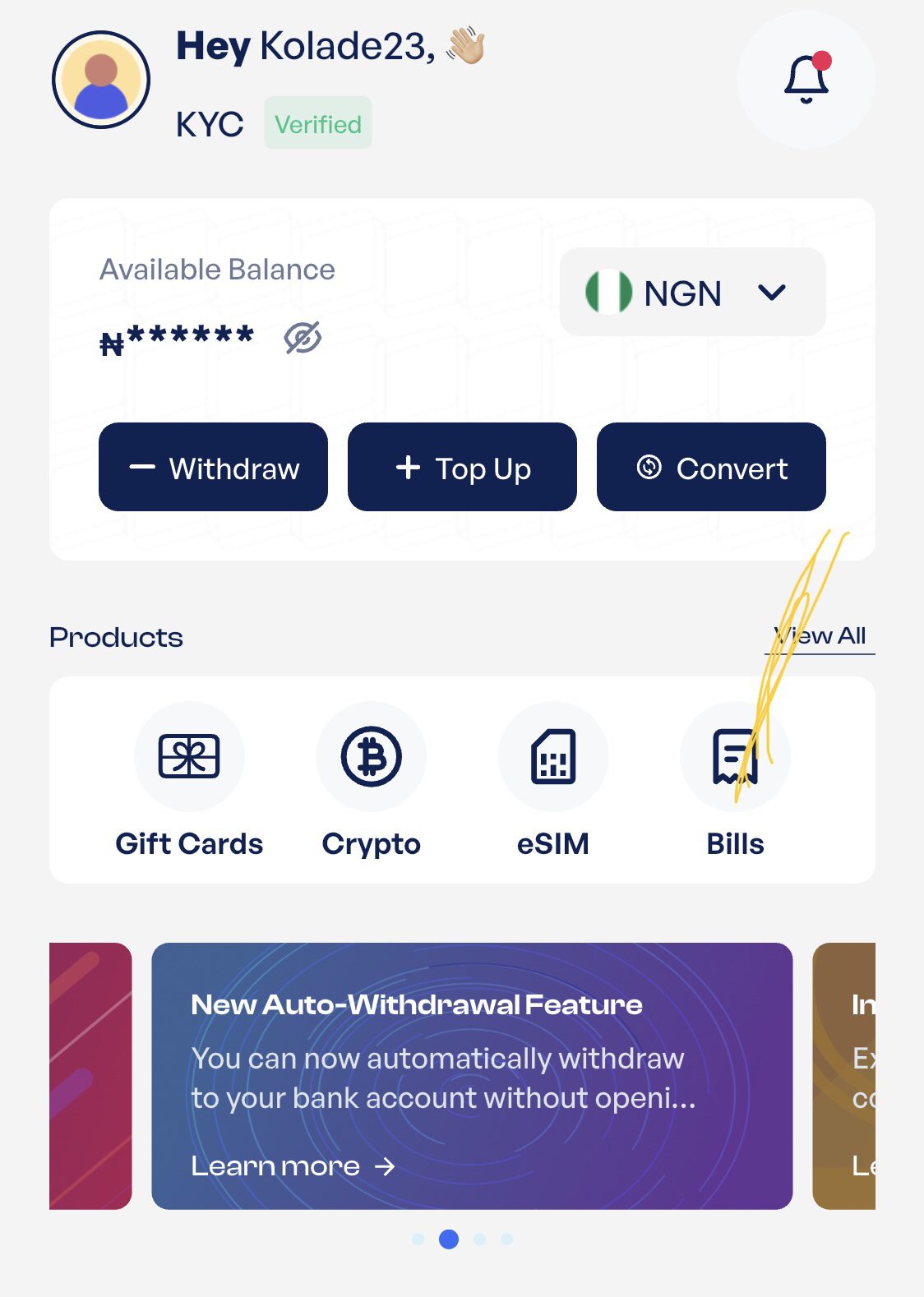
Select “Bills” on the homepage and click on “Electricity Bill” from the subsequent menu
Step 5: Select your meter type and Disco
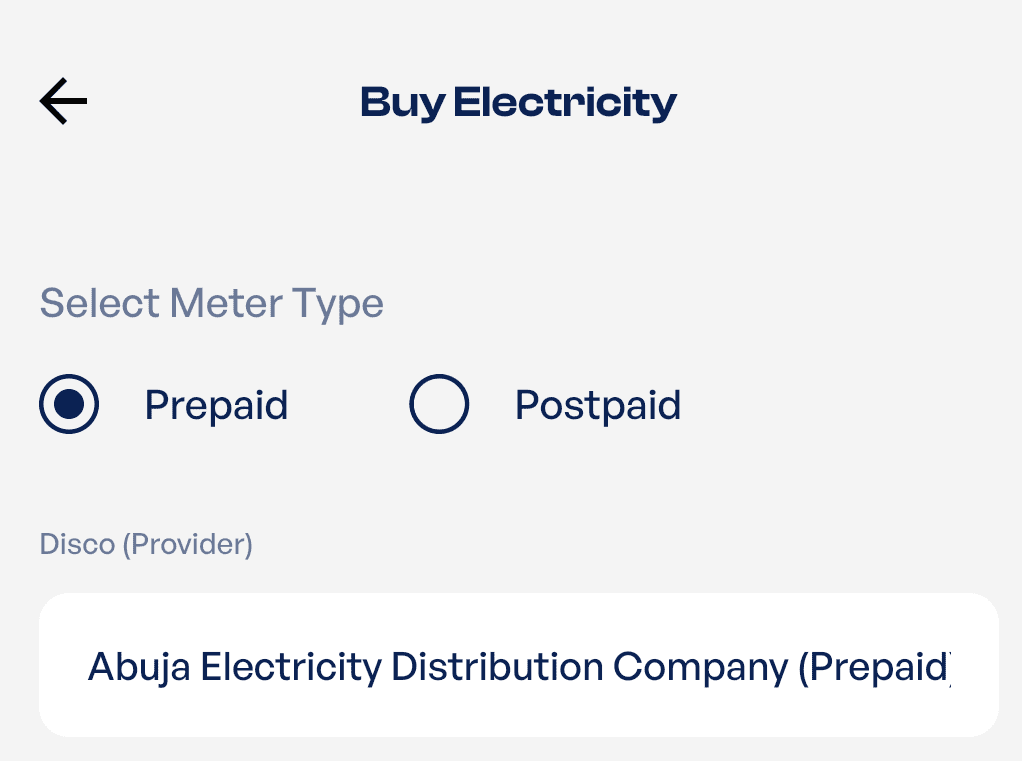
Choose whether you use a Prepaid or Postpaid meter. Next, select your electricity distribution company from the available list.
Step 6: Enter your meter number and purchase amount
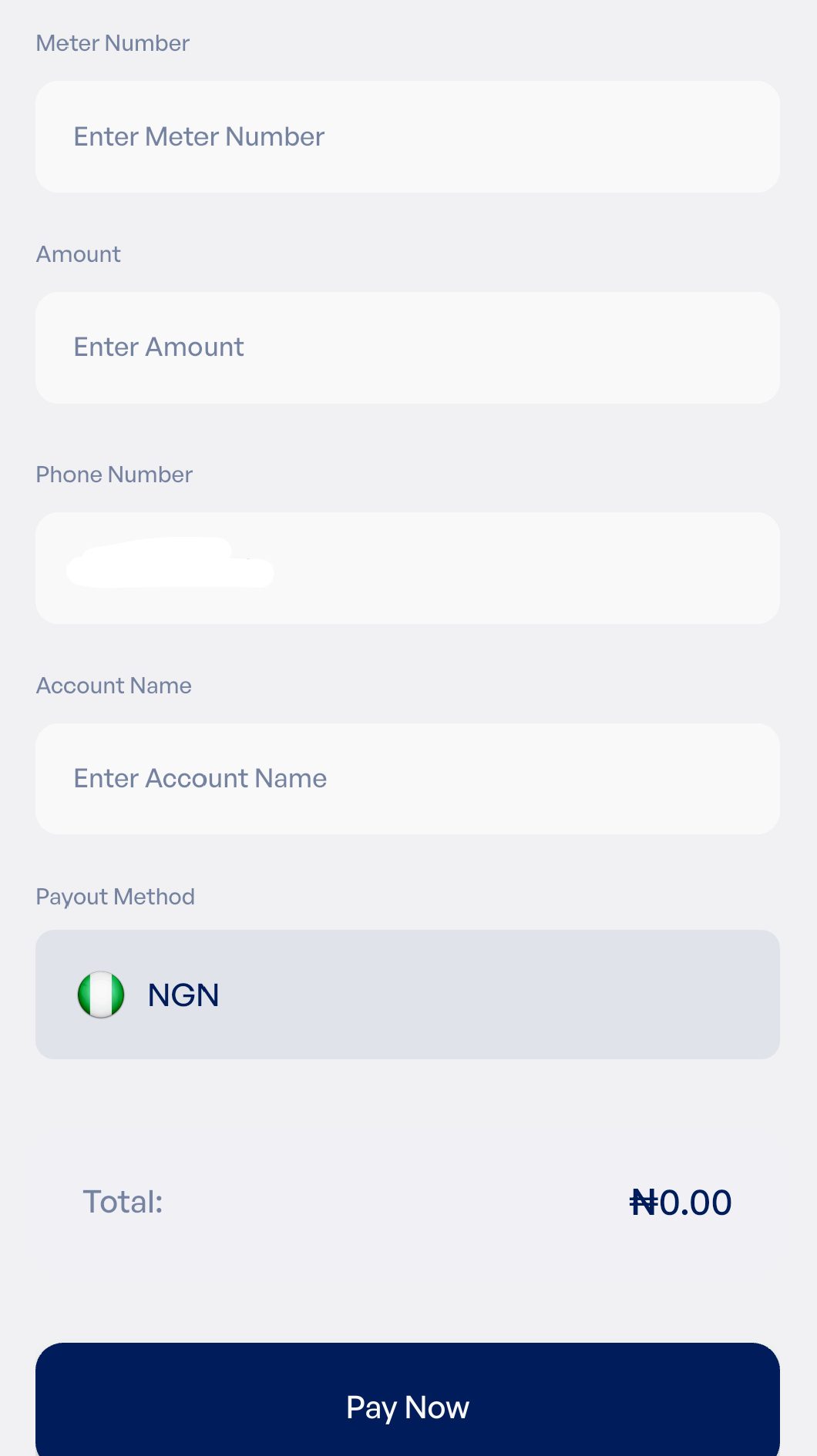
Enter your meter number carefully and input the amount you want to pay or buy. Confirm the details before tapping Pay Now. Double-check your meter number before completing the transaction.
Once payment is successful, you’ll receive your electricity token. Enter the 20-digit token on your meter or CIU and press Enter to load your units. If your meter is postpaid, your payment will be credited directly to your electricity account.
How to Find Your Meter Number
Your meter number is the unique identification number assigned to your electricity meter. You’ll need it whenever you want to buy electricity units or pay your electricity bill. You can find your meter number in several ways:
- Check the front of your prepaid or postpaid electricity meter. The meter number is usually printed on the meter label.
- Dial your meter’s check meter number code on the Customer Interface Unit (CIU) if your prepaid meter uses a separate keypad, or enter the code directly on the meter if it has an integrated keypad. The exact code depends on your meter manufacturer.
- Check a previous electricity bill or receipt, where the meter number is usually displayed.
- Contact your electricity distribution company if you still can’t find it.
READ MORE: How to Check Prepaid Meter Balance and Keypad Codes in Nigeria
Electricity Token — What to Do If You Face Issues After Payment
Once your payment is successful, Prestmit processes your request and sends your electricity token. The token is also saved in your transaction history for future reference.
What to Do If You Don’t Get Your Token
Most electricity payments are processed quickly. Your token is usually delivered within a few minutes after successful payment. If you do not receive it within 15 minutes, contact customer support with your transaction ID.
Where to Find Your Token If You Don’t Get an SMS
If you do not receive an SMS, check the email address linked to your Prestmit account. You can also open your transaction history inside the app, where your token is stored after a successful payment.
What to Do If Your Meter Rejects the Token
First, enter the token again carefully to ensure every digit is correct. If the meter still rejects it, confirm that the token matches your meter number. If the issue continues, contact your electricity distribution company for assistance.
What to Do If the Token Doesn’t Arrive After 10 Minutes
Wait a few more minutes because processing times can occasionally vary due to the network. If your token is still unavailable after 15 minutes, contact Prestmit support through the in-app live chat and provide your transaction ID for assistance.
Electricity Tariff Bands in Nigeria – How Much Should You Be Paying?
Electricity tariffs in Nigeria are regulated by the Nigerian Electricity Regulatory Commission (NERC). NERC classifies electricity customers into service bands based on the average number of electricity supply hours they receive each day. Your electricity bill depends primarily on your service band. Customers in higher service bands generally pay higher tariffs because they receive more hours of electricity supply.
However, there is no single nationwide tariff for every band. As a result, the tariffs below may differ depending on your DisCo, customer category (residential, commercial, industrial, etc.), meter class (maximum demand or non-maximum demand), and NERC-approved tariff orders applicable to your DisCo.
| Band | Minimum Daily Supply | Tariff (₦/kWh) |
| Band A | At least 20 hours | ₦209.50/kWh |
| Band B | Between 16 and 20 hours | ₦61.00/kWh |
| Band C | Between 12 and 16 hours | ₦48.53/kWh |
| Band D | Between 8 and 12 | ₦32.48/kWh |
| Band E | Between 4 and 8 hours | ₦32.44/kWh |
Frequently Asked Questions
1. Can I pay postpaid electricity bills on Prestmit?
Yes. Prestmit supports both prepaid and postpaid electricity bill payments. Simply select the appropriate meter type before making payment.
2. Which electricity companies does Prestmit support?
Prestmit supports all electricity distribution companies in Nigeria, including Eko, Ikeja, Abuja, Kano, Ibadan, Port Harcourt, Enugu, Jos, and Kaduna electricity distribution companies, among others.
3. What if I entered the wrong meter number?
Always confirm your meter number before paying. Completed transactions sent to the wrong meter number cannot be reversed.
4. Can I pay someone else’s electricity bill on Prestmit?
Yes. As long as you enter the correct meter number and choose the correct electricity provider, you can pay for another person’s electricity bill.
5. What if my token doesn’t work on my meter?
Confirm that you entered the token correctly. If the problem continues, contact your electricity distribution company or Prestmit support for assistance.
Conclusion
Paying your electricity bill no longer has to involve long queues or unnecessary delays. With Prestmit, you can pay prepaid and postpaid electricity bills from anywhere using your smartphone. The process is straightforward, and your token is delivered to you immediately after a successful payment. Before completing any payment, always confirm your meter number and selected electricity provider. Doing so helps you avoid errors and ensures your electricity payment goes through without issues.
You can also manage more of your everyday payments in one place. Prestmit allows you to also pay for DStv, GOtv, StarTimes, airtime, data, and betting accounts on Prestmit.
Last updated on July 20, 2026