Table of Contents
Running out of Airtel airtime always seems to happen at the worst possible moment. You might need to make an important call, subscribe to a data plan, or respond to an urgent message. In moments like these, spending time trying different recharge codes can be frustrating. Airtel allows you to recharge your line through simple USSD codes, so as long as you know the right one for your preferred recharge method, you can top up your line quickly and get back to using your Airtel services.
Keep reading to learn the current Airtel USSD codes, how to use them correctly, and other simple ways to top up your Airtel line.
What Is the USSD Code to Load an Airtel Card?

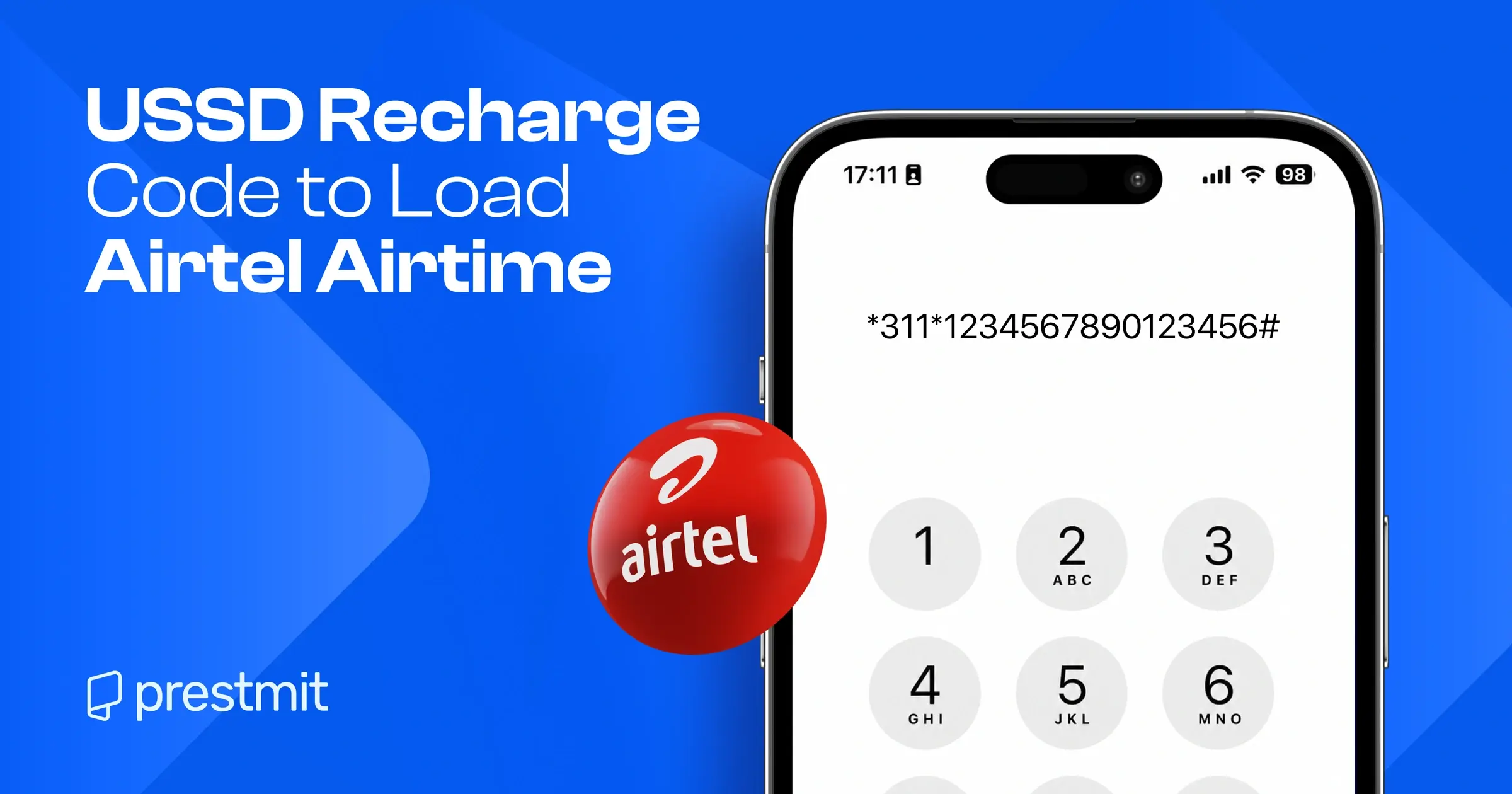
At the time of writing this article, the Airtel recharge USSD code in Nigeria is *311*PIN#.
You may still come across the old recharge code online, especially on older websites and blog posts, but Airtel now uses *311*PIN# following the harmonised USSD code update introduced by the Nigerian Communications Commission (NCC) in 2023.
How to Recharge Your Airtel Line Using USSD
Method 1: Load an Airtel Recharge Card
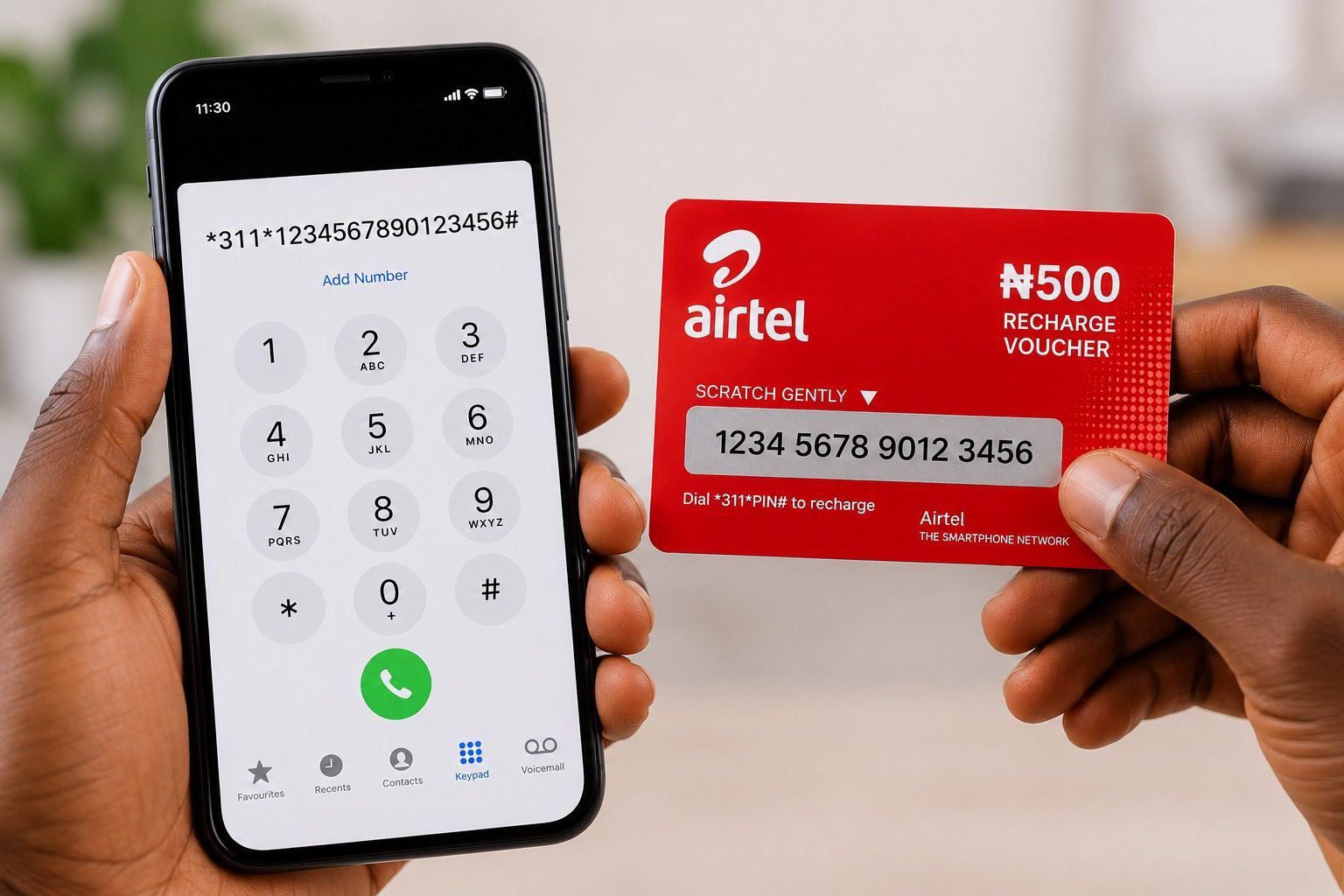
If you have an Airtel recharge card or voucher, you can redeem it in a few simple steps.
- Locate the recharge PIN on your Airtel recharge card or voucher.
- Dial *311*PIN#, replacing “PIN” with the code on your Airtel voucher.
- Press the call button.
- Wait for the confirmation message from Airtel.
Method 2: Buy Airtime Using Airtel’s *444# Service
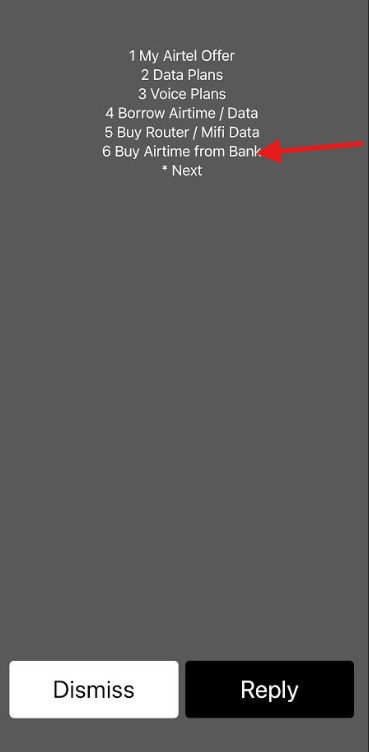
If you do not have an Airtel voucher, you can also buy airtime through Airtel’s *444# service using the bank account linked to your Airtel line.
- Dial *444# on your Airtel line.
- Select “Buy Airtime from Bank” from the menu.
- Follow the prompts to complete the transaction.
- Wait for the confirmation message once your airtime has been credited.
Method 3: Recharge Airtel Airtime Using Bank USSD Codes
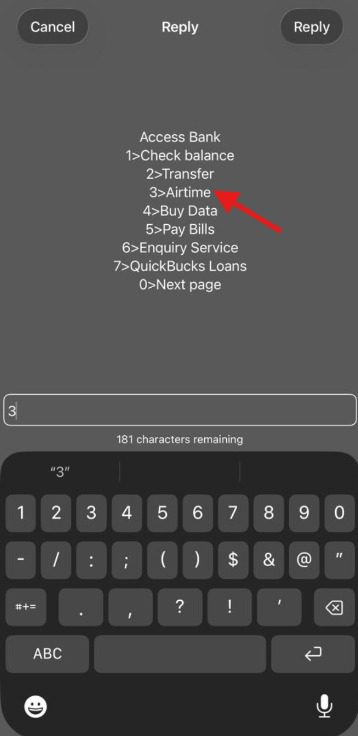
Most Nigerian banks allow customers to buy Airtel airtime directly from their bank accounts through USSD banking.
To recharge your Airtel line through your bank:
- Dial your bank’s USSD code using the phone number linked to your account.
- Select the airtime recharge option.
- Choose whether you want to recharge your own Airtel line or another Airtel number.
- Enter the Airtel phone number if you are recharging another line.
- Enter your preferred airtime amount.
- Confirm the transaction with your PIN or the required authentication method.
The table below shows some popular Nigerian bank USSD codes for buying airtime:
| Bank | USSD Code |
| Access Bank | *901# |
| GTBank | *737# |
| FirstBank | *894# |
| Zenith Bank | *966# |
| UBA | *919# |
| Fidelity Bank | *770# |
Once the transaction is successful, the airtime will be credited to your Airtel line, and your bank will send a confirmation message.
How to Buy Airtel Airtime Online on Prestmit
Buying Airtel airtime is quick and convenient with Prestmit, a digital platform where you can buy airtime for all major Nigerian networks, with secure payments and instant delivery. You can also buy data bundles, pay bills, buy and sell gift cards, and sell cryptocurrencies, all on the platform.
With Prestmit, you can top up your Airtel line in a few simple steps and receive airtime directly on your line after completing your payment. This allows you to make calls, send messages, or subscribe to a data plan without delays.
Follow these simple steps to buy Airtel airtime on Prestmit:
- Visit the Prestmit website or download the Prestmit app from the Google Play Store or Apple App Store.
- Create a Prestmit account or log in if you already have one.
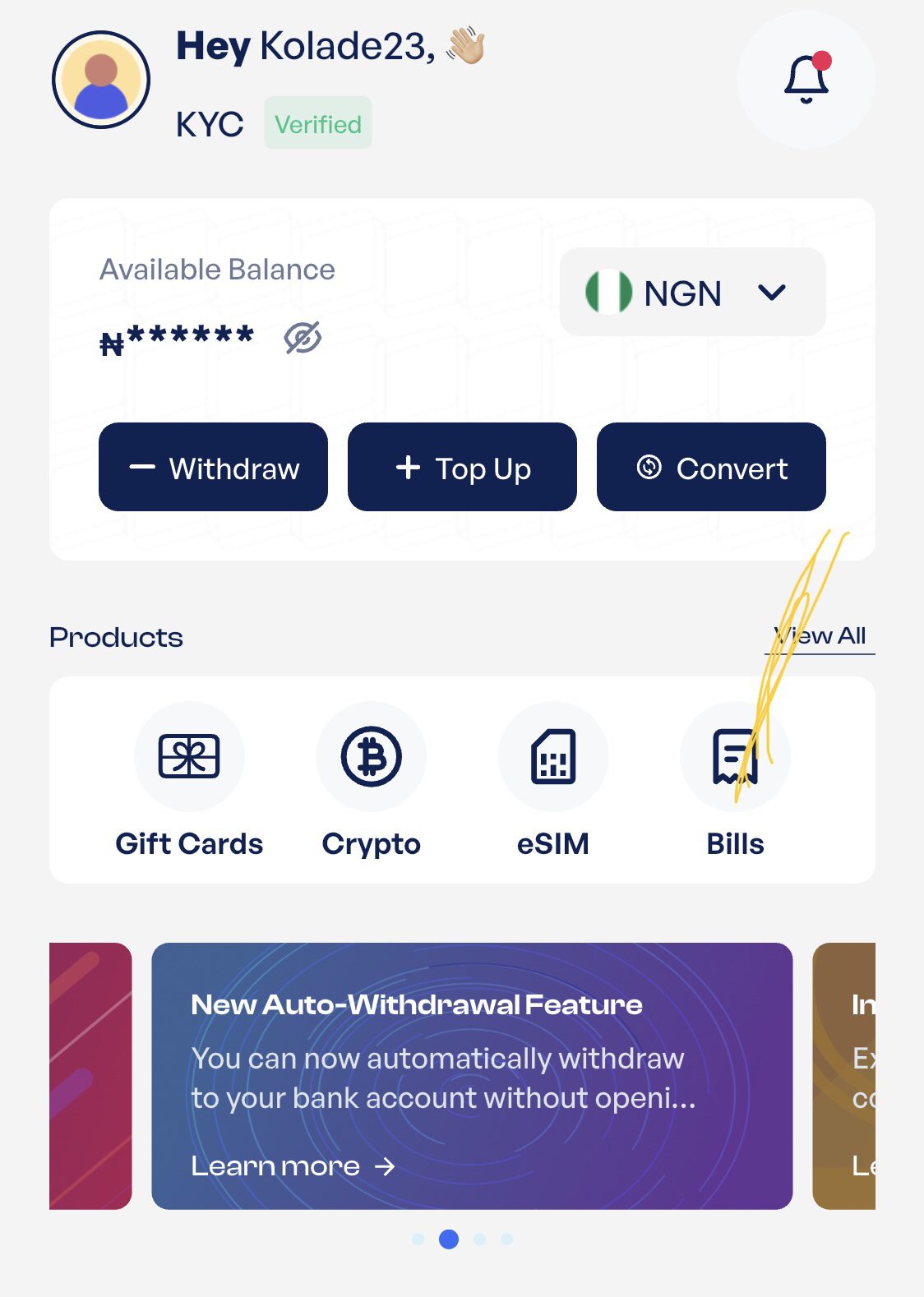
- Select Bills on the dashboard or tap the three dots at the bottom of the screen to access the same option.
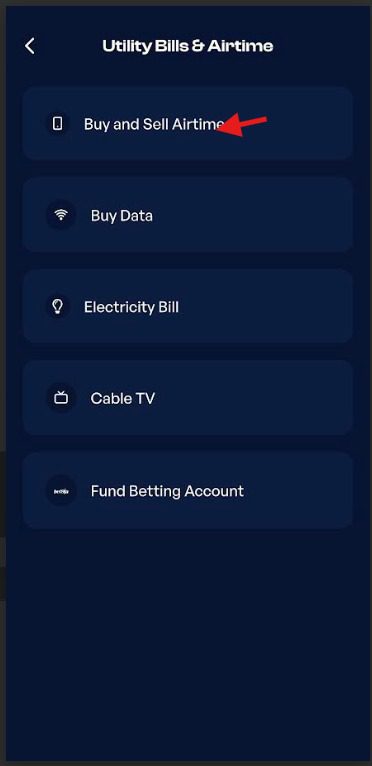
- Select Buy and Sell Airtime. Then choose Buy Airtime.
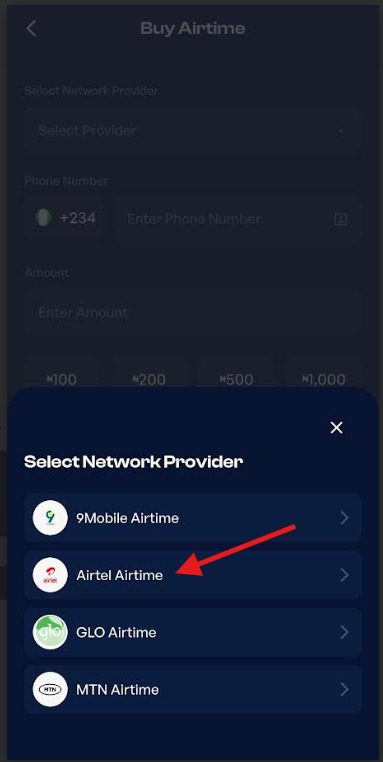
- Choose Airtel as your mobile network provider.
- Enter the phone number you want to recharge, and select the airtime amount.
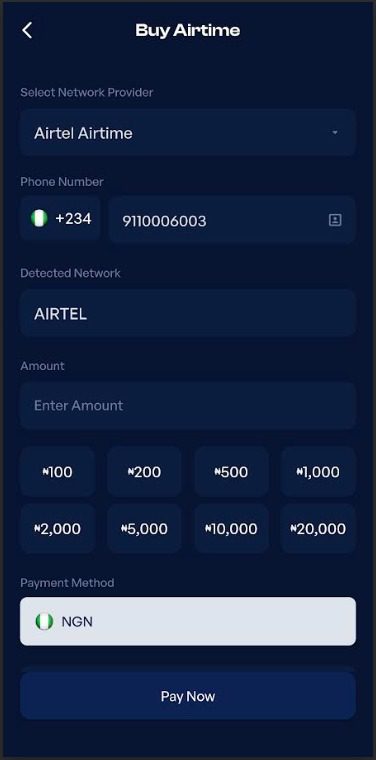
- Review the transaction details, click on Pay Now, and follow the prompts to complete your payment.
Once your payment is successful, the airtime will be credited to the Airtel number almost immediately.
Frequently Asked Questions
1. Can I recharge my Airtel line without using the Airtel USSD code?
Yes, you can recharge your Airtel line through other methods, including your bank’s USSD service, mobile banking apps, or online platforms like Prestmit. These options allow you to buy Airtel airtime without using Airtel’s direct recharge code.
2. Why is my Airtel recharge not working?
Your Airtel recharge may fail because you used an incorrect USSD code, experienced a failed bank transaction, or encountered an issue with the recharge service. Check that your details are correct and try again. If the issue continues, contact Airtel customer care for further assistance.
3. How do I know if my Airtel recharge was successful?
Airtel will display a confirmation message on your screen once your recharge is successful. You should also receive an SMS confirming the transaction, and your airtime balance will update automatically.
4. What should I do if I recharge the wrong Airtel number?
Contact Airtel customer care immediately and provide details of the transaction, including the phone number, amount, and time of the recharge. Although reversals are not guaranteed, reporting the issue quickly gives you the best chance of getting assistance.
5. Can I convert unused Airtel airtime to cash?
Yes, you can also convert your unused Airtel airtime to cash on Prestmit. Simply sell your airtime through the platform, and once your transaction is completed, you will receive your payment directly. You can explore the airtime-to-cash feature on the Prestmit app and convert your excess airtime whenever you need to.
Conclusion
Staying connected on your Airtel line is much easier with the right USSD code. With the updated Airtel recharge code and other convenient recharge options available, you can quickly add airtime and avoid interruptions when you need to make calls, send messages, or access mobile services. Keeping this information handy means you can quickly recharge your line, avoid unnecessary interruptions, and stay connected whenever you need it.
Last updated on July 20, 2026