Table of Contents
Mobile data has become one of the biggest monthly expenses for many Nigerians. A few minutes on social media, a video call, or an online meeting can consume more data than expected, making it important to choose a plan that fits both your needs and your budget.
When you subscribe to MTN, you are open to several affordable data plans, but depending on your browsing needs, some plans may offer better value to you than others. If you are looking for best tariff plan for data on MTN that helps you stay connected while spending less, this guide highlights the cheapest MTN data plans, so you can choose the one that suits you best.
1. MTN Daily Plan
MTN daily data plans are an affordable option if you only need internet access for a day and do not want to buy a longer bundle. Even when you don’t have enough money for a bigger data plan, you can simply use the airtime on your line to buy a small daily bundle for quick tasks like checking your emails, replying to messages, or browsing the internet. So this plan offers you a link between airtime and data cheaply.
If you need more data, MTN also offers bigger daily bundles that give you more room to handle other online activities throughout the day.
- Data allocation: MTN daily plans start from 75MB and go up to larger bundles like 1GB, 2.5GB, and above.
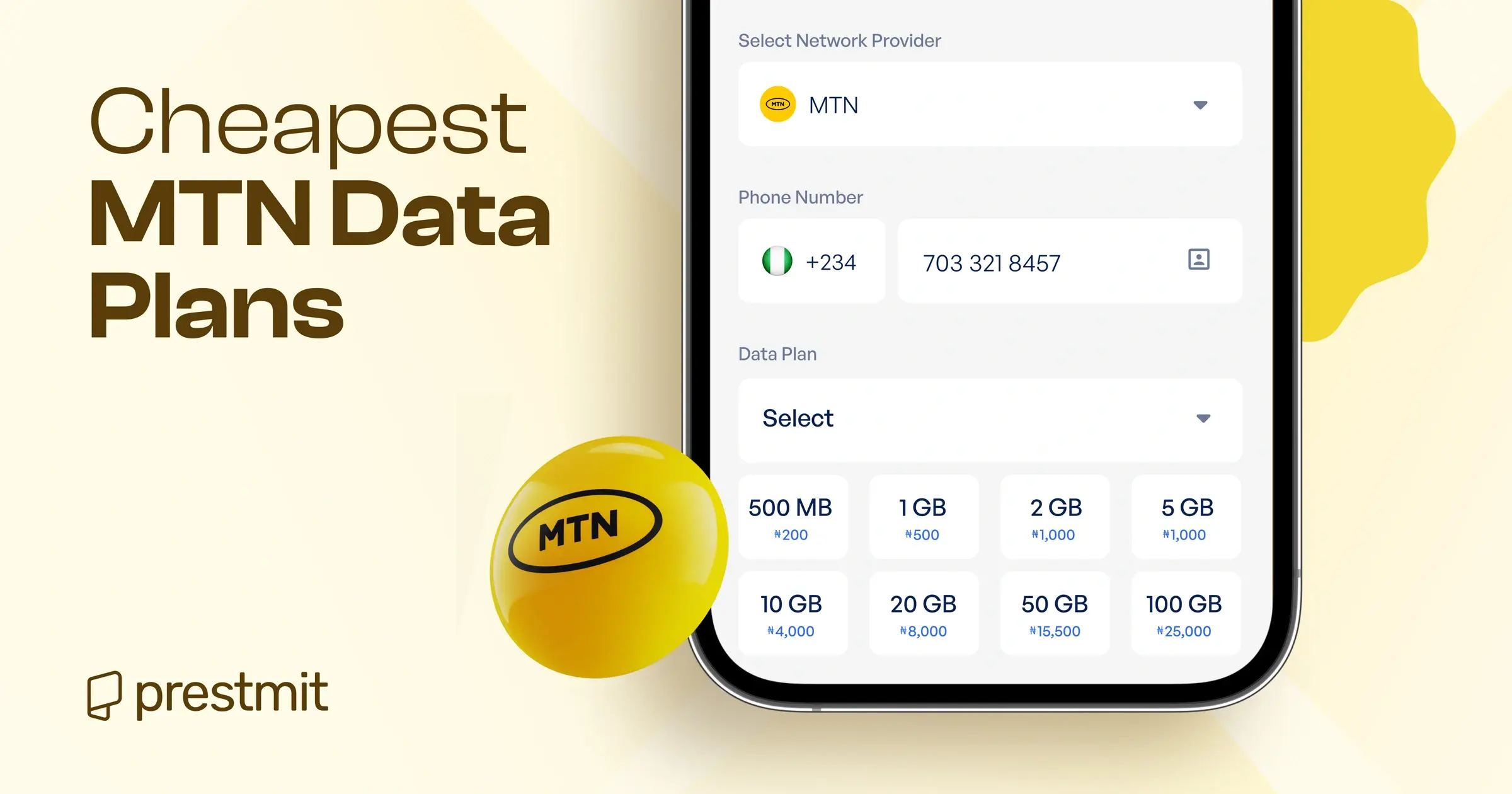
- Price: You can get a daily plan for as little as ₦75 for 75MB, while larger options cost more depending on the amount of data included. The 1GB plan has a flat rate of ₦500, while the 2.5GB plan costs ₦750 if you need more data throughout the day. This data is similar to that which is offered by MTN Pulse.
- Best for: Daily plans are ideal for students, casual internet users, or anyone who needs affordable data for quick online activities without buying a longer subscription.
2. MTN 2-Day Plan
MTN 2-day data plans are a budget-friendly option if you need internet access for more than a day. They give you extra time to use your data without spending money on a new subscription the next day. You can use them to stay active online over a weekend, watch some videos, check social media, and chat on WhatsApp.
If you spend more time online, you can choose a bigger 2-day bundle that matches your budget and how much you plan to use online.
- Data allocation: MTN 2-day plans come with different data options, starting from 1.5GB with an extra 100MB for YouTube and going up to larger bundles like 2.5GB, 4GB, and 7GB.
- Price: 2-day plans start from ₦600 for 1.5GB, while larger options cost more depending on the amount of data included. You can get the 4GB plan for ₦1200 or choose the 7GB plan for ₦1800 if you often spend more time online.
- Best for: MTN 2-day plans are ideal for anyone who needs data for a short trip, a busy weekend, or a couple of days when a daily bundle may not be enough.
3. MTN Weekly Plan
MTN weekly data plans are an affordable option if you need internet access almost every day but do not want to buy data repeatedly throughout the week. Instead of paying for a daily bundle every time your data runs out, you can subscribe once and stay connected for seven days. This can help you save money in the long run, especially if you rely on the internet almost every day.
- Data allocation: MTN weekly plans come with different data options, starting from smaller bundles like 500MB with an extra 100MB for YouTube All Day and going up to larger options such as 11GB, 15GB, and 20GB.
- Price: You can buy a weekly bundle of ₦500 for 500MB, or bigger bundles like the 7GB plan for ₦2,000, the 11GB plan for ₦3,500, or the 15GB plan for ₦4,000.
- Best for: MTN weekly plans are ideal for students, remote workers, business owners, and anyone who needs consistent internet access throughout the week.
4. MTN Monthly Plan
MTN’s monthly data plans make it easier to stay connected with a single subscription that lasts up to 30 days. They come in different bundle sizes, so you can choose a plan that matches your budget and how much data you use, whether it’s for everyday browsing, work, school, or business.
Some monthly plans also include extra benefits like YouTube data, voice minutes, or night browsing, depending on the bundle you choose.
- Data allocation: MTN monthly plans are available in smaller bundles like 2GB for lighter use, and larger options such as 20GB, 65GB, 75GB, and above. Some bundles also come with extra benefits like YouTube All Day data, night streaming data, or voice minutes, depending on the plan you choose.
- Price: Monthly plans come at different prices depending on the amount of data included. Smaller options like the 2GB plan cost ₦1,500, while larger bundles such as the 20GB plan cost ₦7,500, and the 65GB plan costs ₦16,000.
- Best for: MTN monthly plans are ideal for anyone who uses data regularly for work, school, entertainment, or personal activities and wants a bundle that can last throughout the month.
Quick note: All the MTN data plans listed above can be activated by dialing *312# and following the prompts to choose the bundle you want. This is because MTN’s data keycode is 312.
How to Buy a Cheap MTN Data Plan on Prestmit

You can even save more when you buy a cheap data plan on Prestmit. Instead of paying the regular price for your plan, you can get MTN data at discounted rates and spend less on your chosen bundle. If you already use your phone for everyday digital transactions, you will find it especially useful because you can access multiple online services from one platform.
Besides buying data and airtime, you can also pay bills, fund betting accounts, buy and sell gift cards, and sell cryptocurrencies. This means you can buy your MTN data plan while handling your other digital transactions without switching between apps.
MTN customers can follow these simple steps to buy data on Prestmit:
- Visit the Prestmit website or download the Prestmit app from the Google Play Store or Apple App Store.
- Create a Prestmit account or log in if you already have one.
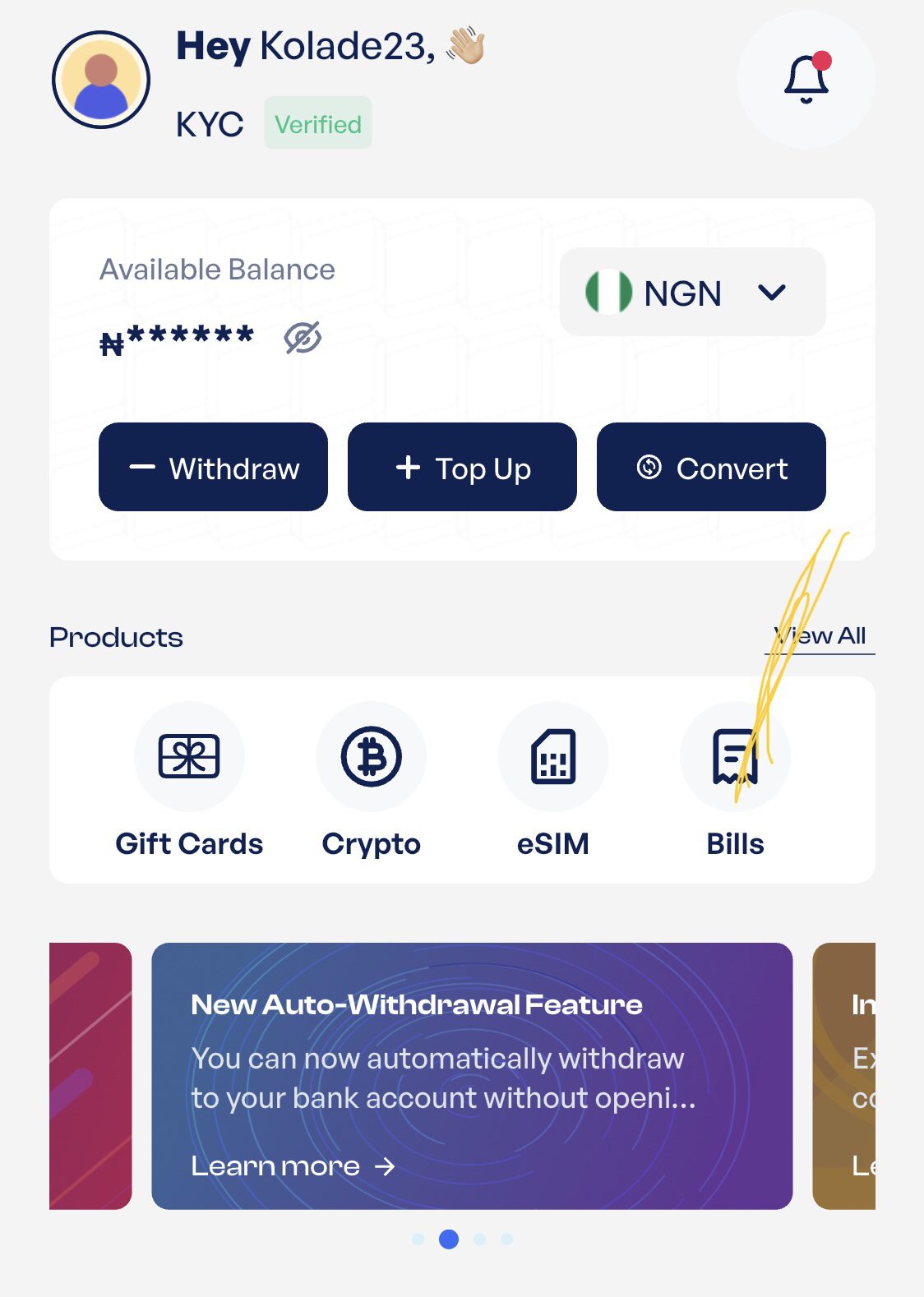
- Tap “Bills” or the three-dot menu at the bottom of your dashboard.
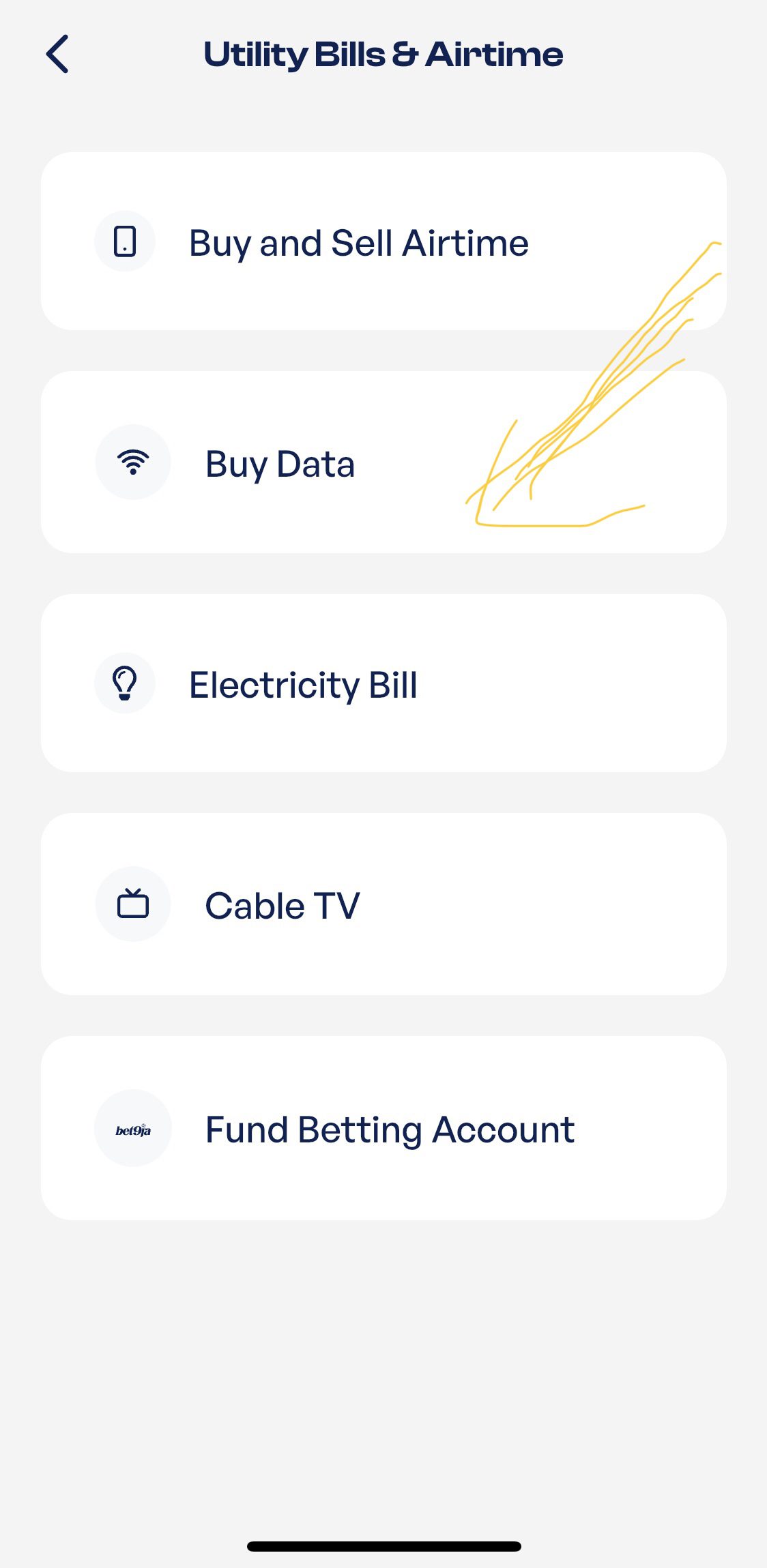
- Choose “Buy Data.”
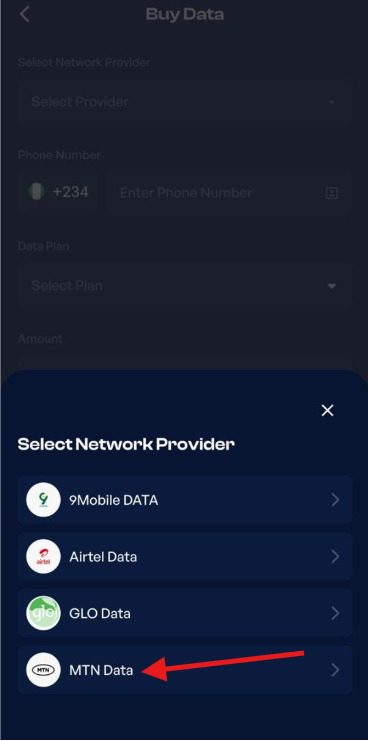
- Select MTN as your network provider.
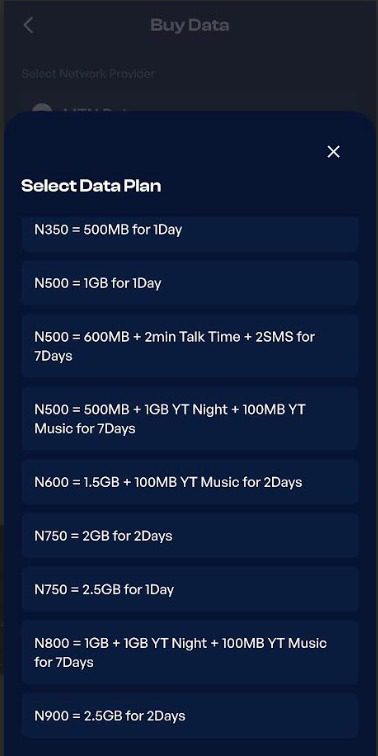
- Select the data plan you want to buy.
- Tap “Pay Now” to complete your purchase.
Once your payment is successful, your MTN data is delivered instantly, so you can start using it right away.
How To Minimize Your Data Usage
1. Set data usage limit
You can set data limit usage on both Android and iOS devices. Most devices have built-in features that allow users to put a limit on the data they want to use. They also have features that allow you to track the data you use to prevent you from going beyond your data usage limits. You will also get notifications when you’re close to your data limit.
2. Disable auto-updates for apps
Some apps usually automatically update, and this can consume a significant amount of data without your awareness. You can simply disable auto-updates to stop apps from updating and prevent unnecessary usage of your data.
3. Use offline features
Many apps allow users to access their features offline. This helps to save data and minimize your usage. Apps like Google Maps can be used offline, while you can download movies or music on platforms like Netflix and Spotify, which you can then watch or listen to offline.
4. Turn off background data usage
This is another way that apps consume data without your knowledge. Many apps use data even when they’re not in use or open. Apps like Facebook, TikTok, and Instagram are notorious for this. All you need to do to prevent these apps from continuously draining your data is to restrict the usage of background data for non-essential apps. This would help you save your data.
5. Download videos instead of streaming
Many people don’t know that streaming consumes more data than downloading, especially if you’re streaming in HD. However, downloading helps you save data, and then you can watch them offline. Next time you’re tempted to stream videos on platforms like YouTube and Netflix, remember that downloading them will consume less data.
Frequently Asked Questions
1. What is the cheapest MTN data plan?
The cheapest MTN data plan is the 75MB daily bundle, which costs ₦75. It is the lowest-priced data bundle currently offered by MTN and is valid for 24 hours.
2. Can I buy an MTN data plan with airtime?
Yes, you can buy an MTN data plan with airtime. MTN allows you to buy data plans using the airtime on your line, provided you have enough airtime to cover the cost of the bundle.
3. Which MTN data plan is best for heavy users?
Larger weekly and monthly data plans are usually the best option for heavy users because they offer more data and better value. The right plan depends on how much data you use for streaming, downloads, gaming, work, or other online activities.
4. How do I check my MTN data balance?
To check your data balance, dial *323*4# to view both your main data and bonus balances, or dial *310#. You can also use the MyMTN app to see your remaining data balance.
5. Can I buy an MTN data plan for another person?
Yes, you can buy a data plan for another MTN line by entering the recipient’s phone number when subscribing through supported channels like Prestmit or the MyMTN app.
Conclusion
With several data plans available across different validity periods, MTN gives you the flexibility to choose a bundle that fits your budget. All you have to do is compare the available options before subscribing, so it is easier to find a plan that matches your usage and helps you get better value from your data purchase.
Last updated on October 16, 2026