Table of Contents
It is easy to lose track of how much data you have used, especially if you use the internet regularly for streaming, social media, and work. Sometimes, you may not even realize you have run out of data until a video call cuts off or a webpage refuses to load.
Keeping track of your data balance helps you avoid these interruptions, so you know when to top up before something important, like a work meeting. This guide walks you through the simple ways to check your data balance on MTN, Airtel, and Glo, using the available methods for each network.
How to Check Your MTN Data Balance
Method 1: Using the USSD Code
- Dial *323*4# on your MTN line.
- Wait a few seconds.
- Your remaining data balance and bundle expiry date will be displayed on your screen. You will also receive an SMS with details of your data plan and balance.
Method 2: Using the MyMTN App
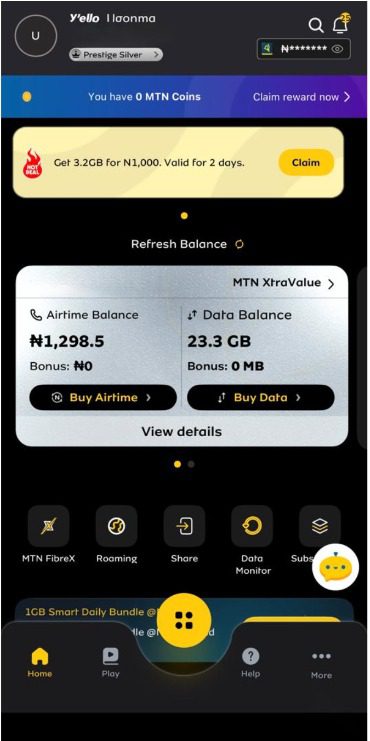
- Download the MyMTN NG app from the Google Play Store or Apple App Store if you don’t already have it.
- Open the app and log in with your MTN phone number.
- Your remaining data balance will be displayed on the dashboard alongside your airtime balance.
Method 3: Via SMS
- Open the messaging app on your phone.
- Create a new SMS.
- Type 2 and send it to 323.
- You’ll receive a text message showing your remaining data balance and bundle expiry date.
Method 4: Using the Zigi Chatbot
- Save Zigi’s official WhatsApp number (0903 300 0001) to your contacts.
- Start a chat by sending “Hi” on WhatsApp.
- If prompted, verify your MTN phone number.
- Type “Data Balance” or select the Data Balance option from the menu.
- Zigi will reply with your remaining data balance and bundle expiry date.
How to Check Your Airtel Data Balance

Method 1: Using the USSD Code
- Dial *323# on your Airtel line.
- Choose 1 for Data Balance
- Wait a few seconds.
- Your remaining data balance and Airtel data plan details will be displayed on your screen and sent to you via SMS.
Method 2: Using the My Airtel App
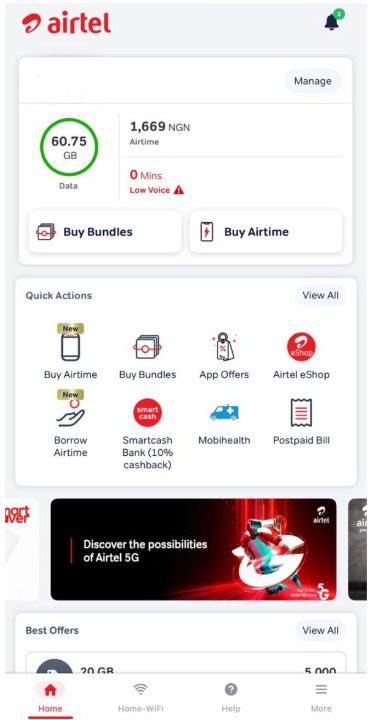
- Download the My Airtel App from the Google Play Store or Apple App Store.
- Open the app and sign in using your Airtel number.
- Airtel will send a one-time password (OTP) to your number
- Enter the OTP to verify your account.
- Once you log in successfully, you will find your remaining data balance displayed on the dashboard alongside your airtime balance.
How to Check Your Glo Data Balance

Method 1: Using the USSD Code
- Dial *323*0# or *312# on your Glo line.
- Wait a few seconds.
- Your remaining data balance and bundle expiry date will be displayed on your screen.
Method 2: Using the Glo Café App
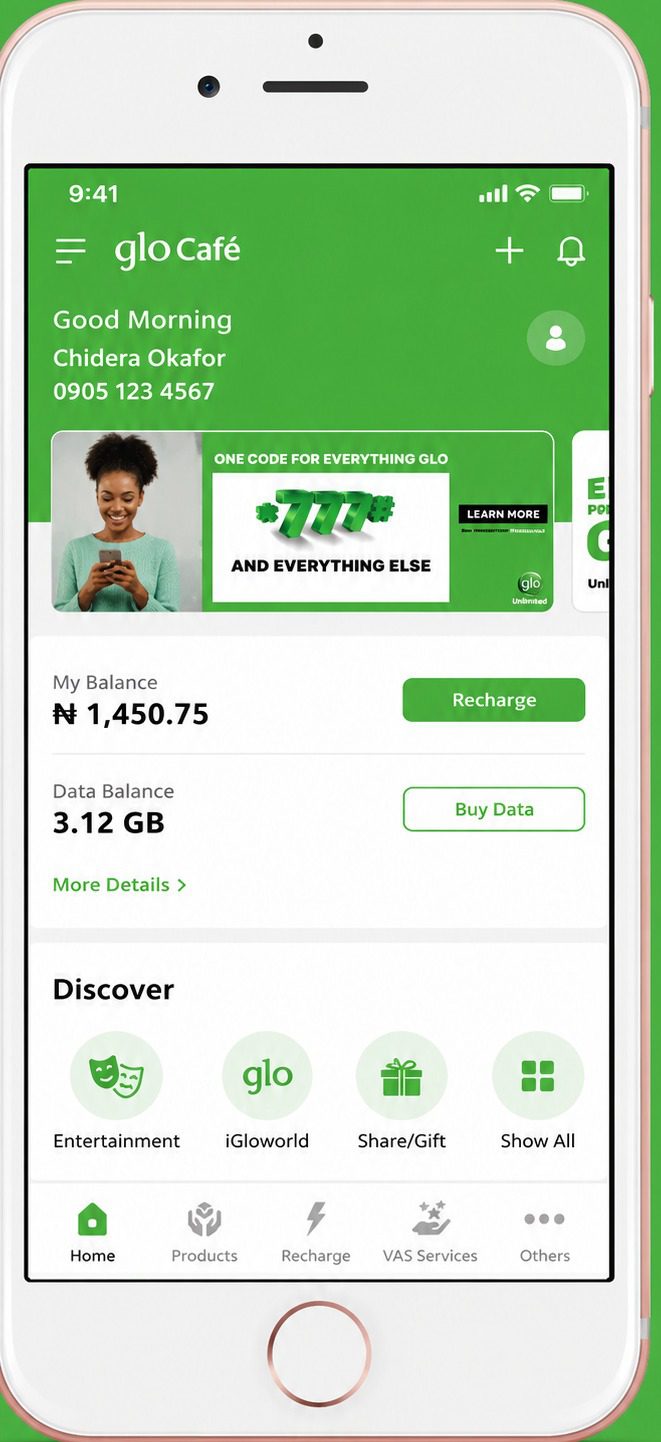
- Open the Glo Café app on your phone. If you don’t have it yet, download it from the Google Play Store or Apple App Store.
- Enter your Glo phone number. If you’re using the app for the first time, Glo will send a one-time password (OTP) to your number for verification.
- Enter the OTP to complete the login process.
- Once you’re signed in, your data balance will be displayed on the app dashboard.
Method 3: Via SMS
- Open the messaging app on your phone.
- Create a new SMS and type INFO.
- Send it to 312.
- You’ll receive an SMS showing your remaining data balance and active data bundle details.
Method 4: Using the Glo Self-Care Portal
- Visit the Glo Self-Care Portal.
- Sign in with your Glo number and complete any required verification steps.
- After logging in, open your account dashboard.
- Your account dashboard will display your data balance and other account details.
Best Place to Buy Cheap MTN, Airtel, and Glo Data Online

Once you have checked your balance, you can quickly buy data on Prestmit at discounted rates. The platform offers data bundles across major networks such as MTN, Airtel, and Glo, helping you stay connected while saving money on every purchase.
Buying data on Prestmit is fast, secure, and straightforward, even if it’s your first time using the platform. Its clean, beginner-friendly interface makes it easy to find your preferred network, choose a data bundle, and complete your purchase in just a few steps. Once your payment is confirmed, Prestmit instantly delivers the data bundle to the phone number you provided.
For security, Prestmit uses advanced security features such as SSL encryption, two-factor authentication (2FA), and biometric authentication to protect your account from unauthorized access. If you ever need assistance, the customer support team is available 24/7 to help you at every stage of your transaction.
How to Buy Discounted Data on Prestmit
Follow these simple steps to buy discounted data on Prestmit:
- Visit the Prestmit website or download the Prestmit app from the Google Play Store or Apple App Store
- Create an account or log in if you already have one.
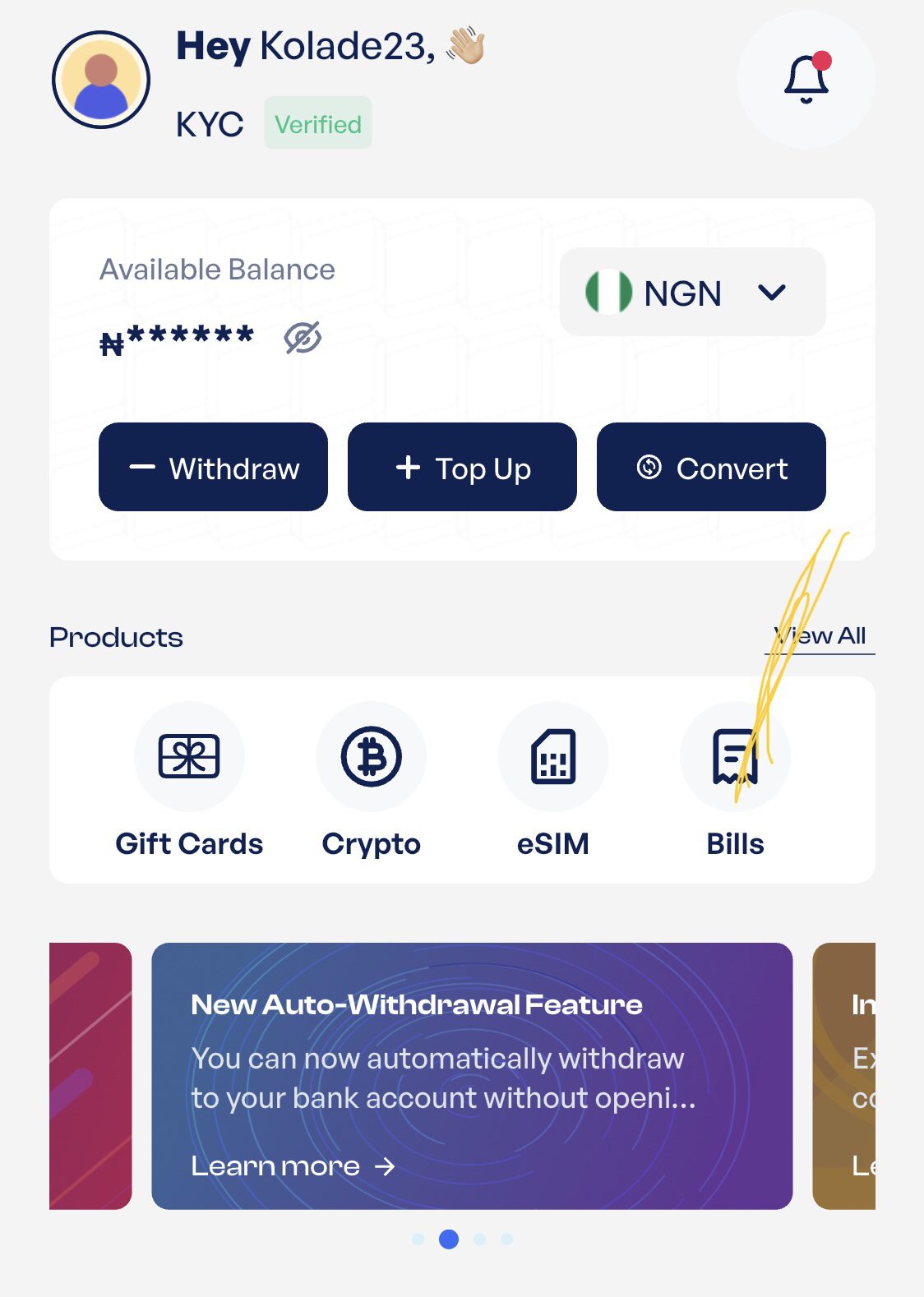
- Tap Bills, or the three-dot menu at the bottom of your dashboard.
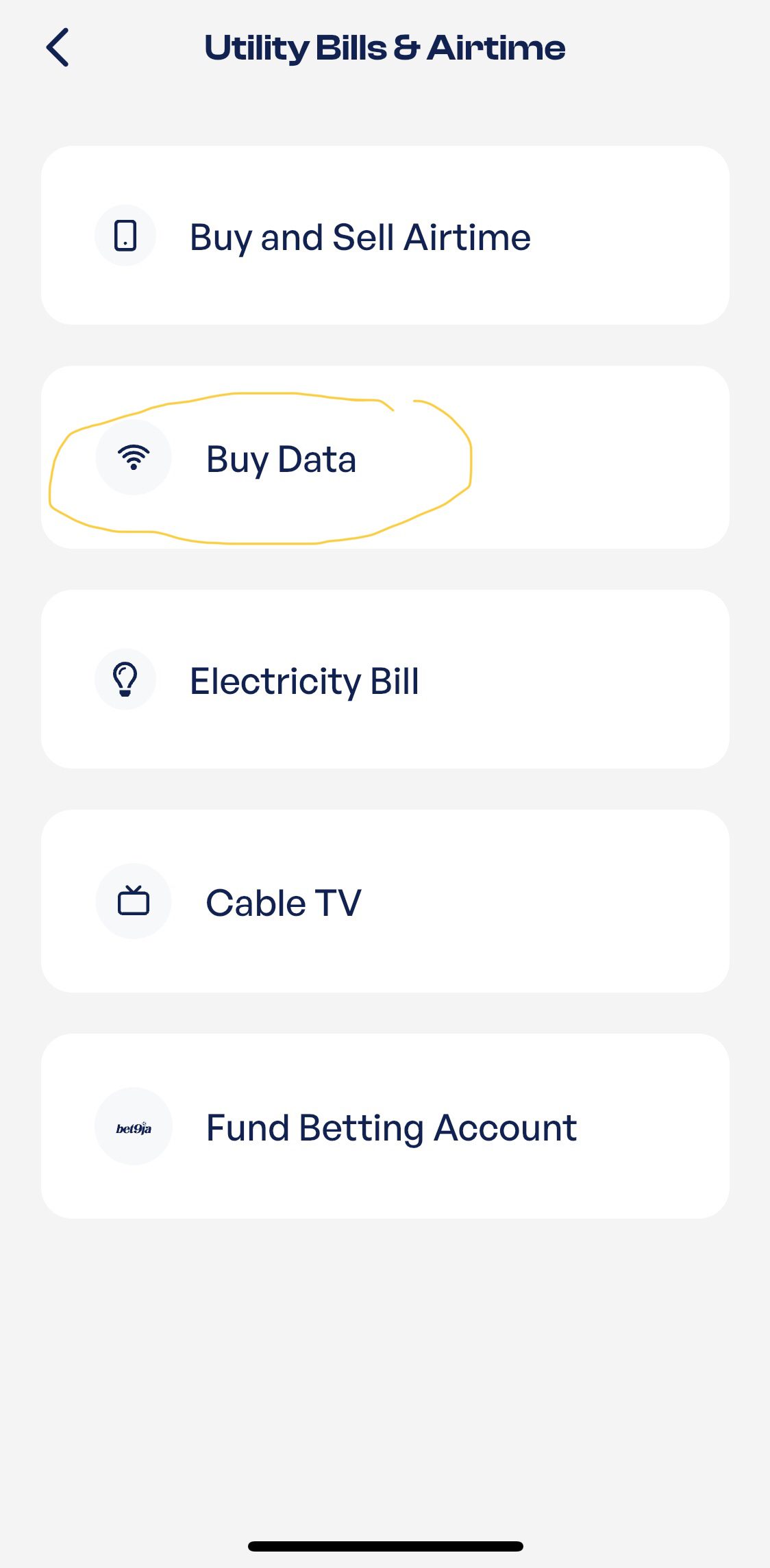
- Select Buy Data.
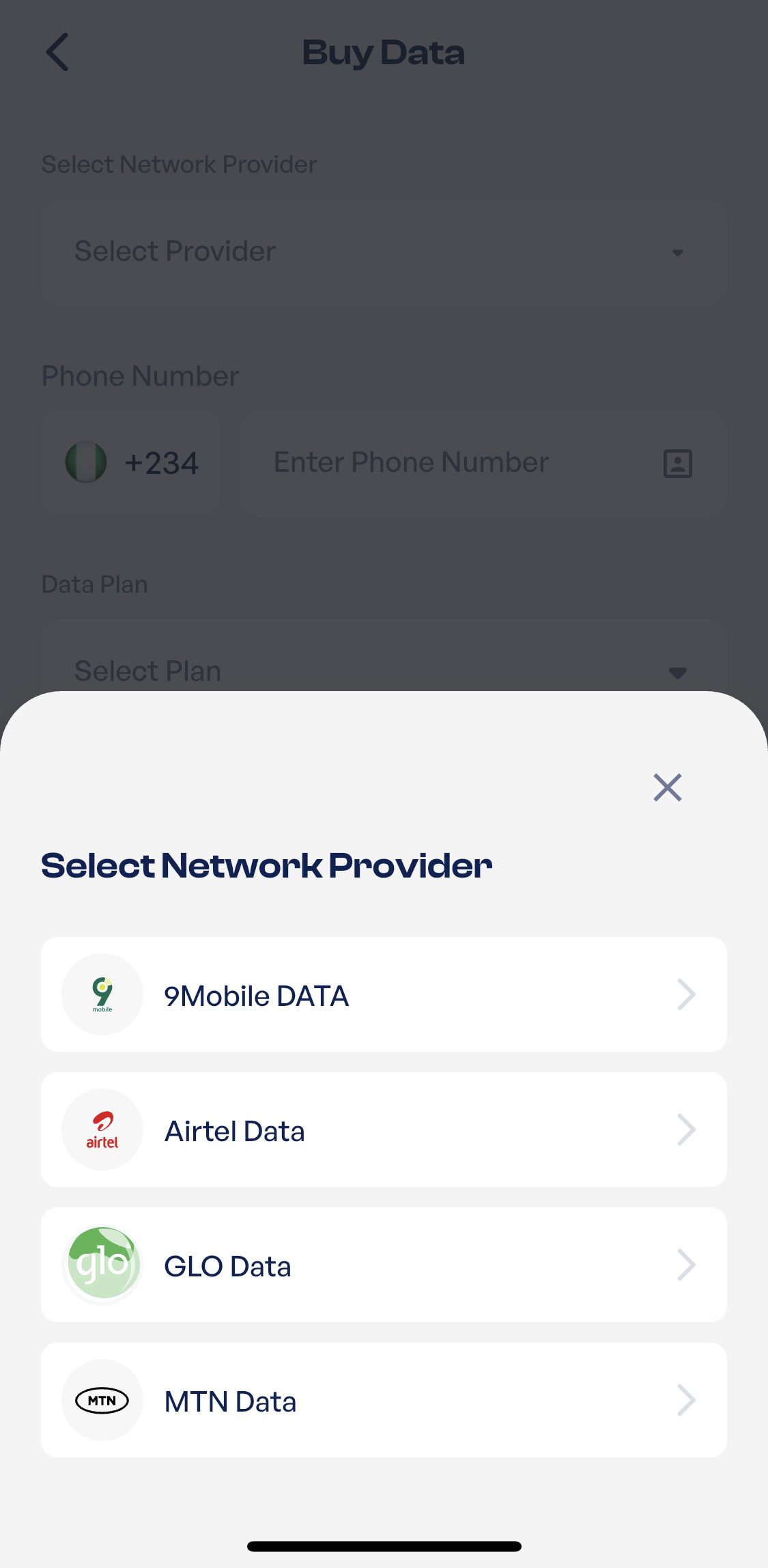
- Choose MTN, Airtel, or Glo as your network provider.
- Enter the phone number you want to receive the data bundle.
- Select your preferred data plan.
- Review your order and tap “Pay Now” to complete your payment.
Frequently Asked Questions
1. Can I Check My Data Balance Without an Internet Connection?
Yes, you can check your data balance without an internet connection by using the USSD code provided by your network. The USSD method works on both smartphones and feature phones.
2. Is Checking My Balance Free?
Yes, checking your balance through your network’s USSD code, mobile app, or other official channels is free. You won’t be charged for viewing your data balance.
3. What Should I Do If the USSD Code Is Not Working?
If the USSD code is not working, first check that you’re using the correct USSD code for your network and that your SIM card is active. If the problem persists, try checking your balance in your network’s app or using one of the other methods covered in this guide. If none of them work, contact your network’s customer support for assistance.
4. Why Is My Data Balance Not Showing?
Your balance may not show because of a temporary network issue, an expired data bundle, or a delay in updating your account. Wait a few minutes and try again, or use another official method such as your network’s app to check your balance.
5. How Can I Buy Data Online?
You can buy MTN, Airtel, or Glo data online on Prestmit. It is a fast, secure, and convenient way to buy data bundles while spending less than the regular price.
6. Can I Check My Data Balance If I’m Abroad?
Yes, you can check your data balance abroad, as long as you have access to your network’s app or another supported service while roaming. If USSD is unavailable, the official mobile app is usually the easiest way to check your balance.
Conclusion
Checking your data balance regularly helps you avoid unexpected interruptions and makes it easier to manage your internet usage. Whether you use MTN, Airtel, or Glo, you can quickly view your remaining data through the available USSD codes, mobile apps, and other official channels. With the methods covered in this guide, you’ll always know how much data you have left and when it’s time to top up.