Table of Contents
Electricity has a way of reminding you how important it is at the most inconvenient moments. It could happen while you’re cooking dinner, working from home, helping your children with homework, or watching an important football match. When your electricity runs out, every minute without power feels longer than it should.
A quick and reliable way to pay your Eko Electricity Distribution Company (EKEDC) bill can make all the difference. Instead of worrying about where to make a payment, you can buy electricity units or settle your postpaid bill in minutes.
This guide explains how to pay your EKEDC electricity bill online, how to find your meter number, and what to do after making a payment.
Best Platform to Pay Your EKEDC Electricity Bill Online: Prestmit
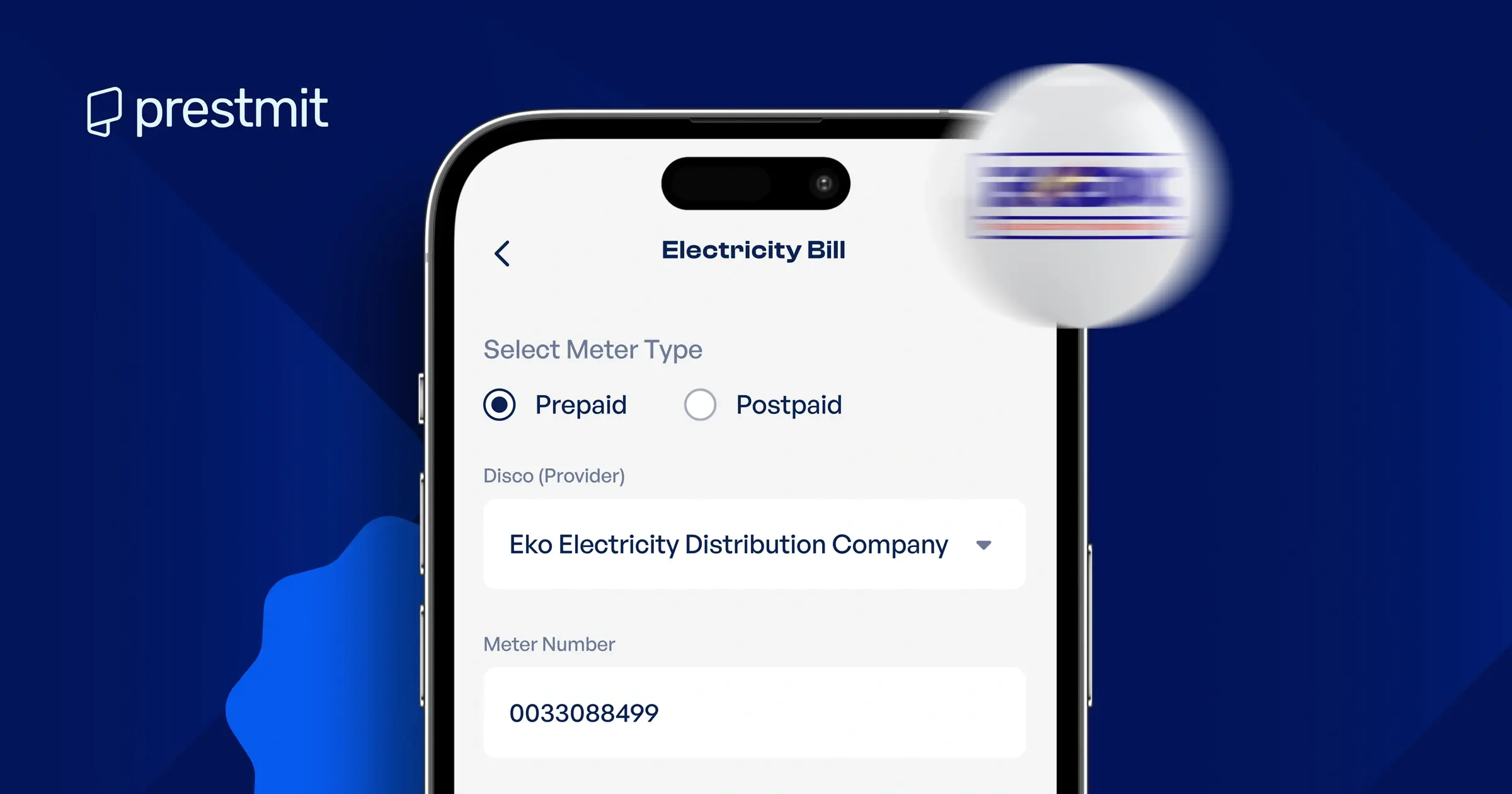
If you’re looking for a simple and reliable way to pay your electricity bill, Prestmit is an excellent option. The platform allows you to pay prepaid and postpaid electricity bills for EKEDC directly from your smartphone without visiting a physical payment office.
With Prestmit, you can make payments anytime, receive your prepaid electricity token shortly after a successful transaction, and access your transaction history whenever you need it. The app also supports several other electricity distribution companies across Nigeria, making it a convenient platform for managing your utility payments.
Step-by-Step Guide to Paying Your EKEDC Electricity Bill on Prestmit
Step 1: Download the Prestmit app
Download the Prestmit app from the Google Play Store if you use Android or the Apple App Store if you use an iPhone. Install the app and open it on your device.
Step 2: Log in or create an account
If you’re a new user, create a Prestmit account by providing the required details. If you’re an existing user, simply log in with your credentials.
Step 3: Create a virtual bank account and fund your wallet
To fund your Naira wallet, generate your virtual top-up account inside the app by clicking “Top Up” on the Homepage and following the subsequent prompts. You only need to do this once.
After your account is created, you can transfer money to the virtual account, and the funds will reflect in your Prestmit wallet. If you have an existing virtual bank account, skip this step and fund your wallet directly.
Step 4: Select “Bills” on the homepage
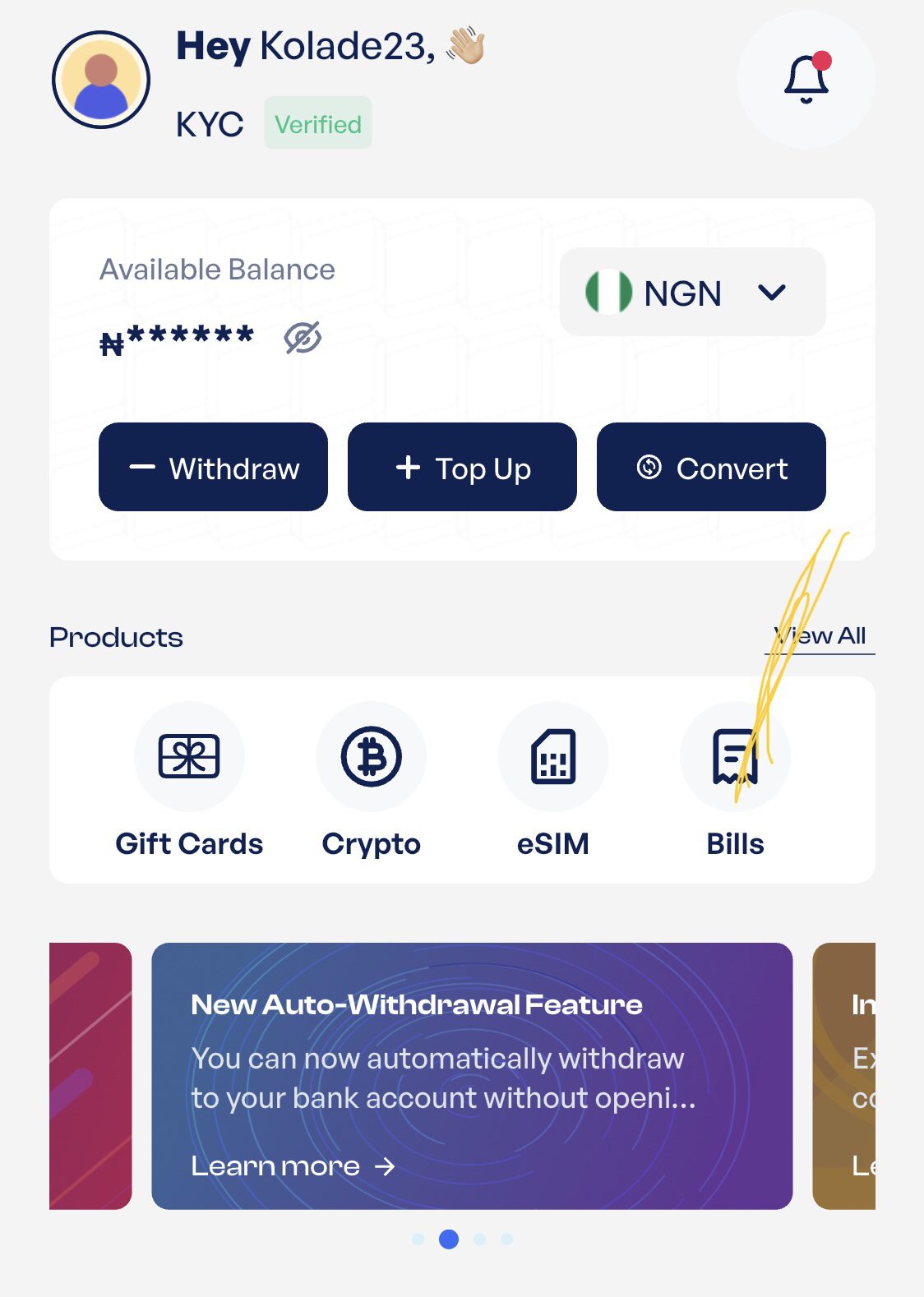
Select “Bills” on the homepage and click on “Electricity Bill” from the subsequent menu
Step 5: Select your meter type and Disco
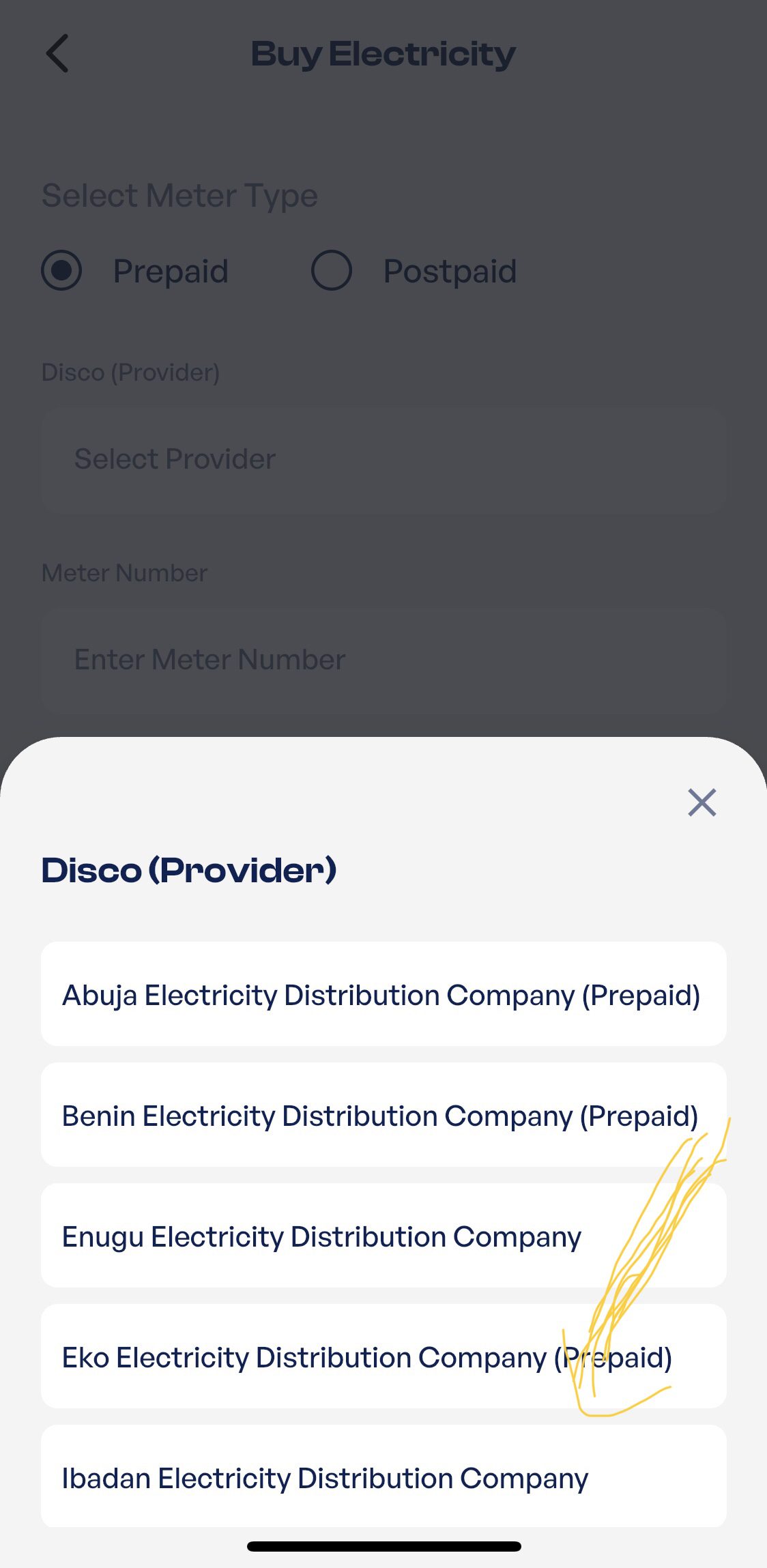
Choose whether you use a Prepaid or Postpaid meter. Next, select “Eko Electricity Distribution Company” as your DisCo from the list.
Step 6: Enter your meter number and purchase amount
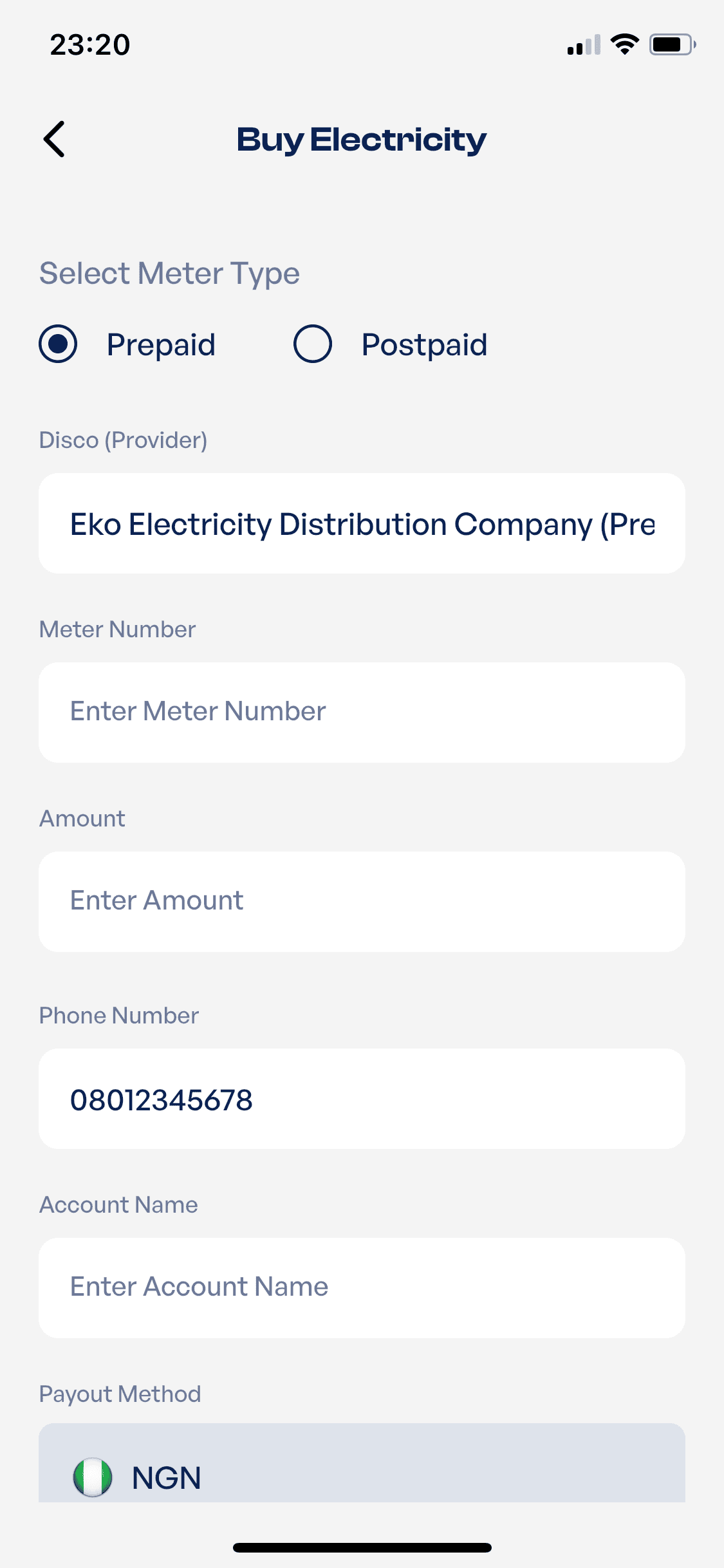
Enter your meter number carefully and input the amount you want to pay or buy. Confirm the details before tapping Pay Now. Double-check your meter number before completing the transaction. Once payment is successful, you’ll receive your electricity token.
Enter the 20-digit token on your meter or CIU and press Enter to load your units. If your meter is postpaid, your payment will be credited directly to your electricity account.
How to Find Your EKEDC Meter Number
You’ll need your meter number whenever you want to buy electricity units or pay your electricity bill. Here’s how to find it:
How To Find Your Prepaid Meter Number
- Check the front of your prepaid meter, where the meter number is usually printed.
- Dial your meter’s check meter number code on the Customer Interface Unit (CIU) if you use a split meter, or directly on the meter if it has an integrated keypad. The code depends on the meter manufacturer
- Check a previous electricity token receipt or payment receipt.
How To Find Your Postpaid Account Or Meter Number
- Check your monthly EKEDC electricity bill
- Log in to the EKEDC Customer Portal and check your meter information
- Refer to any previous payment receipt or account statement.
What To Do If You Can’t Find Your Meter Details
- Contact EKEDC Customer Care
- Visit the nearest EKEDC customer service centre
- Use EKEDC’s official customer support channels for assistance.
What to Do If You Have Issues After Paying Your EKEDC Electricity Bill
What To Do If You Can’t Find Your Electricity Token Or Payment Confirmation
For prepaid payments, your electricity token is sent to your registered email and is also available in your Prestmit transaction history. If you paid a postpaid bill, you’ll receive confirmation that your payment has been processed successfully. Most EKEDC electricity payments are processed within a few minutes. However, processing time may occasionally vary depending on network availability or system maintenance.
What To Do If Your Token Doesn’t Work
- Confirm that you entered the token correctly.
- Verify that the token was generated for your meter number.
- Try entering the token again carefully.
- Contact Prestmit customer support if the issue persists.
- If necessary, contact EKEDC Customer Care for further assistance.
What To Do If You Don’t Receive Your Payment Confirmation Or Token
- Check your transaction history on Prestmit.
- Check your email, including your spam folder.
- Wait a few more minutes, as delays can occasionally occur.
- Contact Prestmit customer support with your transaction details if you still haven’t received your token or payment confirmation.
Frequently Asked Questions
1. Can I pay my EKEDC electricity bill online?
Yes. You can pay both prepaid and postpaid EKEDC electricity bills online using Prestmit.
2. What happens if I enter the wrong meter number?
Always verify your meter number before making a payment. If you enter the wrong meter number, your payment may be credited to another account and may not be reversible.
3. Can I pay someone else’s EKEDC electricity bill on Prestmit?
Yes. Simply enter the correct meter number and complete the payment on behalf of the account holder.
4. How long does it take for an EKEDC electricity payment to be processed?
Most payments are processed within a few minutes, although occasional delays may occur due to network or system issues.
5. What should I do if I don’t receive my EKEDC electricity token or payment confirmation?
Check your transaction history and registered email first. If you still haven’t received your token or confirmation after a reasonable waiting period, contact Prestmit customer support with your transaction details.
Conclusion
Managing your EKEDC electricity payments doesn’t have to be complicated. By paying online, you can top up your prepaid meter or settle your postpaid bill quickly without disrupting your daily routine. Using a trusted platform like Prestmit gives you a simple way to complete your payment, access your transaction records, and receive your electricity token after a successful purchase.
Prestmit isn’t just for electricity bills. You can also pay for DStv, GOtv, StarTimes, airtime, data, and fund your betting accounts with ease with Prestmit.
To avoid payment issues, always verify your meter number, select the correct meter type, and review your payment details before confirming the transaction. With these simple steps, you can enjoy a faster and more convenient way to manage your EKEDC electricity bills.