
Table of Contents
That moment when you check your MTN airtime balance after recharging and realise you sent airtime to the wrong number can cause instant panic. The good news is that you still have things you can do, but airtime reversal is possible only in some situations and is not guaranteed. Your chances depend on the network, how you made the recharge, and how quickly you report the mistake. The faster you act, the better.
This article explains what to do immediately after buying airtime to a wrong number, how to report the problem on MTN, Glo, Airtel, and 9mobile, and what you can do if the airtime landed on a phone line you control.
Can You Reverse Airtime Sent to the Wrong Number?

Yes, a wrong-number airtime recharge can sometimes be reversed, but several factors can make recovery impossible. Your best chance comes when you report the mistake immediately and the airtime is still untouched on the recipient’s line.
A reversal may be possible when the network can clearly identify the transaction, confirm that you entered the wrong number, and find that the airtime is still available on the recipient’s line. MTN, Airtel, Glo, and T2 can check the number you mistakenly recharged, and if the airtime is still unused, they can process a reversal.
Recovery becomes much less likely if the recipient has already used the airtime, if you wait too long before reporting the transaction, or if the network cannot verify the transaction details. However, your network provider may be unable to assist when the airtime is no longer available on the number.
What to Do in the First Hour
1. Confirm the number you actually recharged
First, check the number you entered during the recharge. Look at your SMS confirmation, bank notification, payment receipt, or transaction history. Confirm that you actually sent the airtime to the wrong number before reporting the problem. This also helps you avoid giving customer care incorrect information.
2. Note your transaction details before they’re gone
Save all the transaction details and take screenshots of anything that could help prove the payment. Make sure you have the number you intended to recharge, the number you actually recharged, the amount, the exact date and time of the transaction, and the transaction reference. Also keep your payment method and any receipt, bank debit notification, or confirmation message you received
3. Contact your network provider immediately
Don’t wait to see whether the recipient will use the airtime or reach out to you. Contact your network’s customer-care team and explain that you accidentally recharged the wrong number. Give them the transaction details and ask whether they can investigate or reverse the transaction.
4. If you recharged a number you know, ask directly
If you know the person who received the airtime, contact them. Ask them not to use the airtime while you try to resolve the problem. This can give you another option if the network cannot reverse the transaction.
How to Report a Wrong Recharge to Network Operators
Here’s how to contact MTN, Glo, Airtel and 9mobile, the details you’ll likely need to provide, and the possible timeframe for getting a reversal.
MTN
- Customer care: Dial 300 from an MTN line. You can also call 0803 1000 300 from another network.
- Online options: You can use myMTN NG, Zigi, or MTN’s listed social media channels. For transaction complaints, MTN also provides the option to track a complaint through the “Track Complaint” feature on myMTN NG and Zigi.
- What they may ask for: MTN’s transaction-support instructions request the transaction reference ID, phone number used, amount, date and time, and a screenshot of the debit alert.
- Time window: Wrong airtime can be investigated and reversed within 48 hours after you provide the required information. However, this doesn’t mean you have 48 hours to report a successful wrong-number recharge or that MTN will automatically reverse it. Reversal depends on several factors, including whether the recipient has yet to use it. Always report a wrong-number recharge immediately.
Glo
- Customer care: Dial 300 from a Glo line. If you are calling from another network, dial 0805 002 0121.
- Online options: You can email customercare@gloworld.com. Glo also provides customer support through its online channels, including the Glo Cafe app, Facebook, and Instagram.
- What they may ask for: Your phone number, the number you accidentally recharged, the amount, transaction reference, date and time, and a payment receipt.
- Time window: Glo doesn’t have a specific reversal period for a wrong-number recharge, but it can take up to 72 hours. Report the error as soon as you notice it.
Airtel
- Customer care: Dial 300 from an Airtel line. If you are calling from another network, Airtel lists +234 802 150 0300 and +234 802 152 0800.
- Online options: You can email customercare@ng.airtel.com. Airtel also provides support through its official social channels and My Airtel App
- What they may ask for: Your phone number, the wrong recipient’s number, amount, transaction reference, date and time, and proof of payment.
- Time window: Airtel does not publish a guaranteed reversal period for a successful wrong-number recharge. Contact customer care immediately.
T2 (9mobile)
- Customer care: Use T2’s current official customer support phone number: 08090000300.
- Online Options: Send an email to c are@t2mobile.com.ng or reach out to them on WhatsApp: 09092000192.
- What they may ask for: Keep your phone number, recipient’s number, amount, transaction reference, date and time, payment method, and receipt available.
- Time window: 9mobile doesn’t have a guaranteed reversal period for a successful wrong-number recharge. It could take up to 48 hours to get your reversal.
What Information You Need to Report the Error
Customer care will need enough information to identify the transaction. Have these details ready:
- Sender details: The account details or phone number you used to make the recharge
- Recipient number: The number that received the airtime
- Exact amount: For example, ₦5,000
- Date and time: When you made the transaction
- Transaction reference: The reference generated by your bank, payment app, or recharge platform
- Payment method: This could be your bank app, USSD, card, or another payment service
- Receipt: Your SMS, bank debit notification, or transaction screenshot
What Happens If the Airtime Has Already Been Used?
This is where you need to keep your expectations realistic. If the recipient has already used some or all of the airtime, recovering it may become more difficult. The network can check the transaction, but don’t assume that it will automatically take the value from the recipient’s line and return it to you.
The network may investigate the transaction and tell you whether it can take further action. The outcome can depend on the circumstances of the transaction. If customer care confirms that it cannot reverse the transaction, you may have to stop pursuing it. There is no universal rule that guarantees a refund simply because you entered the wrong number.
If You Mistakenly Recharged Another Line You Own
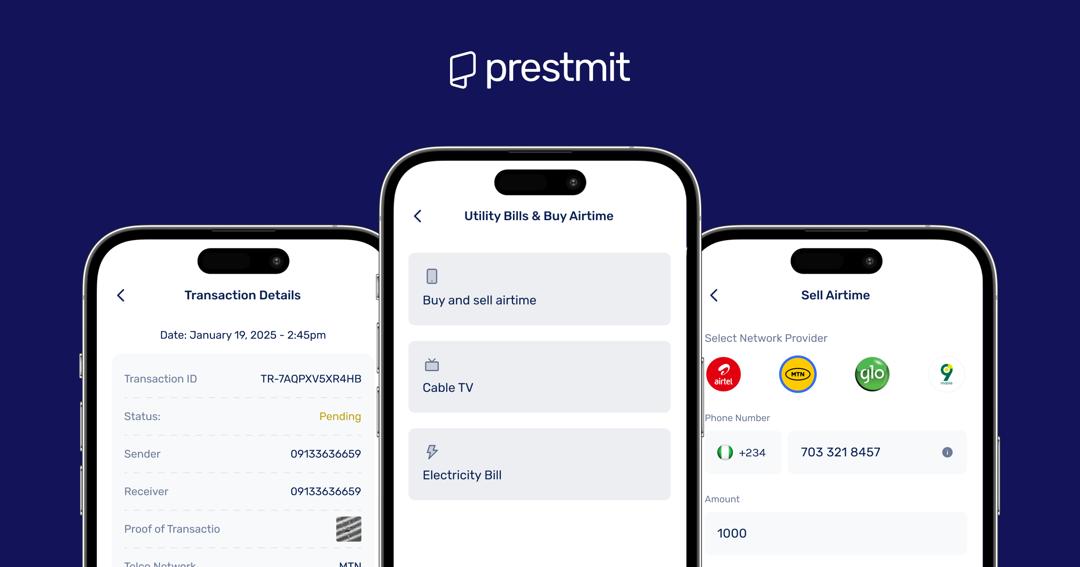
You have another option if you accidentally sent the airtime to another phone number that belongs to you. Instead of waiting for a network reversal, you can look into converting the unused airtime to cash.
One option is Prestmit, which lets you turn unused airtime into cash instead of leaving the balance sitting on your phone. Prestmit lets you turn unused airtime into cash instead of leaving the balance on your phone. The platform supports MTN and Airtel and shows the current rate for your airtime before you sell. Selling airtime for cash on Prestmit takes just minutes, and with their auto-withdrawal feature, your money is sent directly to your bank account.
The platform uses SSL encryption and biometric and two-factor authentication to keep your funds and data safe. Their customer support team is available 24/7 to attend to all your needs and inquiries.
How to Convert Airtime to Cash on Prestmit
1. Download and install the Prestmit app
Download the Prestmit app from the Google Play Store or Apple Store to get started. This will only take a few minutes.
2. Create a Prestmit account and log in
Once you’ve downloaded the app, create a Prestmit account or simply log in if you have an existing account.
3. Go to the “Bills” section
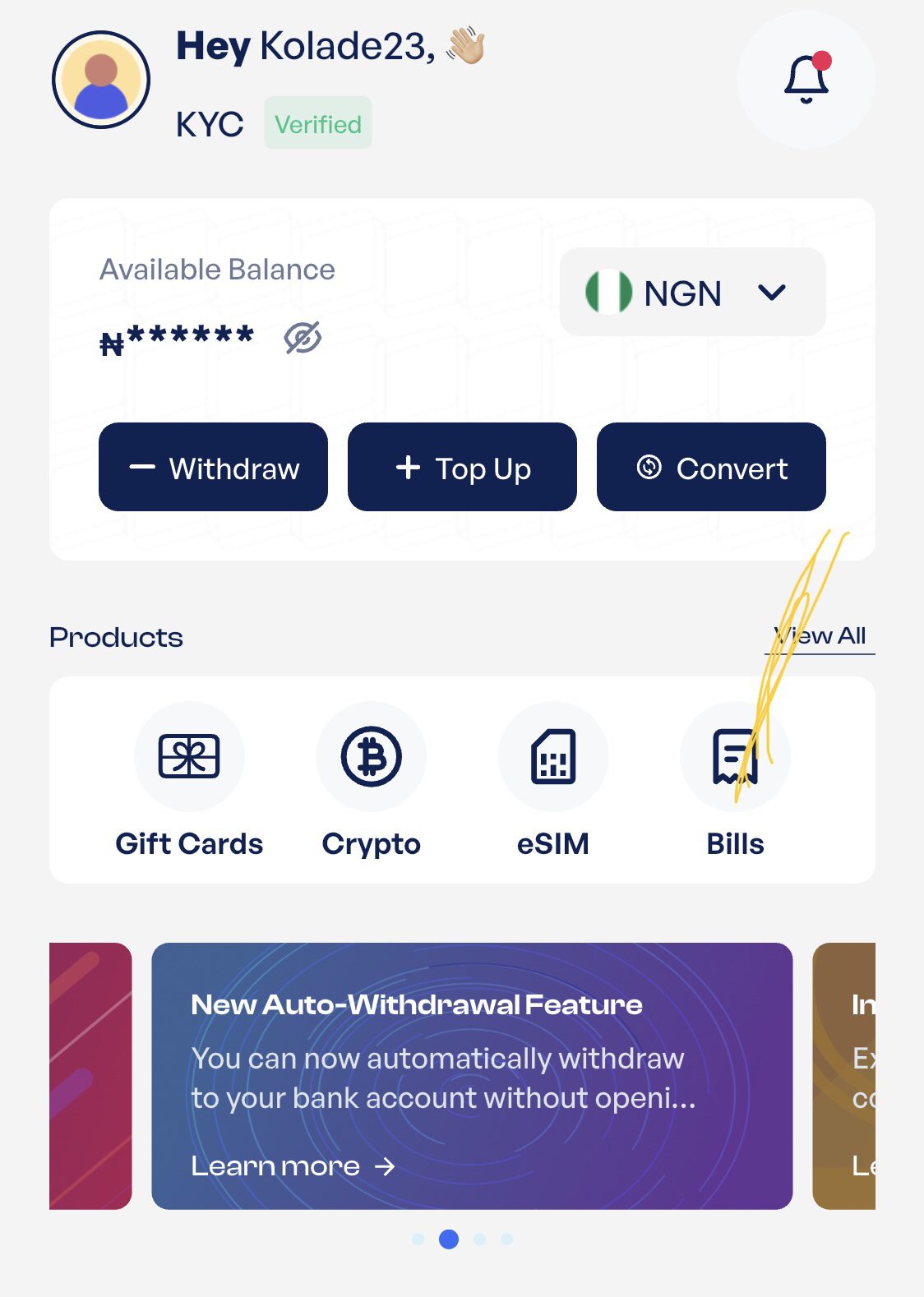
Click “Bills” on the homepage. Then click on “Buy and Sell Airtime” on the next page. This will take you to a new page with different options. Select “Sell Airtime” to proceed.
4. Enter your airtime details
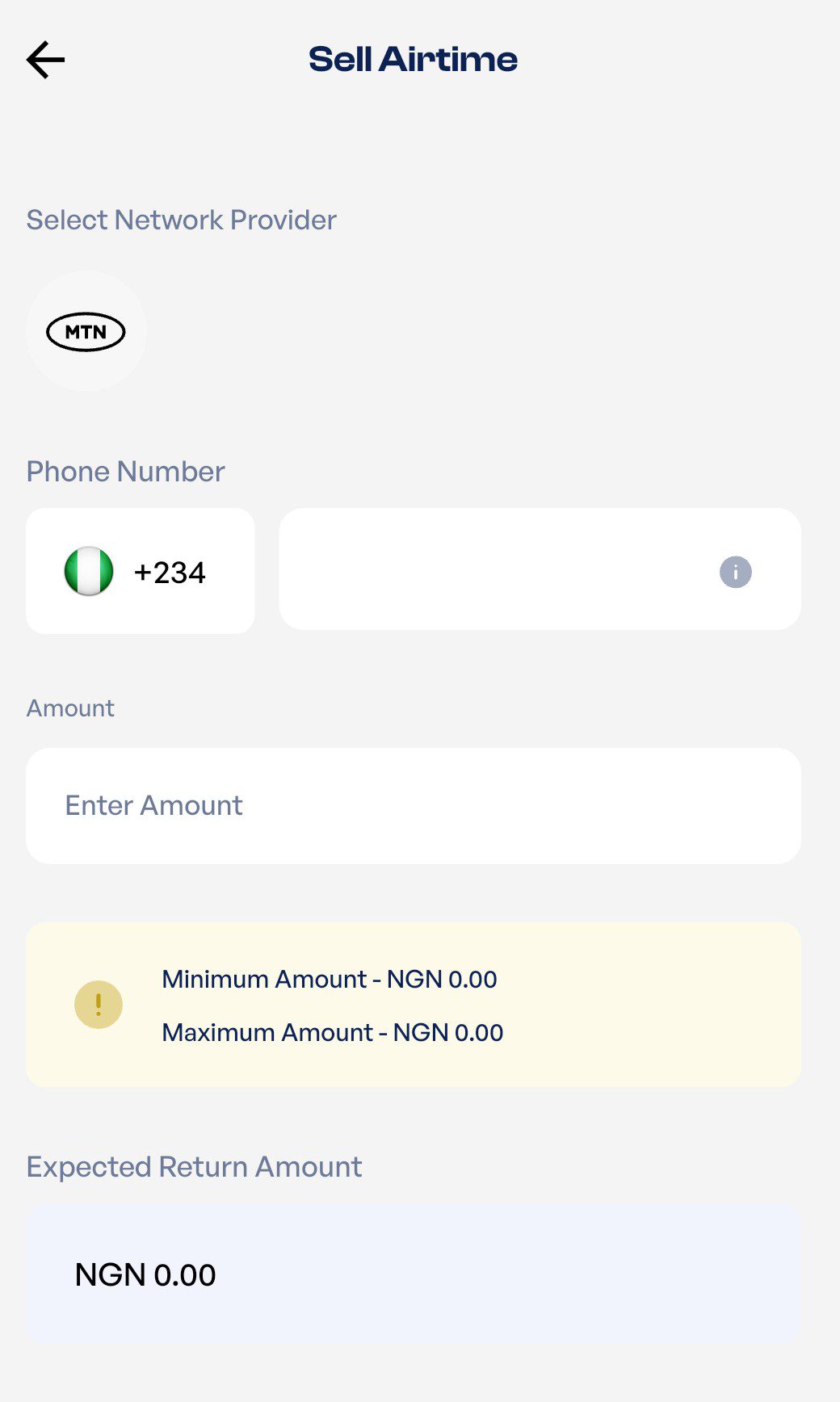
Select your network provider from the list of available networks on the next page. Enter your phone number and the amount of airtime you want to sell.
5. Send your airtime
Send your airtime to the automatically generated phone number displayed. After sending your airtime, upload your proof of transaction (this could be a screenshot of the SMS confirmation from your network provider), then click “Submit.”
6. Receive payment
After confirming your transaction, you’ll receive payment directly into your bank account within minutes.
Frequently Asked Questions
1. Can I reverse airtime sent to a wrong number on a different network?
You can report the mistake to the network that processed the recharge. However, a different network doesn’t guarantee that the transaction can be reversed.
2. How long do I have to report it?
There is no specific timeframe within which you have to report it. However, it is advisable to report the mistake immediately after you notice it.
3. Will the network refund to my bank account or as airtime?
If the network approves the reversal, the airtime will be returned to the source it came from. The exact process may vary by network, so follow the instructions provided by customer care.
4. What if I sent data instead of airtime?
Contact your network immediately and report the transaction. Data purchases have different rules from airtime, so do not assume that an airtime reversal process will apply.
5. What if I recharged the right number but the wrong amount?
Contact your network and explain that you entered the wrong amount. If you recharged more than you intended to on your line, you can also use an airtime-to-cash service like Prestmit to sell the excess.
Conclusion
Sending airtime to the wrong number can ruin your day, but acting quickly can give you a chance to recover it. Check the transaction, save your proof, and contact your network immediately to request a reversal. If you recharged a number you know or another number you own, you have another way to recover the money. You can sell the unused airtime for cash on Prestmit, giving you a simple way to turn an accidental recharge into money you can use.