Table of Contents
Glo offers different USSD codes for different services, so it helps to know the correct one when you want to recharge your line. Even if you remember a recharge code, it is always worth confirming that it is still the current one because telecom providers occasionally update their USSD codes.
If you have not topped up your Glo line in a while or you recently switched to the network, a quick refresher can save you time.
This article shares the current Glo USSD recharge code, walks you through the recharge process step by step, and covers other USSD methods you can use to recharge your Glo line.
What Is the USSD Recharge Code for Glo?
The USSD recharge code for Glo is *311*PIN#. This is the official code used to load Glo recharge cards and add airtime to your line. If you prefer not to use a recharge card, Glo also provides other USSD recharge options, which are explained later in this guide.
How to Recharge Your Glo Line Using USSD
Method 1: Load a Glo Recharge Card
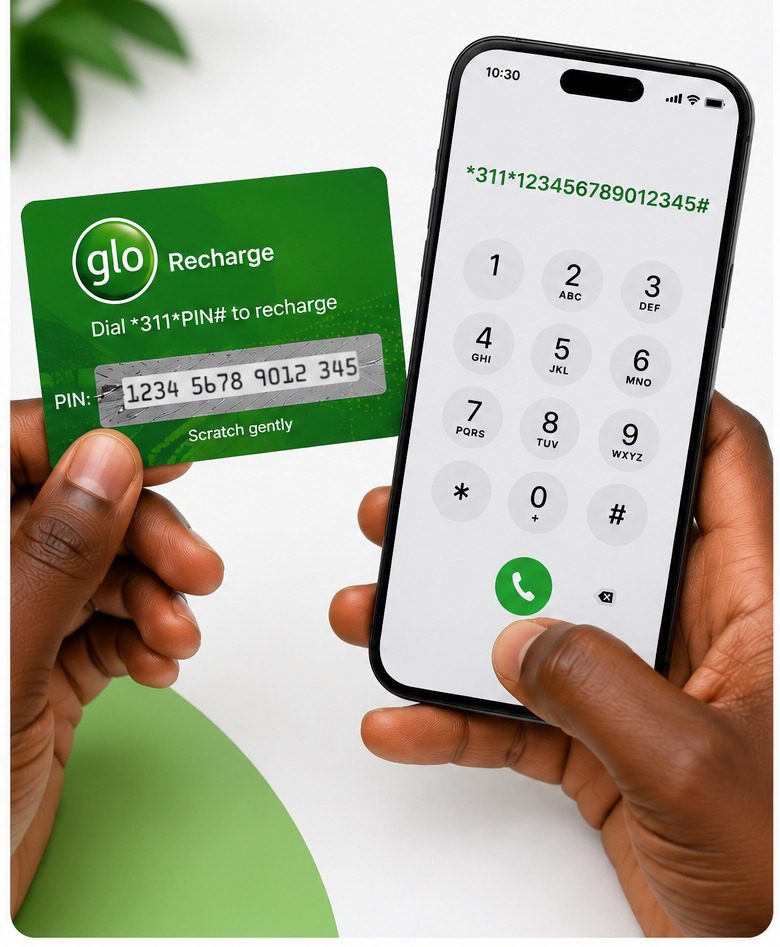
Follow these steps to recharge your Glo line with a recharge card:
- Locate the recharge PIN on your Glo recharge card.
- Dial *311*PIN# on your Glo line, replacing “PIN” with the PIN printed on your Glo recharge card.
- Press the call button.
- Wait for a confirmation message from Glo showing that your recharge was successful.
Method 2: Recharge Your Glo Line Through Glo’s Direct Recharge Service
If your Glo line is linked to your bank account or mobile wallet, you can buy airtime directly.
- Dial *805# on your Glo line.
- Select your bank from the available options.
- Choose the amount of airtime you want to buy.
- Follow the prompts to authorize the transaction.
- Wait for the confirmation message showing that your airtime has been credited to your Glo line.
Method 3: Recharge Your Glo Line Using Your Bank’s USSD Code
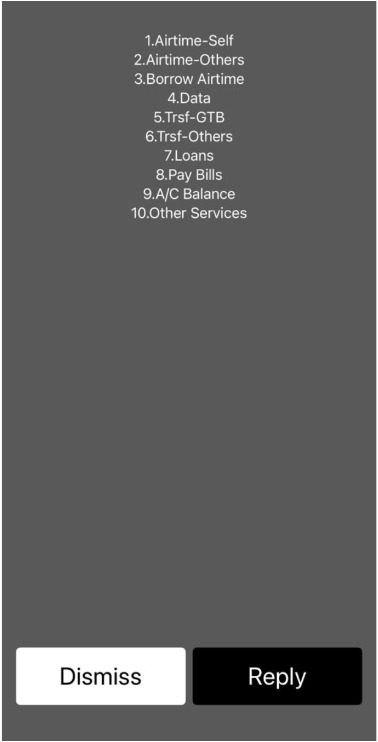
You can also recharge your Glo line through your bank’s USSD banking service. To do this:
- Dial your bank’s USSD code on the phone number linked to your bank account. For example, dial *737# if you use GTBank.
- Select the Airtime Recharge option.
- Choose to recharge your own Glo line or another phone number.
- Enter the airtime amount.
- Confirm the transaction with your transaction PIN or any other required authentication method.
- Wait for a confirmation message from your bank and Glo.
Common Bank USSD Codes for Glo Airtime Recharge
| Bank | USSD Code |
| Access Bank | *901# |
| GTBank | *737# |
| UBA | *919# |
| FirstBank | *894# |
| Zenith Bank | *966# |
| Fidelity Bank | *770# |
| Sterling Bank | *822# |
| Union Bank | *826# |
How to Buy Glo Airtime Online
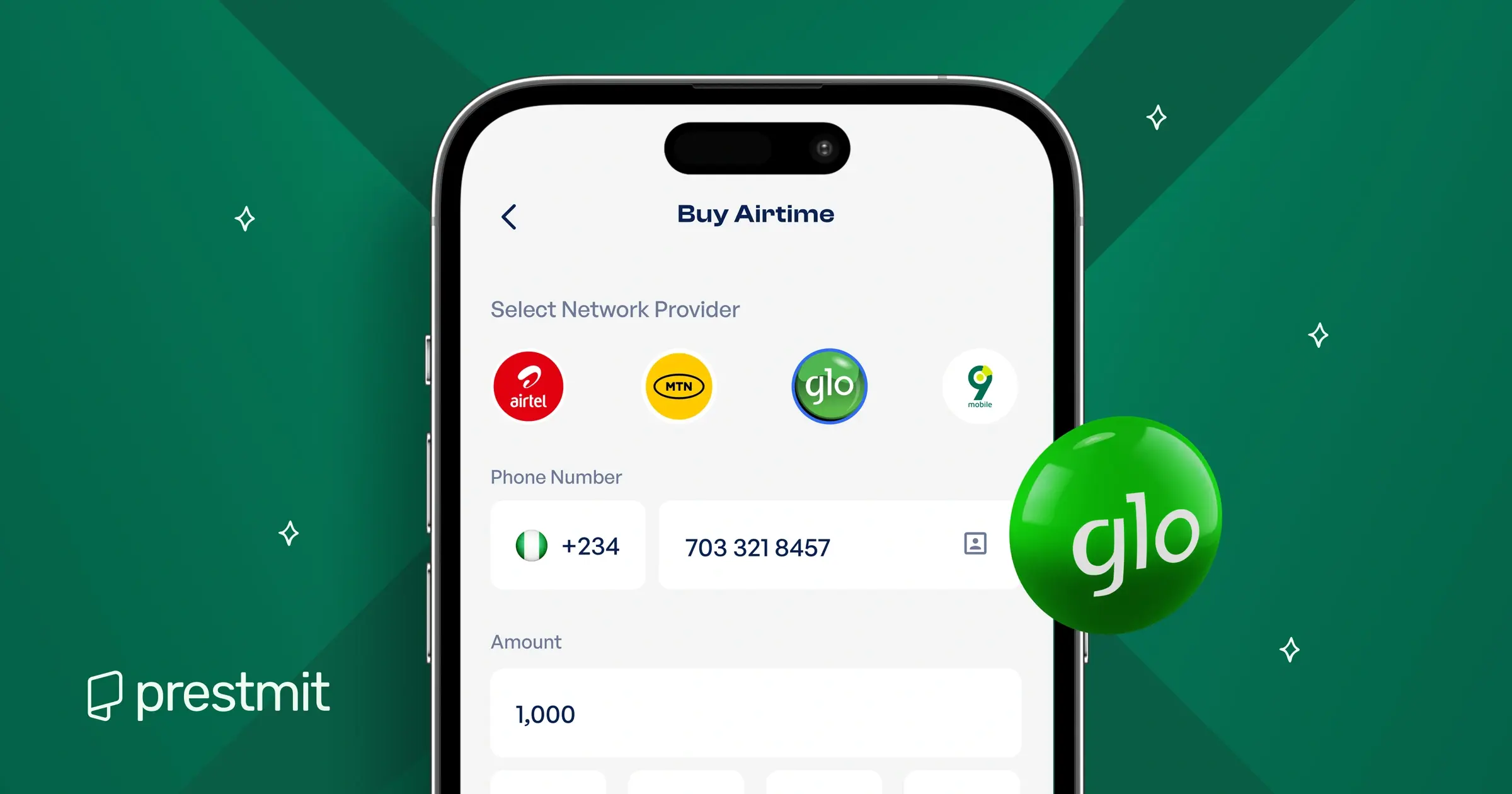
You can also quickly and conveniently buy your airtime on Prestmit, especially if you want to save more each time you recharge. Instead of paying the regular airtime price, you can buy Glo airtime at discounts ranging from 0.5% to 20%.
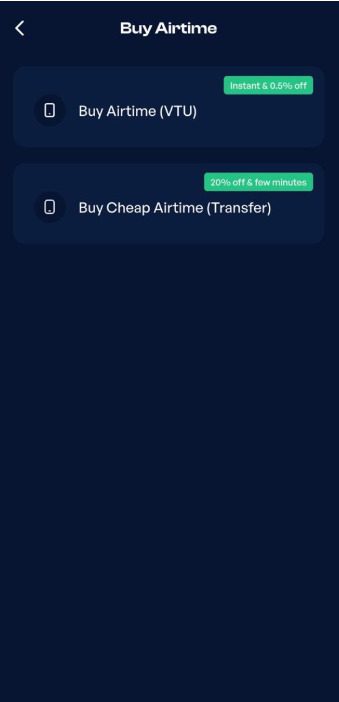
Prestmit gives you two options: Buy Airtime (VTU) if you want your airtime instantly, or Buy Cheap Airtime (Transfer) if you do not mind waiting just a few extra minutes to enjoy even greater savings. Both options are secure, fast, reliable, and transparent.
The platform has a clean and beginner-friendly interface, so you can find what you need and complete your airtime purchase in just a few steps. Every transaction is protected with advanced security features such as SSL encryption, two-factor authentication (2FA), and biometric verification. If you need assistance at any stage of your transaction, Prestmit’s responsive customer support team is available 24/7 to help.
Here are the simple steps to buy your Glo airtime on Prestmit:
- Visit the Prestmit website or download the Prestmit app from the Google Play Store or Apple App Store.
- Create a Prestmit account or log in to your account if you already have one.
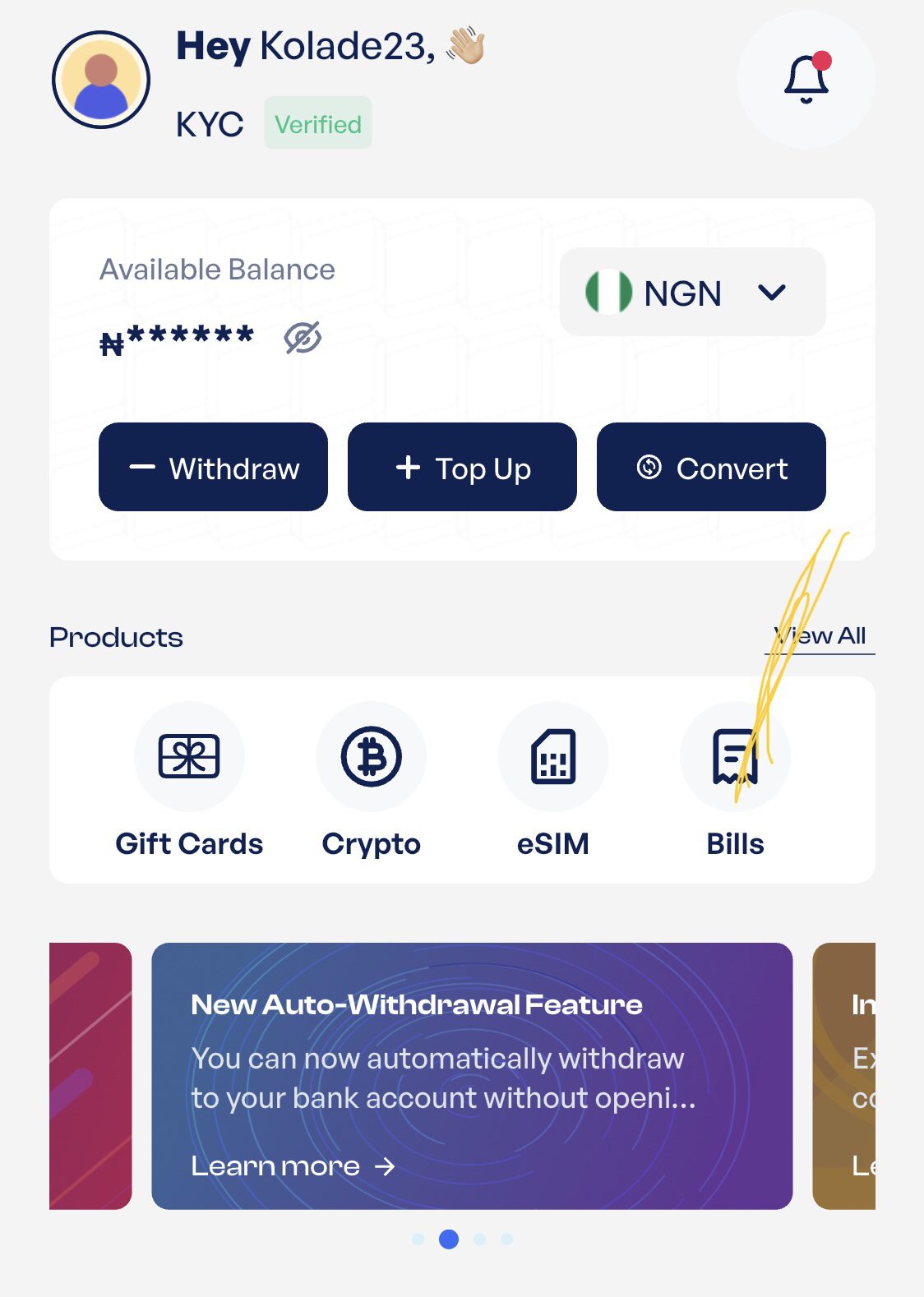
- On the dashboard, select Bills.
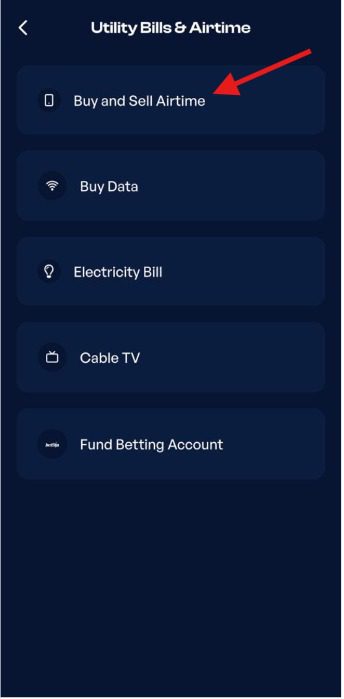
- Tap Buy and Sell Airtime.
- Choose Buy Airtime (VTU) if you want your airtime instantly or Buy Cheap Airtime (Transfer) if you want higher discounts.
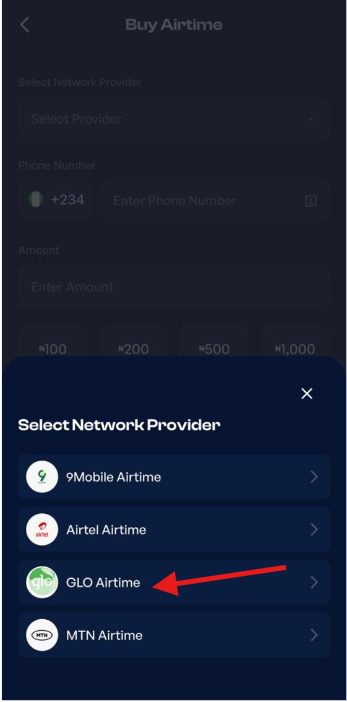
- Select Glo as your network provider.
- Enter the Glo phone number you want to recharge and the airtime amount.
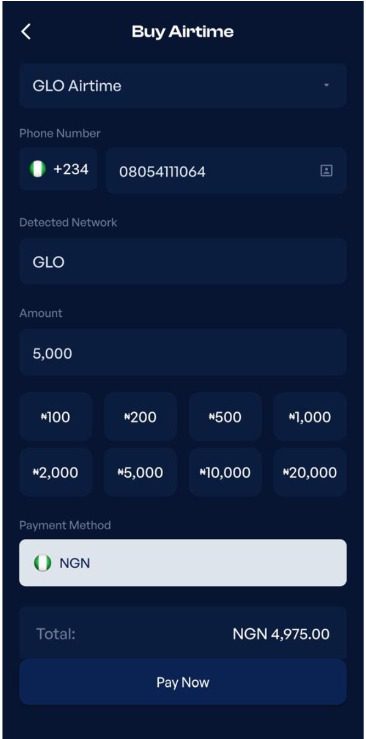
- Click “Pay Now” and follow the prompts to complete your transaction.
- Your airtime will be credited to your Glo line.
Frequently Asked Questions
1. What is the new code to load a Glo recharge card?
The current USSD code to load a Glo recharge card is *311*Recharge PIN#. Replace Recharge PIN with the PIN on your recharge card, then press the call button to add the airtime to your Glo line.
2. Can I recharge my Glo line without using the USSD recharge code?
Yes, you can buy Glo airtime online through Prestmit without dialing any USSD code. Prestmit allows you to buy Glo airtime directly from your account whenever you need to top up your line.
3. How do I check if my Glo recharge was successful?
You will receive a confirmation SMS from Glo once your recharge is successful. You can also check your airtime balance by dialing *310# to confirm that the recharge has been credited to your line.
4. Why is my Glo recharge code not working?
Your recharge code may not work if you entered an incorrect recharge PIN, used an invalid USSD code, or the recharge card has already been used. Double-check the details and try again, or contact Glo customer support if the issue persists.
5. Is it free to use Glo’s USSD recharge service?
Yes, both *311*PIN# and *805# are free to use and do not require an extra charge to access. However, you need enough funds in your bank account or mobile wallet to complete your airtime purchase if you use the *805# recharge option.
6. Can I recharge someone else’s Glo line?
Yes. You can recharge someone else’s Glo line by using your bank’s USSD service or buying airtime online through Prestmit. Simply enter the recipient’s Glo number instead of your own number when completing the recharge.
Conclusion
Knowing the correct Glo USSD recharge code makes it easier to add airtime whenever you need it. You can use *311*Recharge PIN# to load a Glo recharge card, recharge through your bank’s USSD service, or use Glo’s *805# option to buy airtime directly from a linked bank account or mobile wallet. With these options available, you can choose the recharge method that works best for you.