Table of Contents
Do you know those moments when a friend, sibling, or parent asks you to send them airtime, but you don’t have extra funds to buy it for them? If you already have excess airtime on your MTN line, you can simply transfer some of it to them instead.
MTN’s airtime transfer service, known as MTN Share, allows you to send airtime directly from one MTN number to another. It’s a quick and convenient way to help family and friends stay connected whenever they need airtime.
This guide explains how to share airtime on MTN step by step, and the requirements for using the service.
Don’t have enough airtime to share?
Buy cheap MTN airtime on Prestmit and send airtime to your loved ones whenever they need it.
Requirements for MTN Airtime Transfer

MTN airtime transfer is relatively easy to achieve, but there are requisites to initiating the process to qualify for making the transfer.
1. Sender And Receiver Must Be MTN Subscribers
This significant factor allows you to transfer an MTN airtime or for the recipient to receive the airtime. For instance, a Glo or Airtel subscriber can not use the MTN Share feature to transfer an MTN airtime to an MTN user. Also, it is impossible for a receiver who is not an MTN subscriber to receive the airtime. Therefore, this feature exclusively supports MTN subscribers.
2. Active MTN Line
It is one thing to be an MTN subscriber, and it is another thing to be fully active with your MTN line to make calls, send text messages, recharge MTN airtime, and whatnot.
Suppose you hardly use your MTN Line, and this inactivity goes beyond 180 days. In that case, there is a possibility that your MTN line will be deactivated, except in some instances where you applied for an extension of inactivity because you want to travel for like a year or two. You will not be using the line.
Nevertheless, having an active MTN line is germane to using the MTN Share feature for airtime transfer. The sender and the receiver must have their lines active to qualify for the service.
3. Minimum Transfer Amount
The minimum MTN transfer amount is NGN 50, and you can not transfer beyond NGN 5,000 in a single transaction. However, there are service charges on MTN airtime transfers, depending on the amount you want to share.
Different ways to Share Airtime on MTN
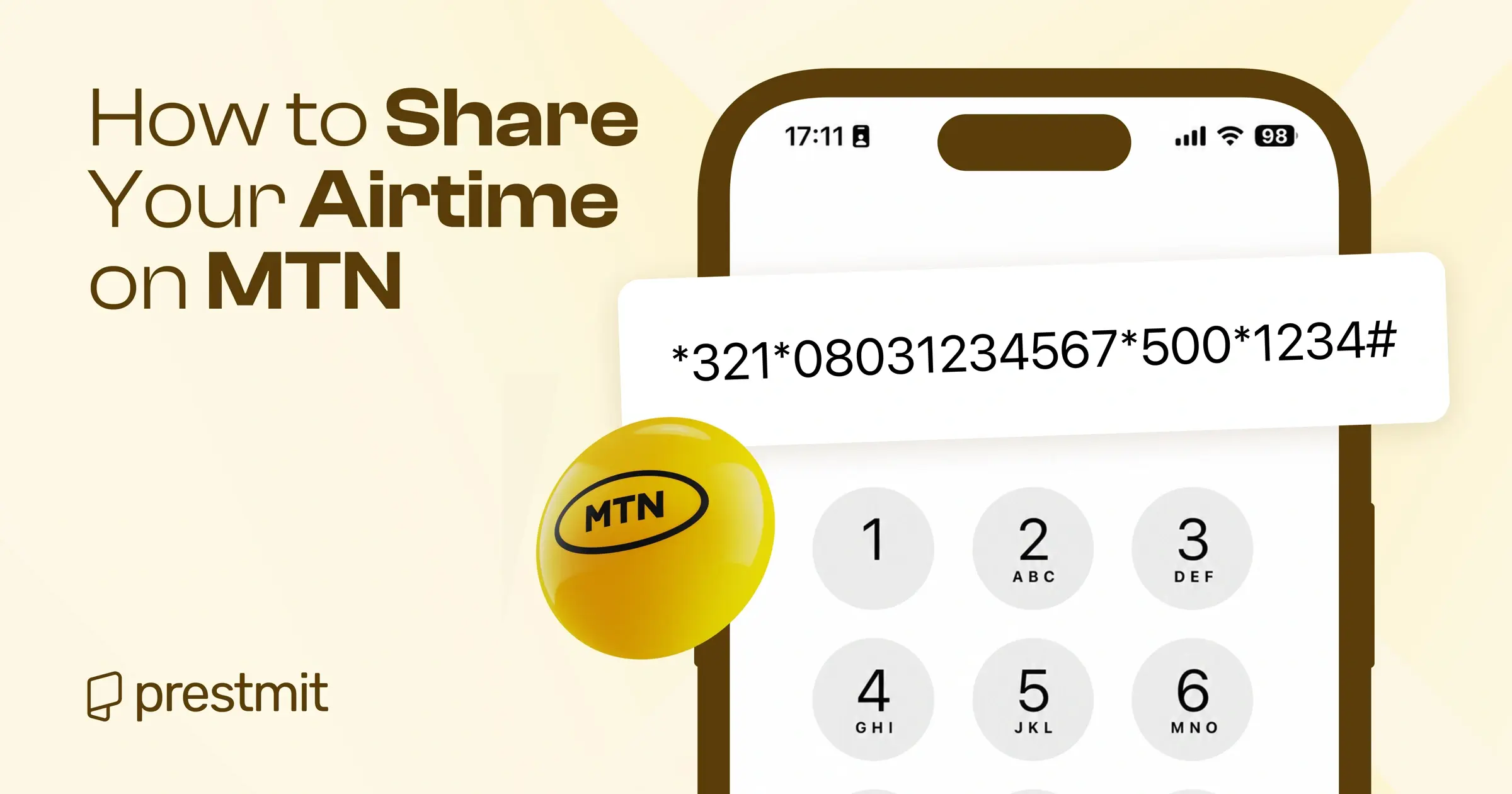
Method 1: Using the USSD Code
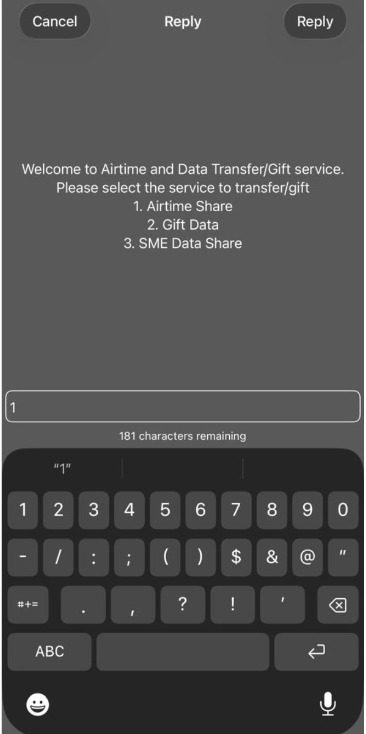
The USSD code is the quickest and most popular way to share airtime.
- Dial *321# on your MTN line.
- Select Airtime Share.
- Choose Transfer Airtime.
- Enter the recipient’s MTN phone number.
- Enter the amount you want to transfer.
- Enter your MTN Share PIN.
- Confirm the transaction.
Alternatively, you can dial *321*RecipientNumber*Amount*PIN# to transfer airtime directly.
Method 2: Via SMS
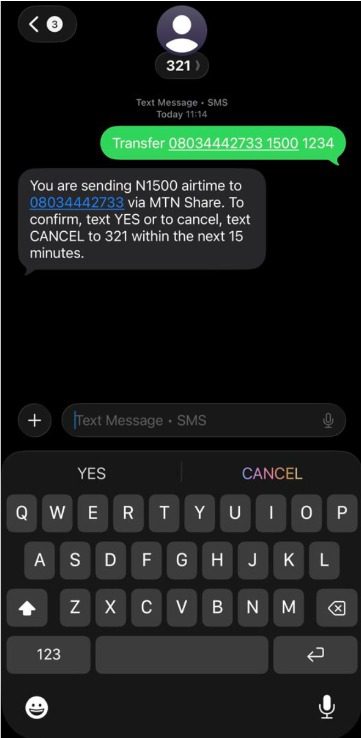
If you prefer, you can also share airtime by sending a text message from your MTN line.
- Open the messaging app on your phone.
- Create a new SMS.
- Type Transfer RecipientPhoneNumber Amount PIN.
- Example: Transfer 08031234567 1000 1234
- Send the SMS to 321.
- Reply YES to MTN’s confirmation message to complete the transfer.
Method 3: Using the myMTN NG App
The myMTN NG app also lets you share airtime if you prefer managing your account through the app.
- Open the myMTN NG app and log in.
- Tap Share
- Select Share Airtime and tap Share Now.
- Enter the recipient’s MTN phone number.
- Enter the amount you want to transfer.
- Enter your MTN Share PIN.
- Review the details and tap Submit to complete the transaction.
How to Change Your MTN Share PIN
There are two simple ways to change your MTN Share PIN so you can start enjoying this service.
- Dial *321*Default PIN*New PIN*New PIN# on your MTN SIM. For instance, if you want to change your new PIN to 8888, you’ll dial *321*0000*8888*8888#
- Send an SMS in the following format to 321: Default PIN, New PIN, New PIN. That is, you’ll send 0000 8888 8888 to 321. Your PIN will be changed immediately.
- If you’ve previously changed your MTN Share PIN and you forgot it, you can reset it by dialing *321#, *600#, or *777#. Then select option 1 for Airtime Share and option 3 to Reset PIN. Enter your mother’s maiden name, your Date of Birth, and your State of Origin.
Best Place to Buy Cheap MTN Airtime Online
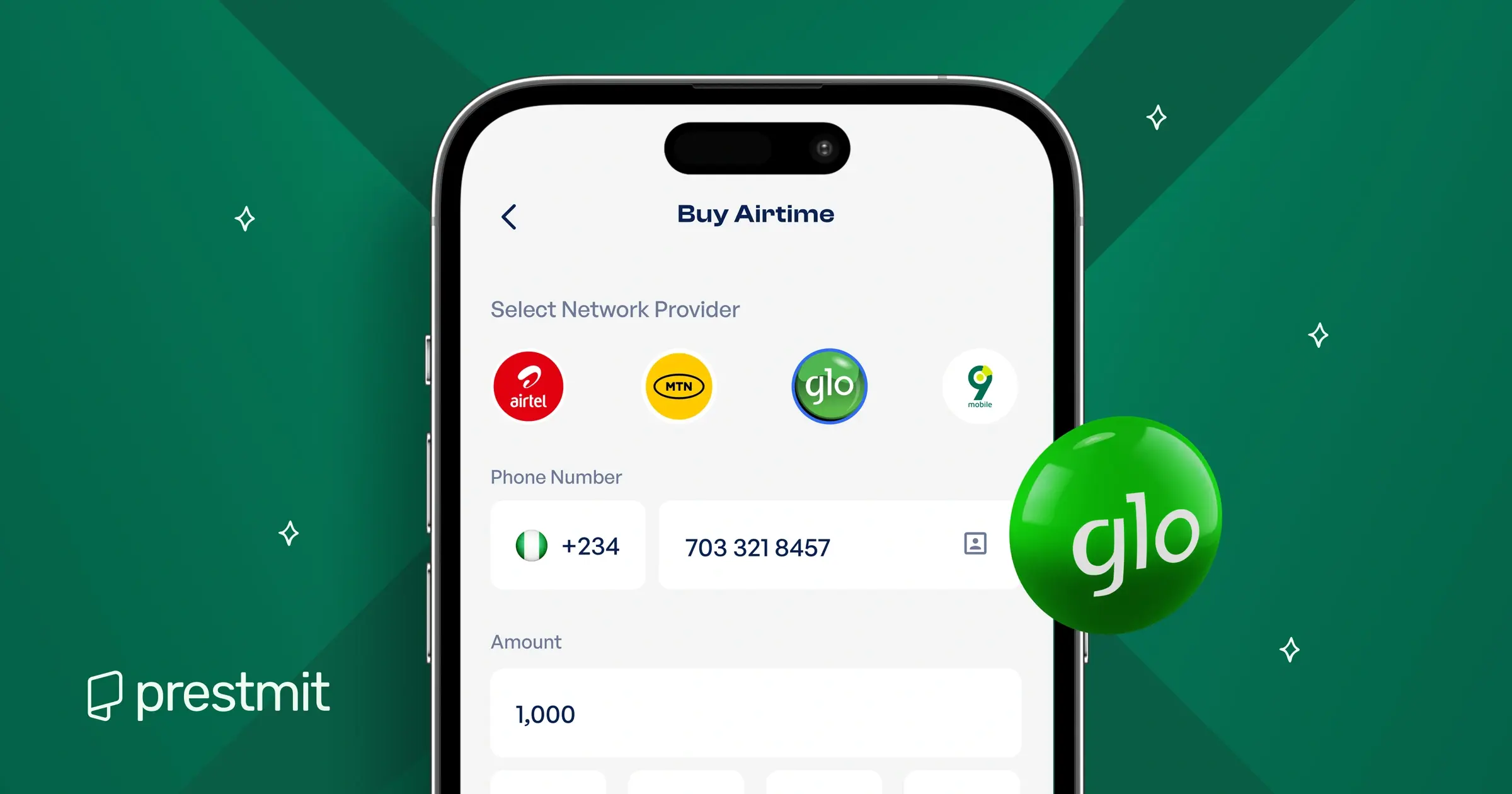
If you don’t have enough airtime to share, you can still buy cheap MTN airtime for your family and friends directly on Prestmit and save money. The platform lets you top up any MTN number at discounts from 0.5% up to 20%, so you can keep your loved ones connected without paying the regular price.
Prestmit offers a fast, secure, and convenient way to buy MTN airtime online. The platform has a clean, beginner-friendly interface that makes it easy to complete your purchase and receive your airtime instantly. Depending on what works best for you, Prestmit offers two airtime purchase options: Buy Airtime (VTU) for instant delivery, or Buy Cheap Airtime (Transfer) for a few extra minutes to enjoy even bigger savings.
To protect your account from unauthorized access, Prestmit uses advanced security features such as SSL encryption, two-factor authentication (2FA), and biometric authentication. If you ever need help during your transaction, the customer support team is available 24/7 to assist you.
How to Buy Cheap MTN Airtime on Prestmit
Follow these simple steps to buy cheap MTN airtime on Prestmit:
- Visit the Prestmit website or download the Prestmit app from the Google Play Store or Apple App Store.
- Create a Prestmit account or log in if you already have one.
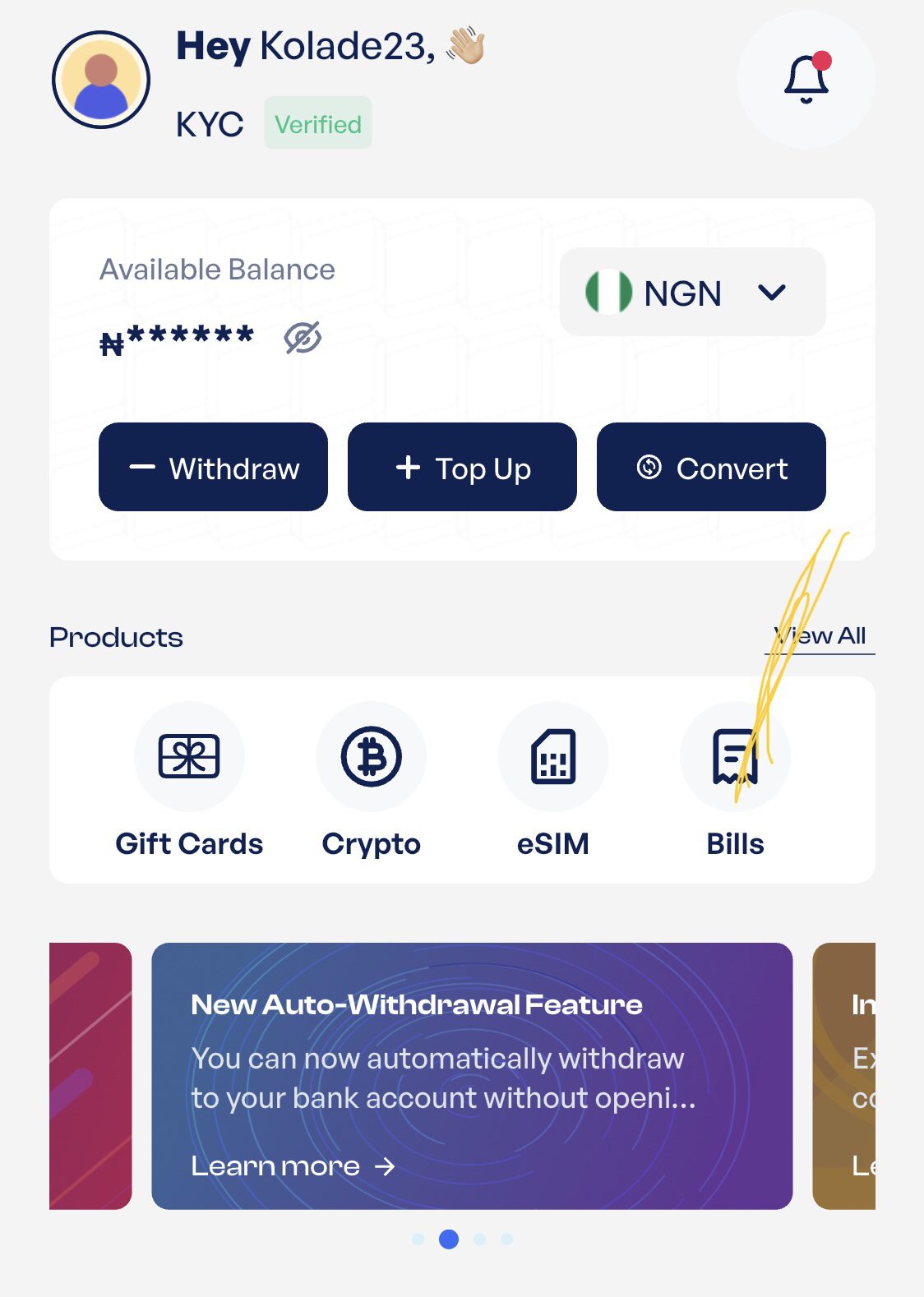
- Tap Bills on the dashboard.
- Select Buy and Sell Airtime.
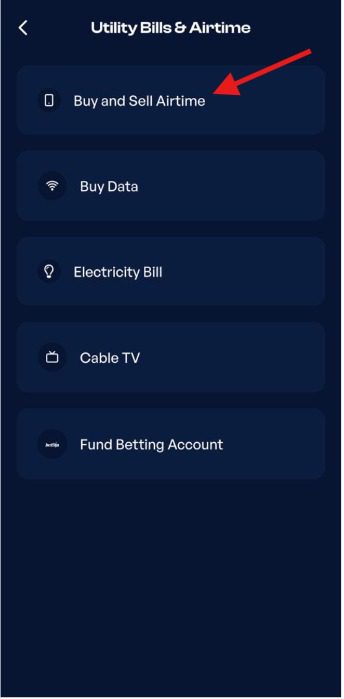
- Choose Buy Airtime (VTU) if you want your airtime delivered instantly, or Buy Cheap Airtime (Transfer) if you want to enjoy bigger discounts.
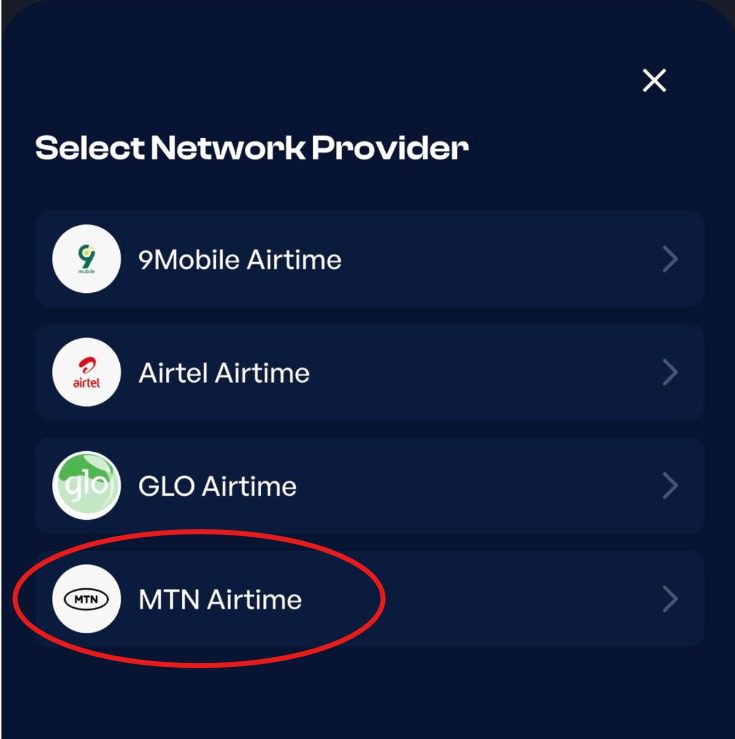
- Select MTN as your preferred network.
- Enter the MTN phone number you want to recharge and the airtime amount.
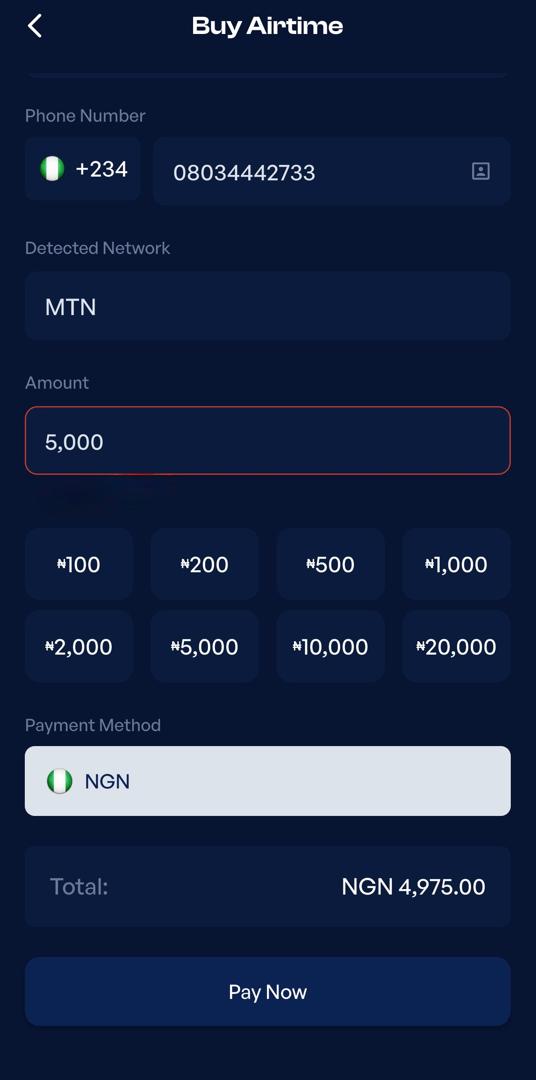
- Review the transaction details and complete your payment.
Once your payment is confirmed, the airtime will be delivered to the selected MTN phone number.
Frequently Asked Questions
1. What is the code to share airtime on MTN?
The USSD code for sharing airtime on MTN is *321#. Dial the code from your MTN line to access the MTN Share menu and transfer airtime to another MTN subscriber.
2. What is the default MTN Share PIN?
The default MTN Share PIN is 0000. However, MTN requires first-time users to change the default PIN before they can transfer airtime.
3. Can I transfer airtime from MTN to another network?
No, MTN Share only allows you to transfer airtime from one MTN line to another. You cannot send airtime from an MTN line to Airtel, Glo, 9mobile, or any other network.
4. What Is the Minimum and Maximum Airtime I Can Transfer?
You can transfer as little as ₦50 and as much as ₦10,000 in one transaction. In a day, the maximum amount you can transfer is ₦100,000.
5. Can I Share Bonus or Borrowed Airtime on MTN?
No, you can only transfer airtime from your main airtime balance. You cannot share bonus airtime or airtime borrowed through MTN XtraTime.
6. Can I Make Multiple Airtime Transfers in a Day?
Yes, you can make multiple airtime transfers in a day as long as you stay within MTN’s daily transfer limit and have enough airtime in your balance for each transaction.
Conclusion
Sharing airtime on MTN is a quick and convenient way to help family and friends stay connected whenever they need airtime. As long as you have enough airtime on your line and an MTN Share PIN, you can transfer airtime in just a few steps using the USSD code, SMS, or the myMTN NG app.
Now that you know how MTN Share works, you can choose the method that suits you best and send airtime whenever the need arises.
Last updated on August 3, 2026