Table of Contents
Many people find it difficult to differentiate the types of Apple gift cards from each other, and this confusion can make them easy targets for scams. Each Apple gift card comes with its own unique design, and those images aren’t just for decoration-they reveal what the card can be used for and whether it’s a fake or original card.. With scams involving Apple gift cards on the rise, it is important to know how to spot the differences to avoid falling victim to scammers.
This article explains how to identify different Apple Gift Cards, why Apple Gift Card pictures matter, safety tips on how to check Apple Gift Card pictures, etc.
Why Do Apple Gift Card Pictures Matter?
1. Pictures show the type of Apple gift card
Apple uses different designs for each category of gift card. The current Apple Gift Card, introduced in countries like the United States in 2020, has a colourful Apple logo on a clean white background. Older cards look different.
The App Store and iTunes Gift Card, which Apple has discontinued in many regions, have bright artistic backgrounds in blue or other colours while the Apple Store Gift Card has a more minimal look, often silver, white, or space grey. The picture helps you quickly recognise what the card is meant for because each design represents a different card type.
2. Pictures help you spot older or discontinued cards
Apple phased out App Store and iTunes Gift Cards in many countries after launching the all-in-one Apple Gift Card. Even though these older cards are no longer issued, many are still in circulation and remain redeemable for their original purpose. Their distinct pictures make them easy to identify so you know whether you are dealing with a current or older product.
3. Pictures help you confirm authenticity
There are counterfeit Apple gift cards. These fake cards may show Apple logos with subtle differences, strange fonts, poor print quality, or blurry colours. Checking the front picture is one of the quickest ways to spot a fake card because real cards follow Apple’s exact design standards.
4. Pictures help you recognize region restrictions
Apple gift cards are region-locked. A card bought in the United States cannot be redeemed on an Apple ID for another country, likewise a United Kingdom card will not work on a United States account. Some pictures include region-specific artwork, and older designs often show region details on the packaging. Knowing what the correct artwork looks like helps you avoid buying a card that will not work on your account.
5. Pictures make it easier to detect tampering
If the artwork looks damaged, faded, or altered, the card may have been scratched, used, or tampered with. Recognising what a genuine card should look like helps you spot anything that seems unusual before you redeem it.
6. Pictures help you tell physical cards apart from digital ones
Physical gift cards come in printed packaging with Apple’s standard artwork, while digital gift cards arrive through email with a clean graphic version of the Apple logo. Understanding these differences helps you confirm whether a card is legitimate, especially when receiving a digital code online.
7. Pictures help you avoid scams
Many scams involve someone asking you to buy an Apple gift card and send the code. Apple publicly warns that no government agency, utility company, or real business accepts Apple gift cards as payment. Knowing what a real card looks like helps you stay alert and avoid falling for fake cards or misleading images used by scammers.
How to Identify Different Apple Gift Card Pictures
1. The New Apple Gift Card Pictures
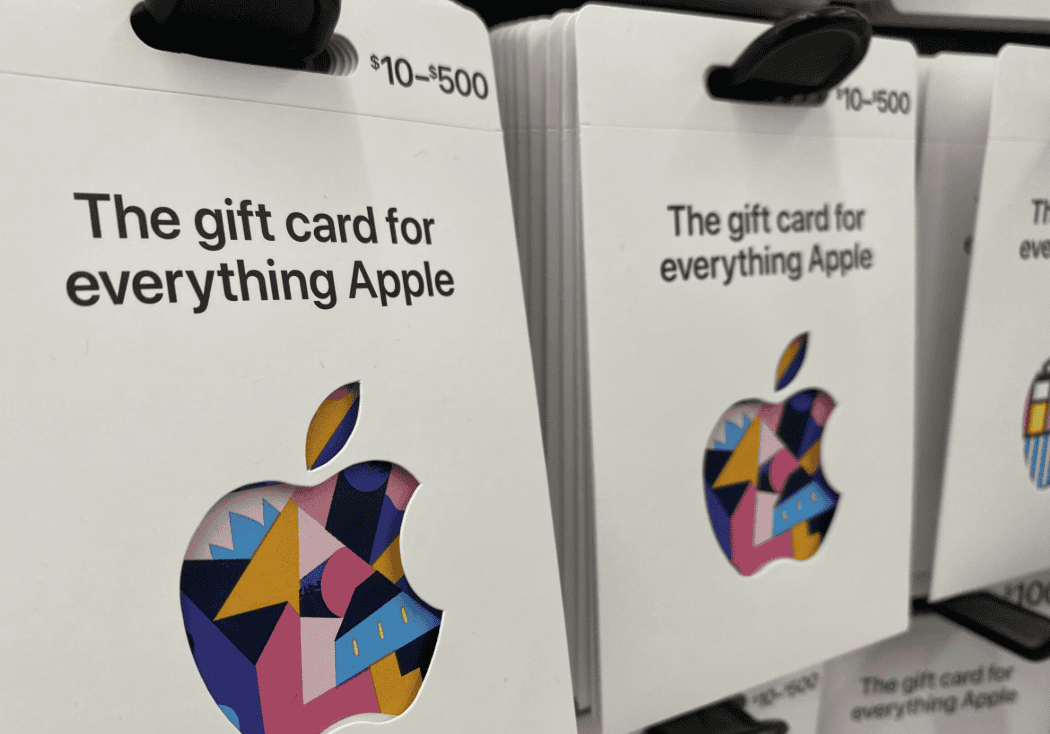
Apple now uses a single, universal gift card in many regions. This newer design replaces the older iTunes and Apple Store cards, so it is the most common one you will see today. Here is how to identify the new Apple Gift Card:
- It has a colourful Apple logo on a white or very light background
- The logo comes in several colour styles, but the background stays simple and clean.
2. Old Apple Store and iTunes Gift Card Pictures
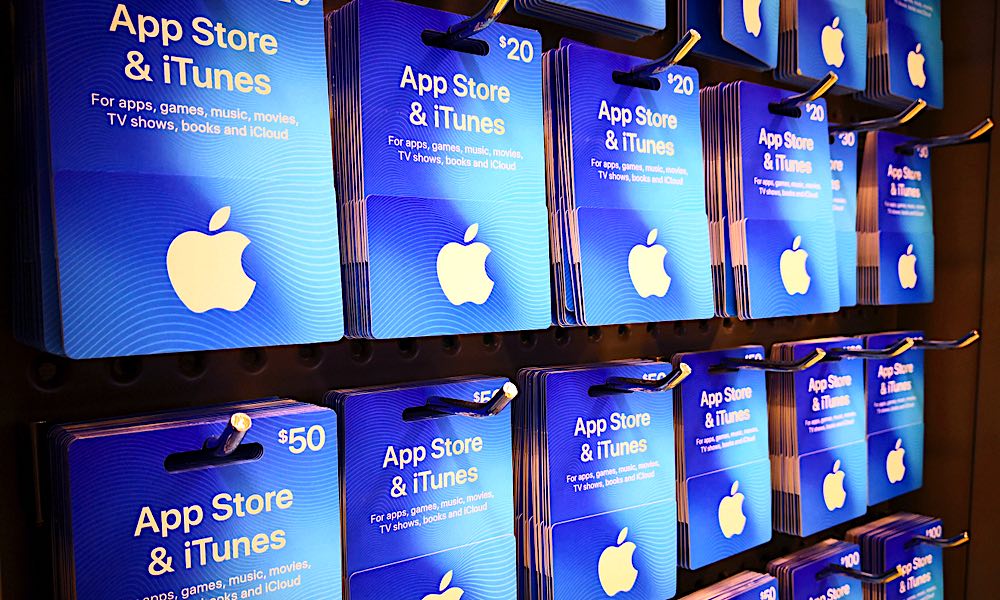
Apple sold separate cards for digital content and physical products before it introduced the universal design. The most common older ones were the App Store and iTunes Gift Card. Below is how to identify old App Store and iTunes cards:
- They have blue or patterned backgrounds with a white Apple logo
- Some older styles use pink, purple, orange, or gradient colours
- Some versions include music-related graphics because they were tied to iTunes or Apple Music.
3. Old Apple Store Gift Card Pictures

Apple also issued a separate card only for physical hardware and accessories. These older Apple Store Gift Cards look much more plain compared to the iTunes cards. These are the points that’ll help you to identify old Apple Store cards:
- They have a simple, single-colour front such as silver, grey, white, or gold
- They do not use patterns, gradients, or bright colours
- The design looks minimal and clean
- The back usually includes text stating that it is only for Apple Store purchases, not digital content.
4. Vertical vs Horizontal Apple Gift Card Pictures
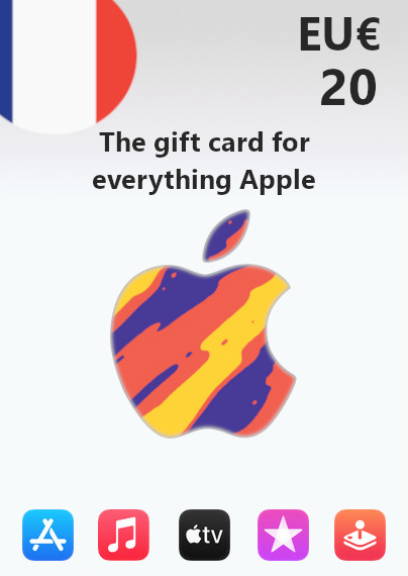
Card orientation sometimes confuses people, especially when cards appear online. But knowing the following will help you to distinguish easily:
- Official Apple gift cards usually appear in a horizontal layout, similar to a regular bank card
- A vertical card image online can simply be a rotated photo
- A vertical layout that looks unusual or inconsistent may also suggest a fake or unofficial design
- When in doubt, always compare the card to Apple’s official images. The standard orientation is horizontal.
5. Physical and Digital Apple Gift Card Pictures
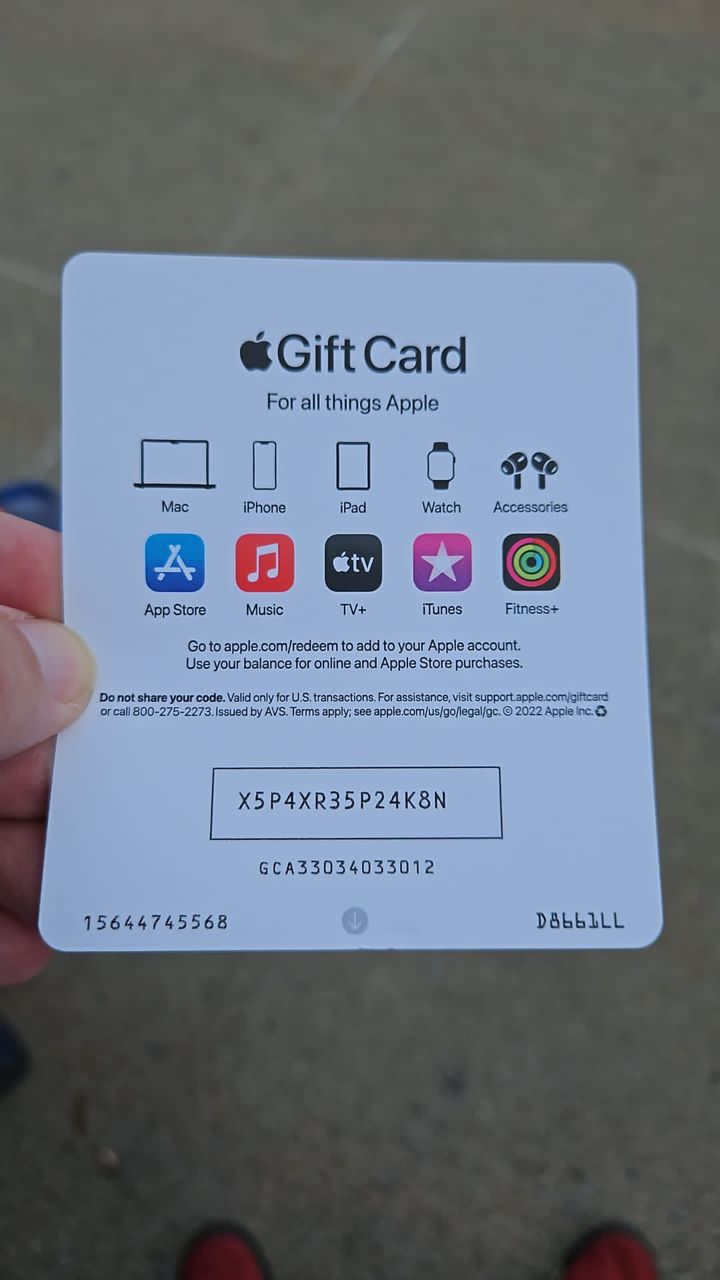
Apple sells both physical and digital versions of its gift cards. Their pictures can look different depending on how they were delivered. The following is how to identify physical cards:
- Physical cards are plastic or cardboard
- They include a scratch-off or peel-off section on the back hiding the code
- The design on the front matches Apple’s official styles for that card type.
How to identify digital cards:
- Digital cards arrive by email or as a code sent through your Apple account
- They show a graphic version of the gift card rather than a photo of plastic
- They must come from an official Apple domain such as apple.com or an authorized retailer.
What Are the Safety Tips When Checking Apple Gift Card Pictures?
1. Buy only from trusted sources
Use Apple’s official store, certified resellers, or well-known retailers. Avoid social media ads or random sellers offering “cheap” cards.
2. Inspect the card carefully
Make sure the scratch-off panel of physical cards is intact and the design matches known authentic cards. Check for poor print quality, odd colors, or inconsistencies.
3. Check the region compatibility
Apple gift cards are often region-locked. A card bought in one country may not work in another. Make sure the card’s region matches your Apple ID location.
4. Redeem on time and verify your balance
Once you receive a card (especially digital), it’s advisable to redeem it quickly in your Apple account. If the code has already been used, or if the card shows a zero balance, do not share further.
5. Never share gift card codes with strangers
Scammers often ask for gift card codes but legitimate Apple support will never request codes for payment.
6. Verify with Apple Support
Contact Apple Support for verification if a card looks suspicious or if you’re unable to redeem it. Keep receipts or screenshots as they can serve as evidence if things go wrong.
Frequently Asked Questions (FAQs) on Identifying Apple Gift Card Pictures
Can old iTunes or App Store cards still work?
Yes. Older App Store & iTunes Gift Cards (or Apple Store Gift Cards) remain redeemable for their original intended uses (digital vs hardware).
How do I know if a card is digital or physical from the picture?
A digital card usually appears as an email or PDF voucher, often with a graphic (stylized Apple logo or pattern) and a visible code. A physical card appears like a credit plastic, often with a scratch-off strip covering the code.
Can I use any Apple gift card everywhere (App Store, Apple Store, iTunes)?
It depends on the type. The newer universal Apple Gift Card works for both digital and physical purchases but older cards may be restricted.
What should I do if the card looks legit but doesn’t redeem?
Double-check region compatibility, ensure you entered the code correctly, and confirm the card was properly activated by the seller. If all fails, contact Apple Support for help.
Conclusion
Apple Gift Card pictures are not just for aesthetics. They show you exactly what type of card you have, whether it is new or old, and if it is real or fake. Checking the design, colors, layout, and source of the card will help you avoid scams and make sure you use your card correctly. Always pay close attention to these details to keep your money safe and give you confidence when redeeming or buying Apple gift cards.