Table of Contents
If you’re tracking down a limited-edition sneaker drop or upgrading your workout gear, a Foot Locker gift card is one of the easiest ways to shop the best in athletic retail. These cards work seamlessly both online and in-store, carry zero hidden fees, and the balance never expires. This flexibility makes them a massive hit for casual shoppers and hardcore sneakerheads alike.
This guide breaks down how to check your balance, redeem your card successfully, and all you need to know before spending.
If you are looking to purchase a Foot Locker gift card for yourself or a friend overseas, you will also learn the safest, most reliable platforms to buy them instantly online.
What Is a Footlocker Gift Card?
A Foot Locker gift card is a prepaid store card you can use to buy footwear, apparel, and sports gear at Foot Locker and its sister brands. It holds a fixed cash value, and every purchase you make is automatically deducted from that balance until the card runs out.
The card is accepted at Foot Locker, Kids Foot Locker, and Champs Sports, both on their websites and inside their physical stores. You don’t have to spend the full amount at once; any leftover balance stays on the card for your next visit.
Because the card is tied to a major US-based retailer, it is simply one of the most popular gift cards frequently received from families abroad, brand giveaways, or international clients.
Types of Foot Locker Gift Cards
There are two main types of Foot Locker gift cards, and they work slightly differently. Knowing which one you hold helps you redeem it without hiccups.
1. Physical Gift Cards
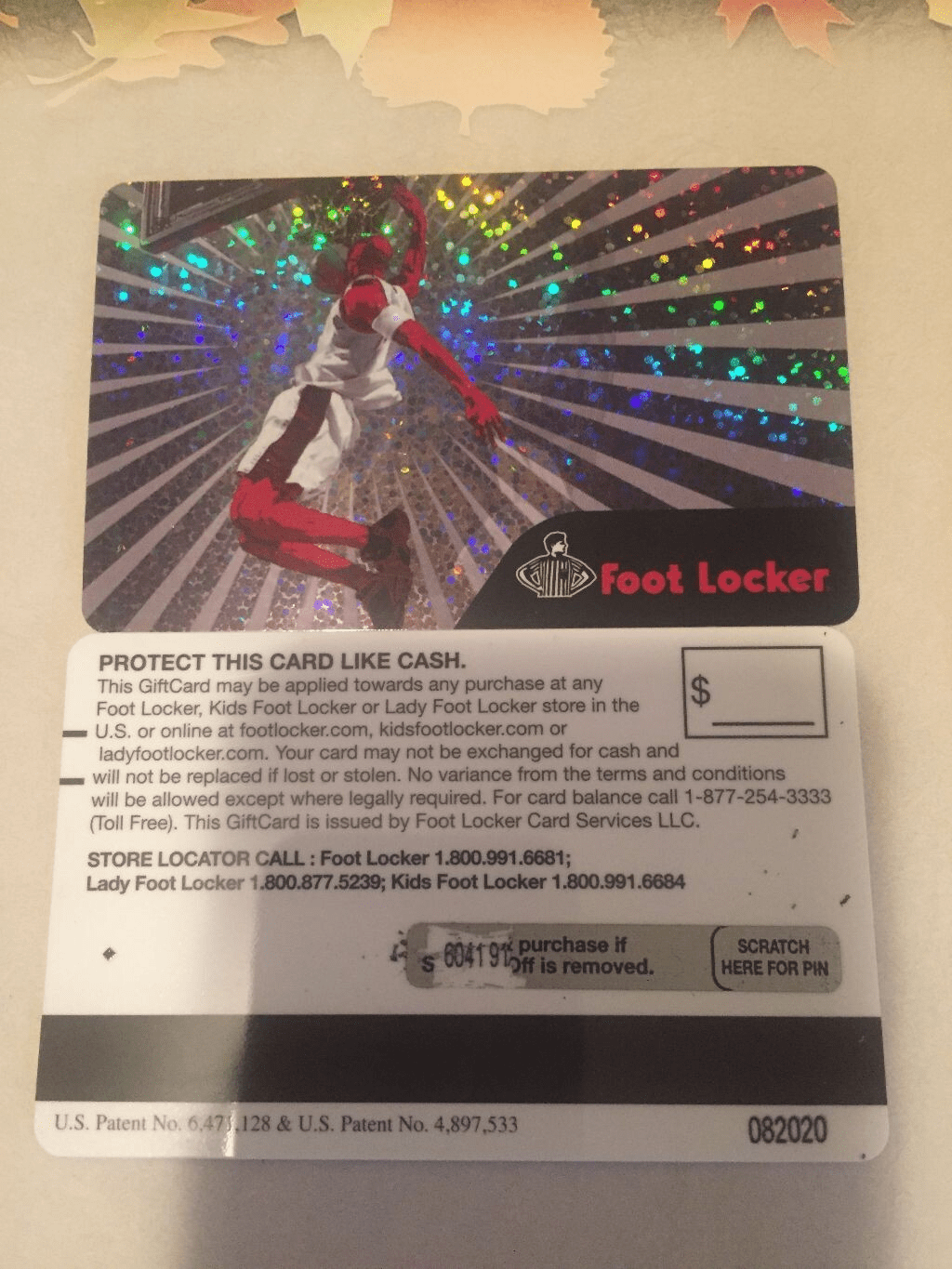
A physical Foot Locker gift card is the traditional plastic card you can hold in your hand. You buy it in a Foot Locker store or from authorised retail partners, and it carries a card number and, on newer versions, a PIN.
You can use physical cards both in-store and online, provided they include a PIN. Available in various denominations ranging from $10 to $500, these physical cards are perfect for budgeting your next shopping trip.
Just remember that older physical cards without a PIN can only be redeemed in-store, so be sure to check the back of your card before trying to check out online.
2. Digital (E-Gift) Cards
A digital Foot Locker gift card, also called an e-gift card, is delivered straight to your email. There’s no plastic involved; you receive a card number and PIN you can enter at checkout.
You can order digital cards in any amount from $10 to $250, giving you complete flexibility on how much value to load. Arriving via email within minutes, these e-gift cards serve as the perfect go-to choice for last-minute gifting.
How to Redeem a Footlocker Gift Card
Redeeming your Foot Locker gift card is straightforward, whether you are shopping from your couch or browsing in an aisle. Follow these steps to apply your balance successfully:
Online at Footlocker.com
Here are the steps to redeeming your Foot Locker card on the Foot Locker site:
- Shop and Checkout: Add your favourite sneakers or gear to your shopping cart and proceed to the checkout page.
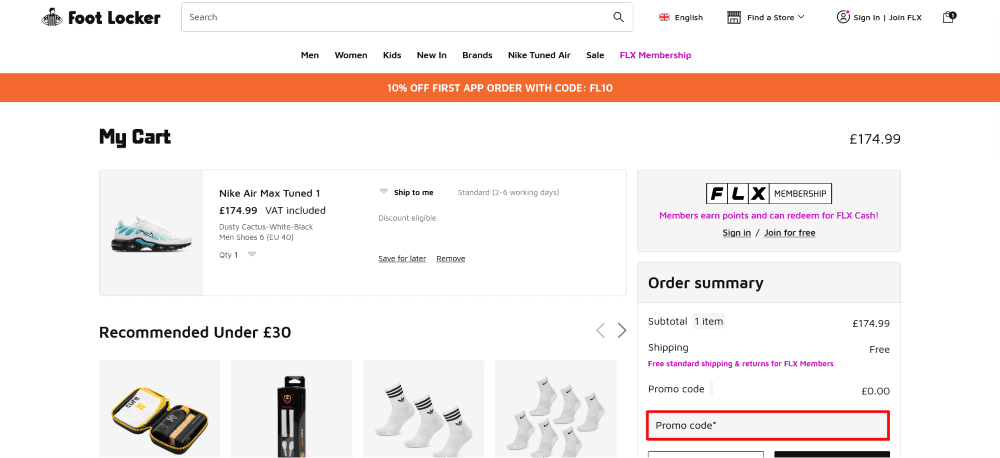
- Select Payment Method: In the payment section, select Gift Card as your payment option.
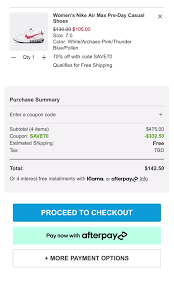
- Enter Card Details: Carefully input your 16-digit gift card number and the corresponding PIN.
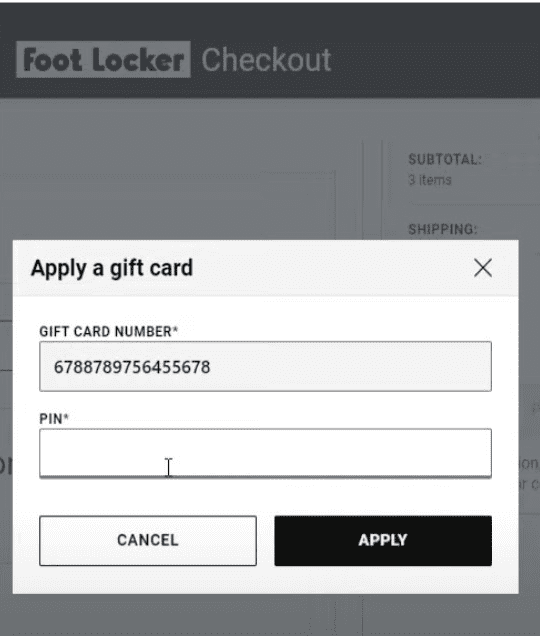
- Apply and Complete: Click Apply. If your card doesn’t cover the full balance, you can top off the remaining amount using a standard debit card, credit card, or PayPal.
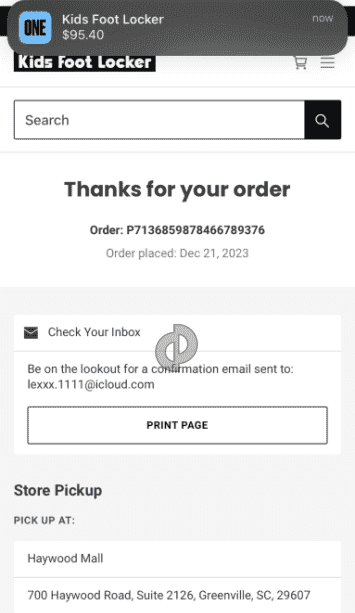
At a Physical Store Location
The following are the steps you can take to redeem your Foot Locker gift card at a physical store:
- Present the Card: Bring your items to the counter and hand your physical gift card or digital e-gift card barcode to the cashier.
- Scan and Deduct: The cashier will scan the card to automatically deduct the purchase amount from your available balance.
- Stack Your Cards: If you have multiple cards, you can combine up to five gift cards on a single in-store transaction to cover a larger purchase.
Note: If your card is rejected at checkout, double-check for typos in the card number or PIN. If the transaction still fails, ensure your secondary payment method is properly authorised to handle any remaining balance on the order.
How to Check Your Footlocker Gift Card Balance
Knowing your Foot Locker gift card balance before you shop saves you the awkward moment of a declined payment at checkout.
There are two simple ways to check.
1. Checking Your Gift Card Balance online
To check your gift card balance online,
- Visit the Foot Locker official gift card balance page.
- Navigate to the gift card balance checking section and enter your card details in the appropriate fields.
- Click Check Balance, and the site will display your balance.
2. Calling Customer Support
- Dial the toll-free number (1-800-991-6815).
- Follow the instructions and choose the right number prompt to check the balance.
Foot Locker Gift Card Policies to Know
Before you spend or gift a Foot Locker card, a few rules are worth understanding. These come straight from Foot Locker’s official terms.
- No expiry, no fees: Foot Locker gift cards never expire and carry no service or dormancy fees, so your balance is always available when you’re ready.
- Not redeemable for cash: The card can’t be exchanged for cash through Foot Locker except where local law requires it.
- No buying another card: You can’t use a gift card to purchase a second gift card.
- No replacements: Lost or stolen cards aren’t replaced, so treat the card like cash and keep the number and PIN private.
- Up to five per order: You can stack up to five gift cards on one transaction.
Keeping these in mind protects your balance and helps you avoid surprises at checkout.
Best Platform to Buy and Sell Foot Locker Gift Cards – Prestmit
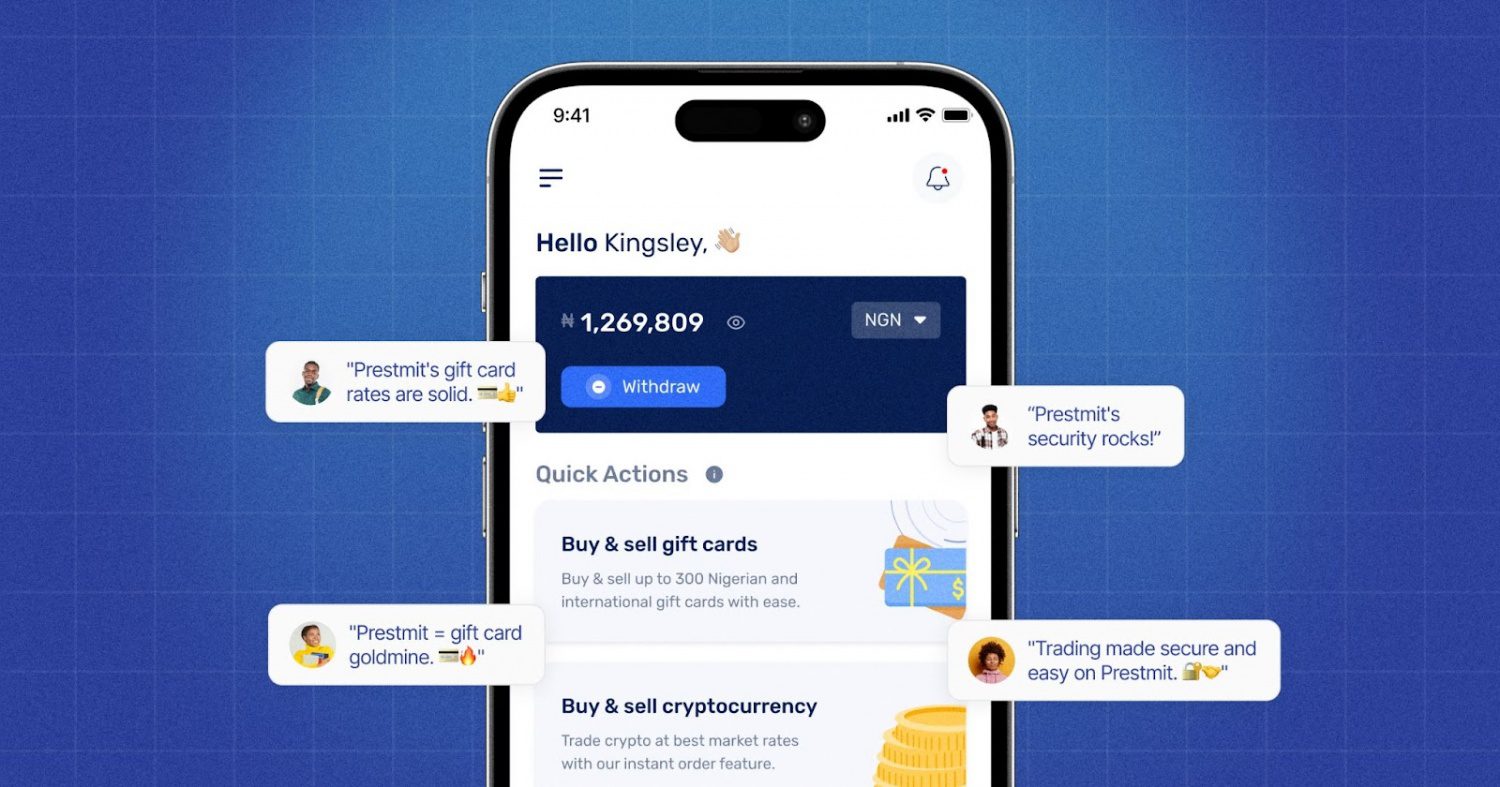
Prestmit is a versatile digital trading platform designed to maximise your assets by making it easy to buy, sell, or swap gift cards, crypto, and data utilities. If you need a global voucher for cross-border shopping or want to convert an unused Foot Locker gift card into instant cash, the platform delivers a frictionless experience.
A live, in-app rate calculator ensures you always lock in transparent, competitive market rates before making a move. The platform prioritises speed and absolute user control. Once your card details are verified, automated withdrawal triggers real-time payouts directly to your local bank account or crypto wallet.
If you are buying, you can instantly acquire a digital gift card using local fiat or top-tier cryptocurrencies like Bitcoin and USDT.
Underpinning this entire financial ecosystem is a robust security infrastructure featuring advanced SSL encryption, two-factor authentication (2FA), and biometric logins to keep your data and funds safe.
How to Buy a Footlocker Gift Card on Prestmit (Step-by-Step)
To buy a Footlocker gift card on Prestmit, follow these simple steps:
Step 1: Create an account
Visit the Prestmit website or download the Prestmit app from the Google Play Store or App Store.
Sign up and complete the account setup process.
Step 2: Go to the Gift Card section
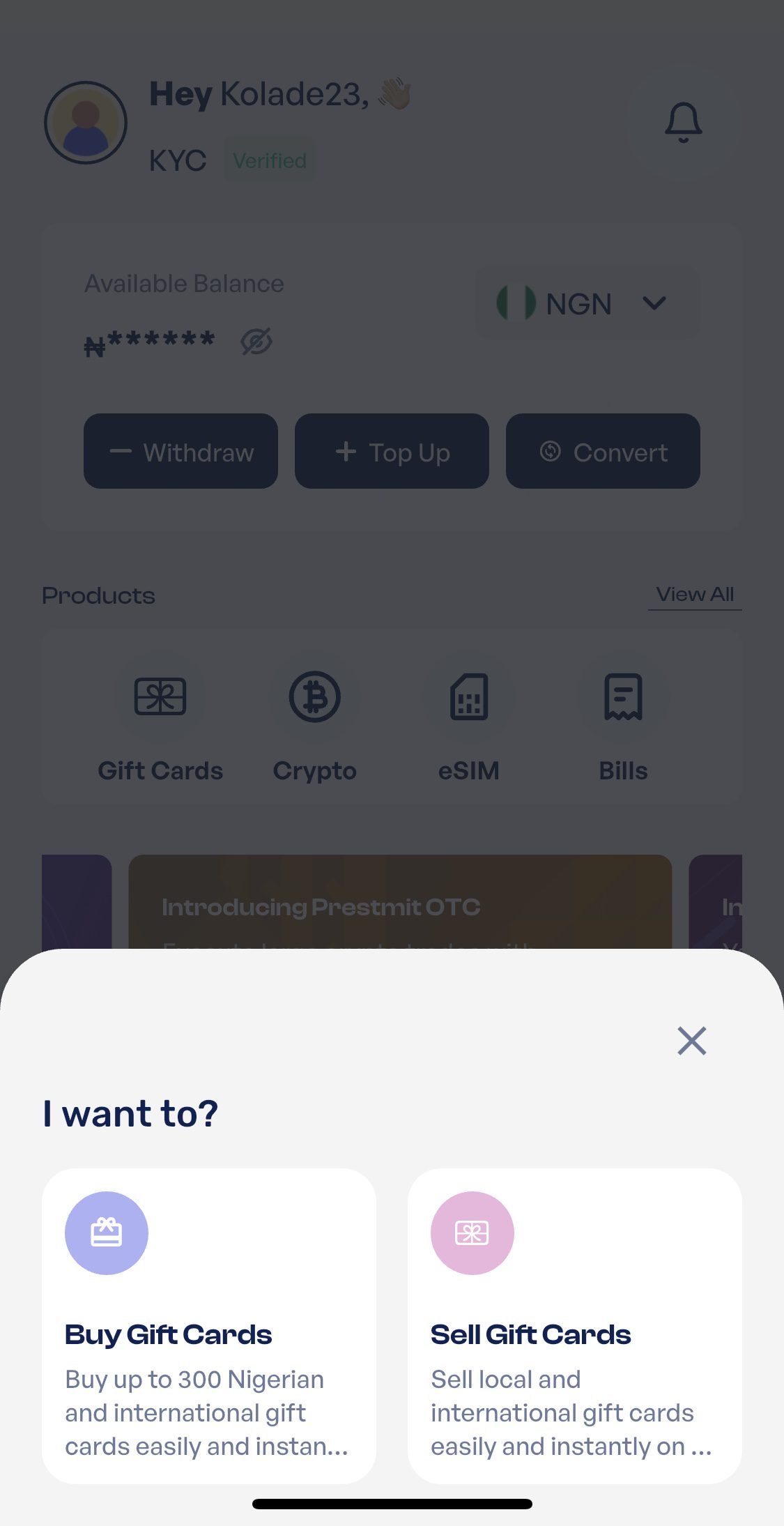
Screenshot
Log in to your account, and click on the Gift Card section on your dashboard. Click on the option to Buy Gift Card
Step 3: Choose the Country and Gift Card Category
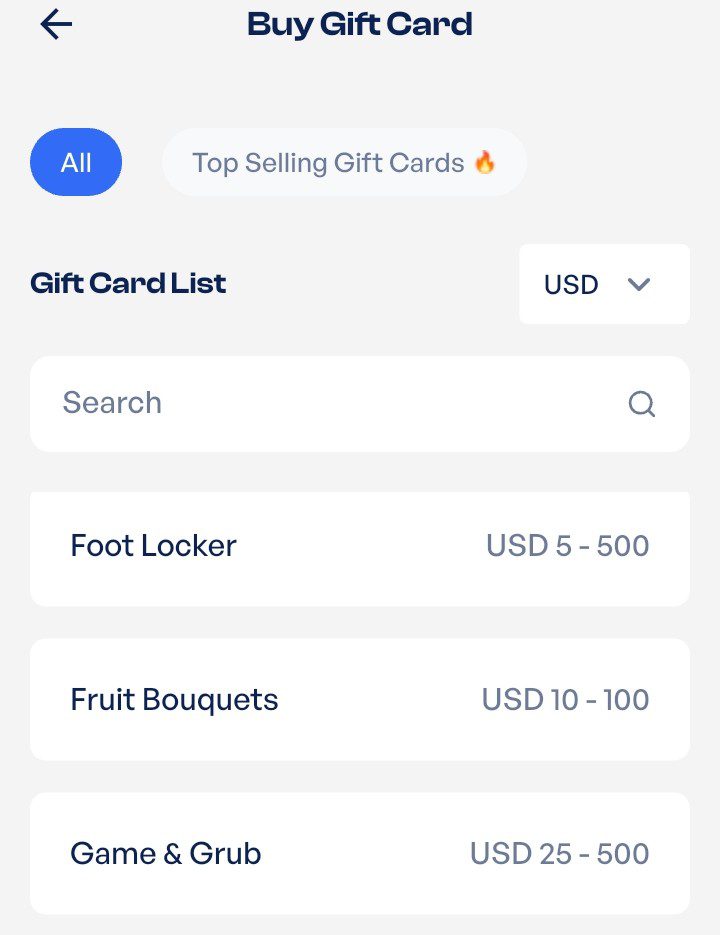
Select the United States as the country, and choose Footlocker as the gift card category
Step 4: Enter the Gift Card Amount and Quantity
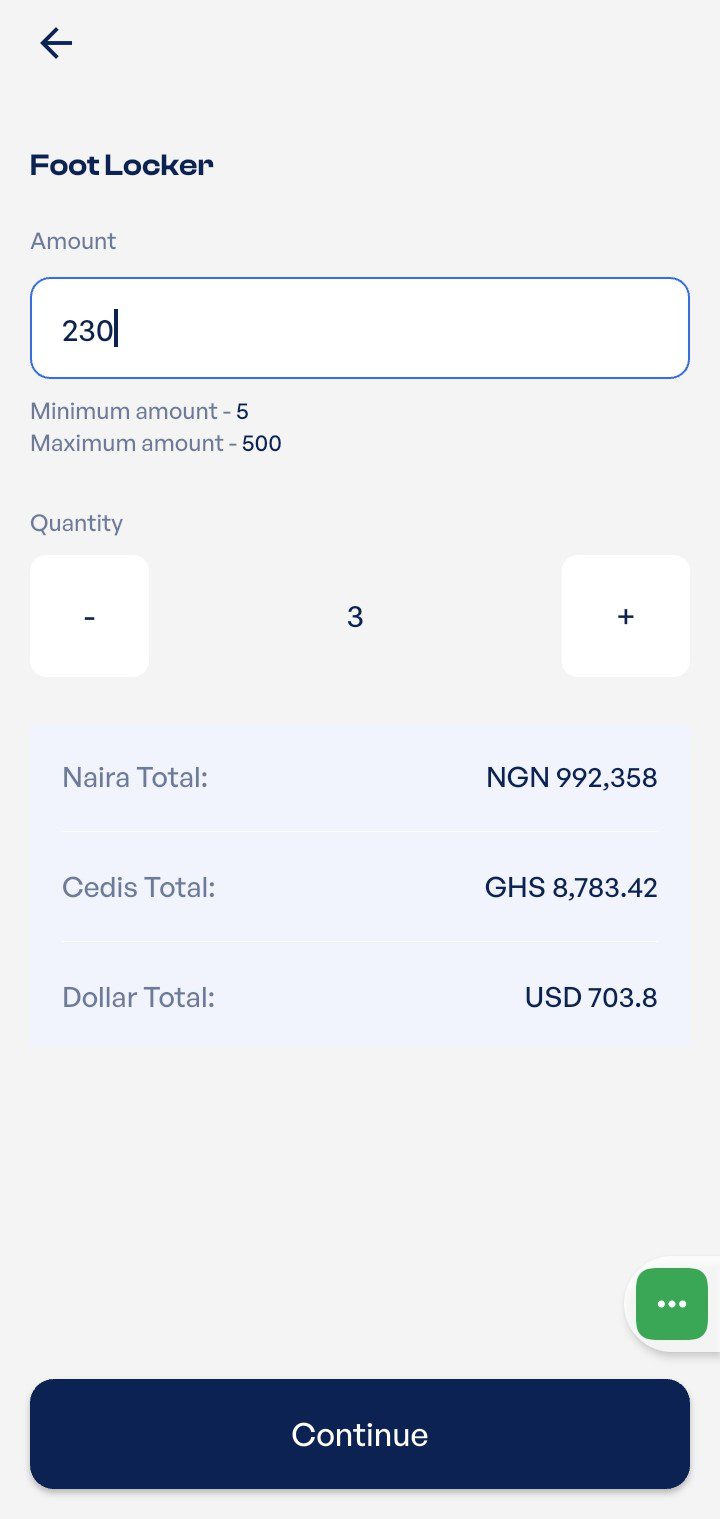
Choose your preferred amount of a Foot Locker gift card. You can also choose the quantity of gift cards.
Step 4: Review and Confirm Purchase
Review and confirm the amount and quantity of gift cards to be purchased. You could go back to edit your selection, or click “Proceed” to go ahead with the purchase.
Step 5: Select Payment Method
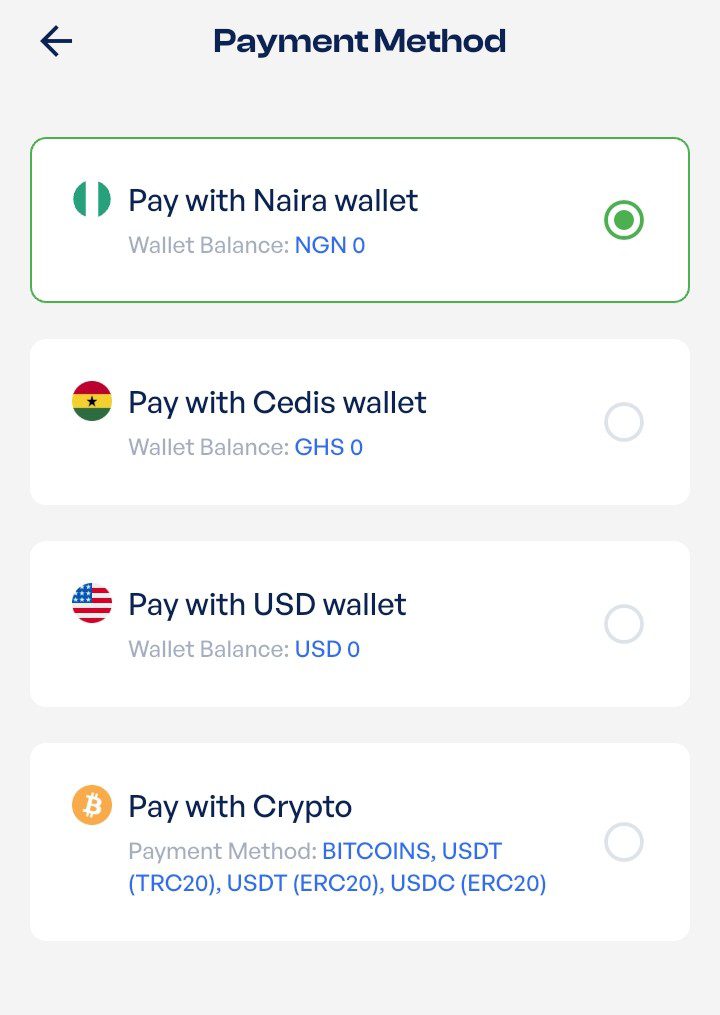
Select your preferred payment method. Prestmit supports purchase payments in Naira (NGN), Cedis (GHS), USD, and Crypto
Step 6: Complete your transaction
Proceed with the transaction by clicking the “Complete Purchase”. Once your payment is completed, your Footlocker gift card purchase will be instantly processed.
Frequently Asked Questions
1. Do Foot Locker gift cards expire?
No. Foot Locker gift cards never expire and carry no service or dormancy fees. Whatever balance is on the card stays available until you spend it, whether that’s next week or next year. This makes the card low-pressure to hold and a safe option to keep for a future purchase.
2. What is a Foot Locker gift card used for?
A Foot Locker gift card is used to purchase athletic footwear, apparel, and accessories both online and at any of their physical retail locations. It is also valid across their family of sister brands, including kids’ Foot Locker and Champs Sports.
3. How much is a $100 Foot Locker gift card in Naira?
A $100 Foot Locker gift card is currently worth between ₦75,000 and ₦128,000 on average. To see the exact, highest payout rate at this very moment, you can check the live in-app rate calculator on Prestmit.
4. Where is the best place to sell a Foot Locker gift card online?
The best platform to sell your Foot Locker gift card online is Prestmit, due to its competitive exchange rates and secure infrastructure. The platform offers unparalleled flexibility with automated, instant payouts sent directly to your local bank account in Naira, Cedis, or your crypto wallet.
Conclusion
A Foot Locker gift card is a flexible, fee-free way to shop for sneakers and sportswear, and since it never expires, there’s no rush to spend it. Redeeming it online or in store takes seconds, and checking your balance beforehand keeps the process smooth.
For cardholders in Nigeria, where Foot Locker doesn’t operate, the smartest move is to convert that idle value into cash. Selling your Foot Locker gift card on a trusted platform like Prestmit gives you instant, secure payment in the currency you prefer, turning a card you can’t use into money you can.
Last updated on June 26, 2026