Table of Contents
A Mastercard gift card offers more flexibility than many traditional store gift cards. Instead of being limited to a single retailer, you can use it at millions of outlets that accept Mastercard. However, before you start shopping, you may need to activate the card, depending on the issuer and where you purchased it.
It’s important to know how to activate your gift card in order to avoid unnecessary issues when using it. This article explains how to activate a Mastercard gift card and how to use it safely and effectively for different types of purchases.
How to Activate a Mastercard Gift Card
1. Activate a Mastercard Gift Card Online
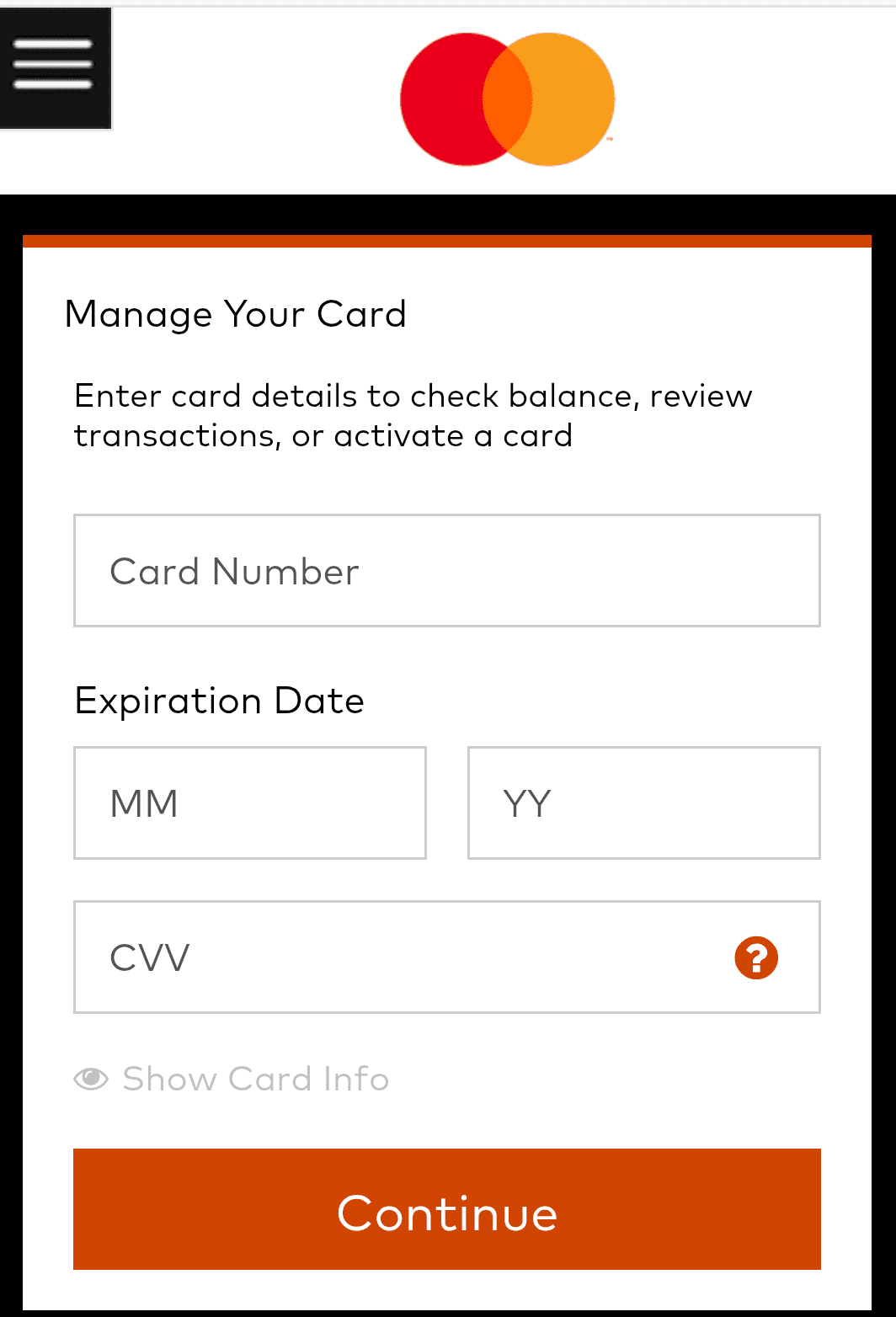
You can activate your Mastercard online using these steps:
- Visit the official MasterCard activation website
- Enter the required card details: card number, expiration date, and CVV security code found on the back of the card.
- You may be asked to create an online account or provide basic personal information to register the card.
- Review the information you entered and submit your activation request.
- Wait for the confirmation message indicating that your Mastercard gift card has been successfully activated.
2. Activate a Mastercard Gift Card by Phone
The following are the simple steps to activate your Mastercard gift card through phone:
- Check for the customer service or activation phone number printed on the back of the card or on the card packaging (1-833-623-4266).
- Call the number on your mobile phone
- Follow the automated prompts
- Enter the requested information, including your card number, expiration date, and security code.
- Verify any additional information requested by the system.
- Complete the activation process and wait for the confirmation message.
3. Activate Gift Card In-Store
You can activate your gift card at physical stores through the following steps:
- Buy the Mastercard gift card from an authorized retailer
- During checkout, the cashier will scan the card to activate it automatically
- Pay for the card and keep the purchase receipt after the transaction is completed
- Confirm that the card packaging indicates successful activation if applicable
How to Use a Mastercard Gift Card
1. In-Store Purchases
A Mastercard gift card makes shopping in physical stores simple and convenient. You can use it to pay for everyday purchases such as groceries, clothing, electronics, beauty products, and more at any store that accepts Mastercard.
Unlike online transactions, in-store purchases allow you to complete the payment instantly at the checkout counter using your physical gift card.
Below are the steps to use your MasterCard gift card for in-store purchases:
- Confirm the available balance on your gift card before making a purchase
- Present the card at checkout when you’re ready to pay
- Insert, swipe, or tap the card depending on the payment terminal available
- Select “Credit” if the payment terminal asks you to choose between credit and debit card
- Wait for the transaction to process and receive confirmation from the merchant
- Keep your receipt after each purchase so you can monitor your remaining balance
- If the purchase amount exceeds your available balance, ask the merchant whether split payments are supported.
2. Online Purchases
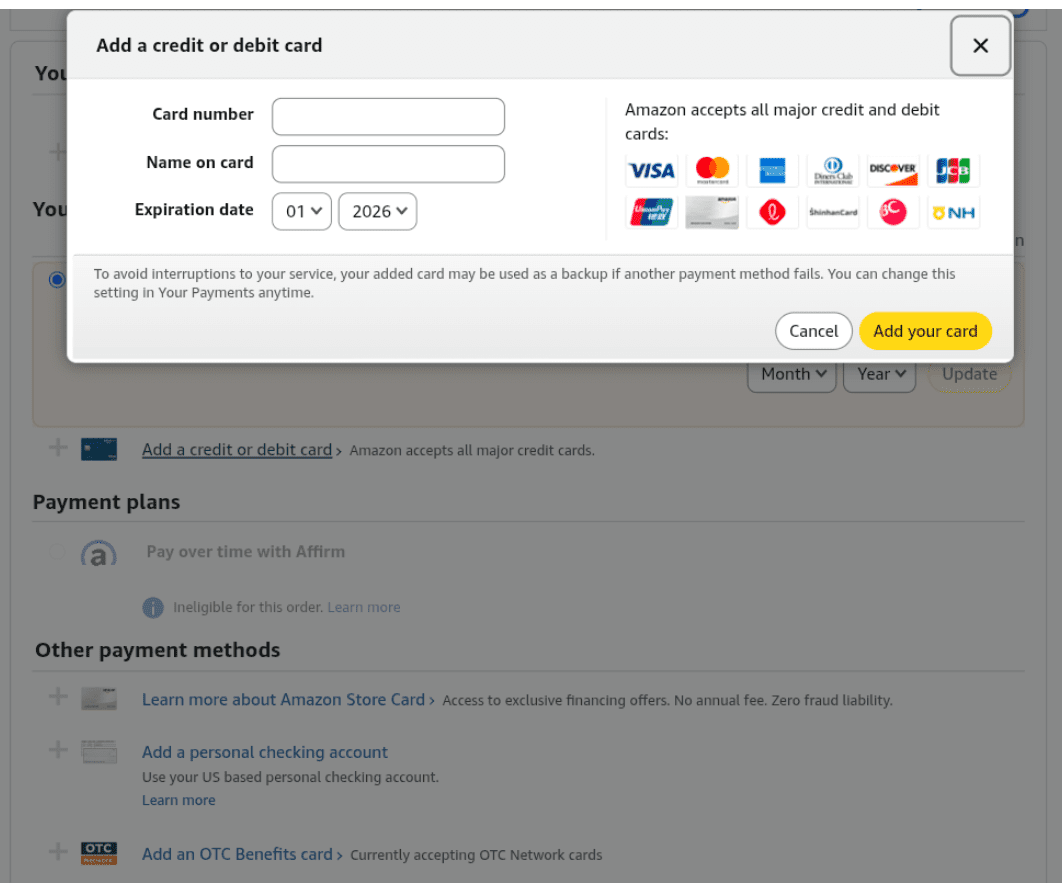
You can use a Mastercard gift card for online purchases just like a regular debit or credit card. It allows you to pay for products and services on websites that accept Mastercard as a payment method.
Before making a purchase, it is important to ensure that your gift card has sufficient funds to cover the total cost of the transaction, including any taxes or additional fees. Some cards may also require activation or registration before they can be used online.
Follow these steps to use a Mastercard gift card for online purchases:
- Visit the merchant’s website and add your desired products or services to your cart
- Proceed to checkout and select Mastercard as your payment option
- Enter the card number, expiration date, and CVV security code exactly as they appear on the card
- If required, ensure that the card has been registered with a billing address before attempting the transaction.
- Verify that the card balance covers the full purchase amount, including taxes, shipping fees, and any temporary authorization charges.
- Review your order details and submit the payment.
- Save your confirmation email or order receipt for future reference.
3. Contactless Payments
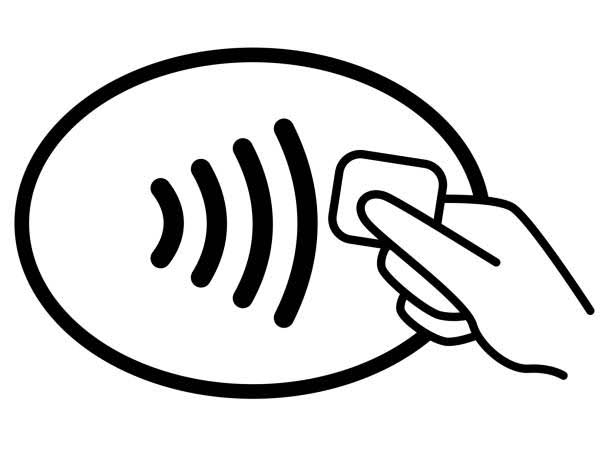
Many Mastercard gift cards come with contactless payment functionality, allowing you to make quick and convenient purchases without inserting or swiping the card. Contactless payments use Near Field Communication (NFC) technology, enabling the card to communicate securely with compatible payment terminals when held close to them.
This payment method is widely accepted at supermarkets, restaurants, convenience stores, transit stations, and other retail locations.
Here’s how to use a MasterCard gift card for contactless payments.
- Check whether your Mastercard gift card displays the contactless payment icon
- Confirm that the merchant’s payment terminal supports tap-to-pay transactions
- Hold the card close to the contactless reader when prompted by the terminal
- Wait for the terminal to confirm that the payment has been approved.
Best App to Buy and Sell Mastercard Gift Cards – Prestmit
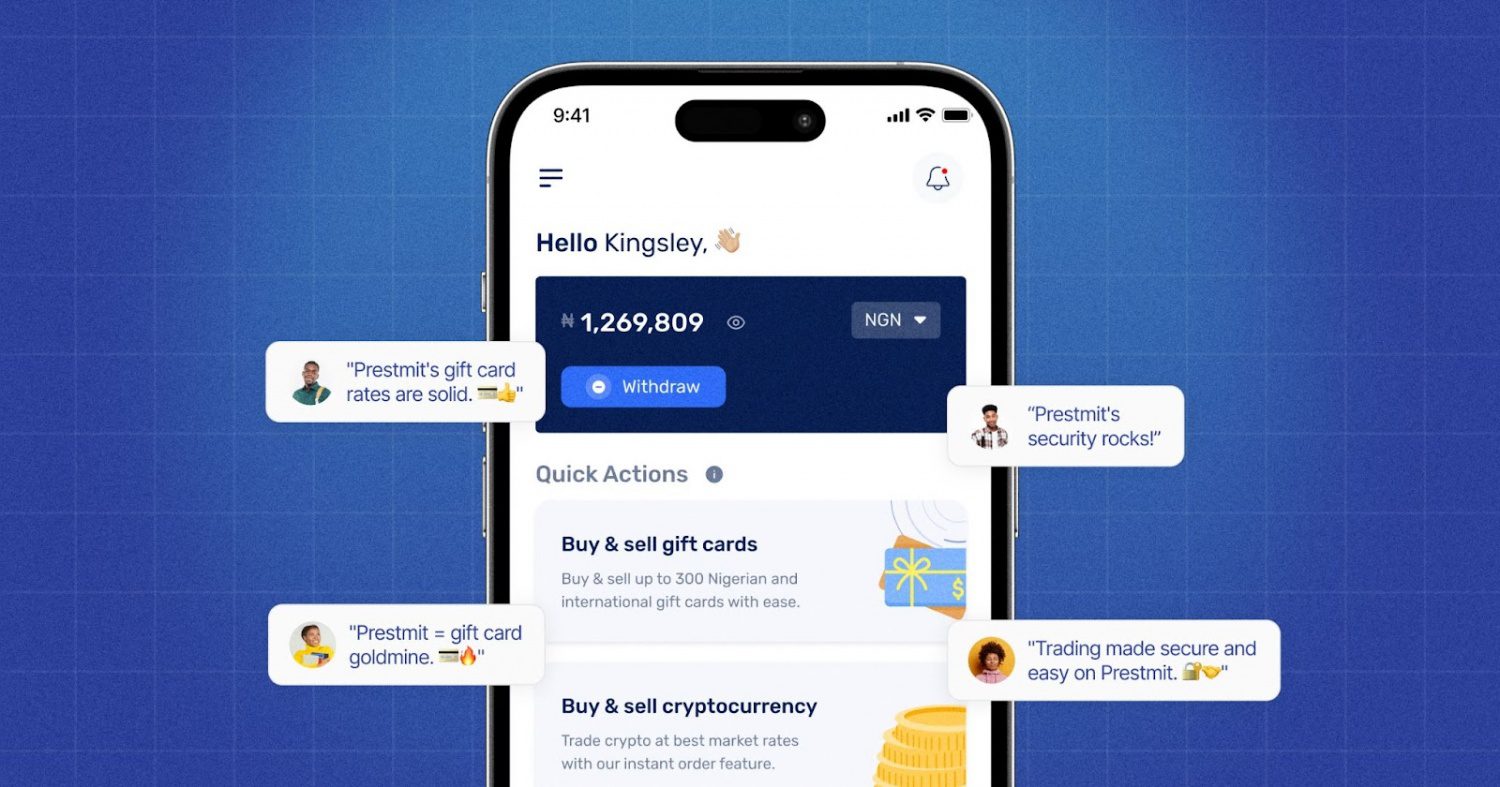
Whether you’re buying a Mastercard gift card for online payments or selling an unused one for cash, Prestmit provides a fast, secure, and convenient experience from start to finish. One of the biggest advantages of buying gift cards on Prestmit is the instant delivery process.
Once your payment is confirmed, your gift card code is delivered directly to your email within minutes, allowing you to start using it almost immediately. Prestmit also supports multiple payment methods, giving you the flexibility to pay with Naira, Cedis, USD, and cryptocurrencies.
In addition to Mastercard gift cards, Prestmit offers access to a wide range of popular gift cards, making it a one-stop marketplace for all gift cards. You can buy gift cards such as Amazon, Steam, Walmart, Visa, Google Play, Apple/iTunes, eBay, and many other top brands from the platform.
If you’re looking to sell gift cards, Prestmit offers competitive rates to help you maximize the value of every transaction. The platform also has an in-app gift card rate calculator, allowing you to check the current rate of your gift cards before selling.
Prestmit also offers fast payment processing. Your payment is sent to you through your preferred payout method, including Naira, Cedis, USD, and crypto, immediately after your transaction is confirmed.
We also protect you with SSL encryption, two-factor authentication (2FA), and biometric authentication, helping to safeguard accounts, personal information, and transactions from unauthorized access.
Prestmit also provides 24/7 customer support, allowing users to get assistance whenever they need help with buying, selling, payments, or account-related issues.
BUY OR SELL MASTERCARD GIFTS CARDS ON PRESTMIT
Frequently Asked Questions
1. Do all Mastercard gift cards require activation?
No. Many Mastercard gift cards activate automatically at the point of sale when purchased from a retailer, while others require online or phone activation. Always check the instructions provided with your card.
2. Can I use a Mastercard gift card online?
Yes. Most Mastercard gift cards can be used for online purchases where Mastercard is accepted, provided the card has sufficient funds and meets any issuer registration requirements.
3. Can I use a Mastercard gift card for contactless payments?
Many Mastercard gift cards support contactless payments if they display the contactless symbol and the merchant accepts tap-to-pay transactions.
4. What should I do if my Mastercard gift card fails to activate?
First, verify that you are using the activation instructions provided by the card issuer. If the issue persists, contact the customer service number printed on the card or retain your receipt and contact the retailer where the card was purchased.
5. Can I withdraw cash from a Mastercard gift card?
Most Mastercard gift cards are designed for purchases and generally do not allow ATM withdrawals. Check your cardholder agreement for the specific terms that apply to your card.
Conclusion
Mastercard gift cards provide a convenient and flexible way to shop online, make in-store purchases, and manage spending without using a traditional bank card. While some cards activate automatically when purchased, others require online or phone activation before use.
Understanding how activation works and how to use the card correctly can help you avoid issues and get the most value from your gift card.