Table of Contents
Amazon is the largest e-commerce platform in the world, and when a brand is that big, it attracts more than just customers; it also attracts scammers.
Today, fake Amazon gift cards circulate almost as much as the real ones. They appear in different designs, screenshots, emails, and even printable formats. So, for someone who doesn’t know what to look for, it’s easy to get fooled.
And the truth is, almost everyone has a reason to use an Amazon gift card. Some people shop with them, while others trade them for cash or crypto. That’s exactly why knowing what real Amazon gift cards look like matters.
In this guide, we’ll walk through different Amazon gift card pictures and show you how to identify authentic ones before you get scammed.
Types of Amazon Gift Cards
Here’s a breakdown of the main types of Amazon gift cards you’ll encounter:
1. Physical Amzon Gift Cards
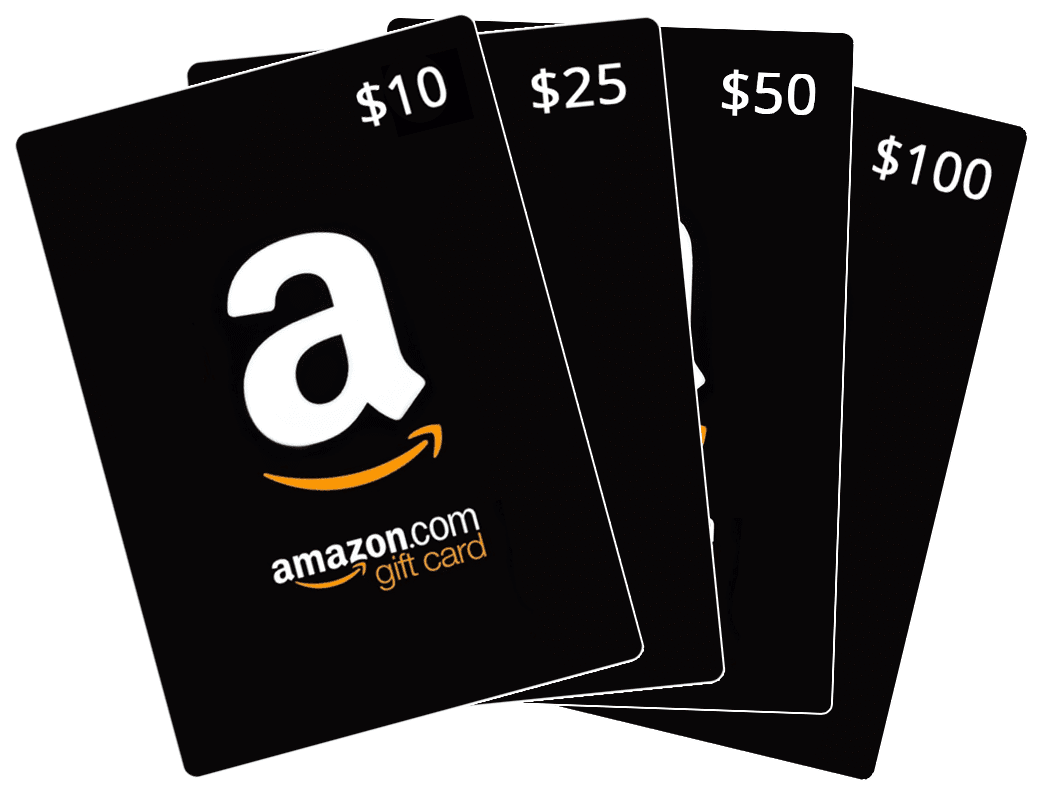
Physical Amazon gift cards are the classic plastic cards you find in retail stores, supermarkets, and electronics shops. They usually come in sealed packaging and feature printed designs, from the Amazon smile logo to seasonal or themed artwork.
On the back of the card, the claim code is hidden under a scratch-off panel to keep it secure until redemption. Physical Amazon gift cards are easy to recognize because of their tangible plastic card format and the retail packaging they are typically sold in.
2. Digital/eGift Cards
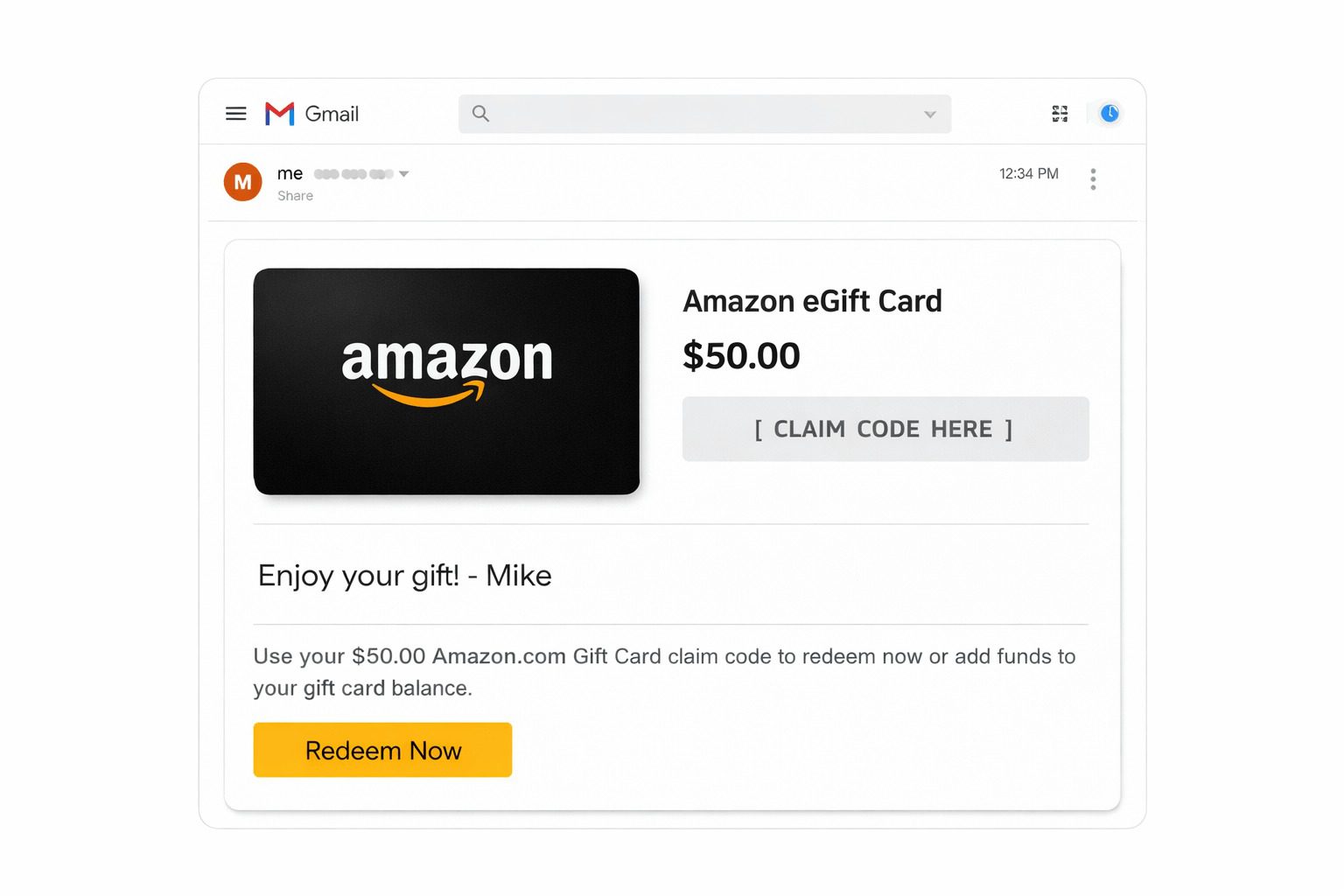
A digital Amazon gift card, also called an Amazon eGift card or electronic gift voucher, doesn’t have a physical form. Instead, it consists of a code or series of digits that can be redeemed directly on the Amazon store.
Most online shoppers love this type because it’s instantly available to buy, and there are no shipping costs. When sent, the recipient receives an email with a digital image of the card, the claim code, an optional personal message from the sender, and instructions on how to redeem it.
3. Customizable/Print-at-Home Gift Cards
Amazon also offers customizable gift cards that allow you to personalize the design before sending or printing. You can choose the card’s image, add a message, and even select the delivery method, either sending it digitally via email or printing it at home to give in person.
These cards still include a claim code and instructions for redemption, so they work just like standard Amazon gift cards once redeemed.
Customizable cards are perfect for adding a personal touch, sending last-minute gifts, or creating themed designs for birthdays, holidays, or special occasions. These features make the Amazon gift card one of the popular gift cards for weddings, Christmas, birthdays, etc.
Key Features That Identify Authentic Amazon Gift Cards
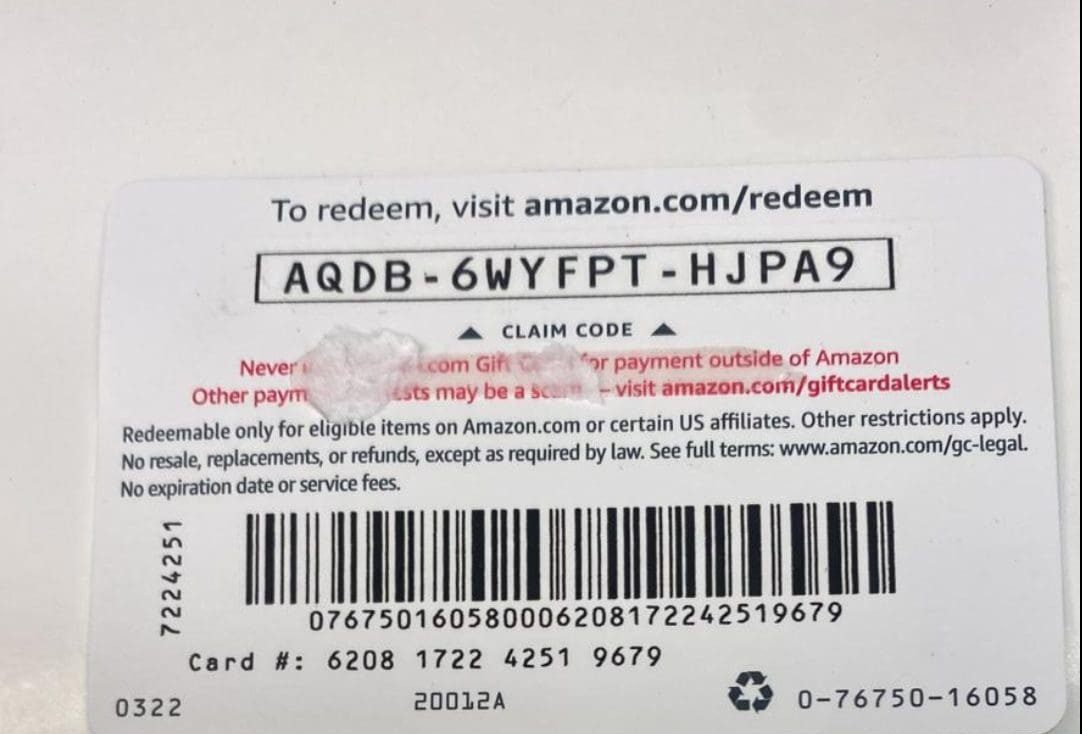
Identifying a real Amazon gift card is easier when you know what to look for. Whether it’s a physical card, a digital eGift card, or a customizable print-at-home card, these features will help you avoid fakes.
1. Scratch-off Claim Code (Physical Cards)
Physical Amazon gift cards have a claim code printed on the back, hidden under a scratch-off panel. This panel is designed to keep the code secure until you are ready to redeem it.
The scratch-off area is typically smooth, uniform, and blends seamlessly with the back of the card. This feature is unique to physical cards and is a consistent element you can expect whenever purchasing an official Amazon gift card from retail stores.
2. Unique Claim Code Format (All Card Types)
Every Amazon gift card, whether physical, digital, or print-at-home, comes with a unique alphanumeric code, typically 14–16 characters long.
This code is one-time redeemable, meaning it cannot be used again once redeemed. It is displayed clearly in digital formats or under the scratch-off panel on physical cards, making it an essential element of the gift card itself.
3. Official Amazon Branding (All Card Types)
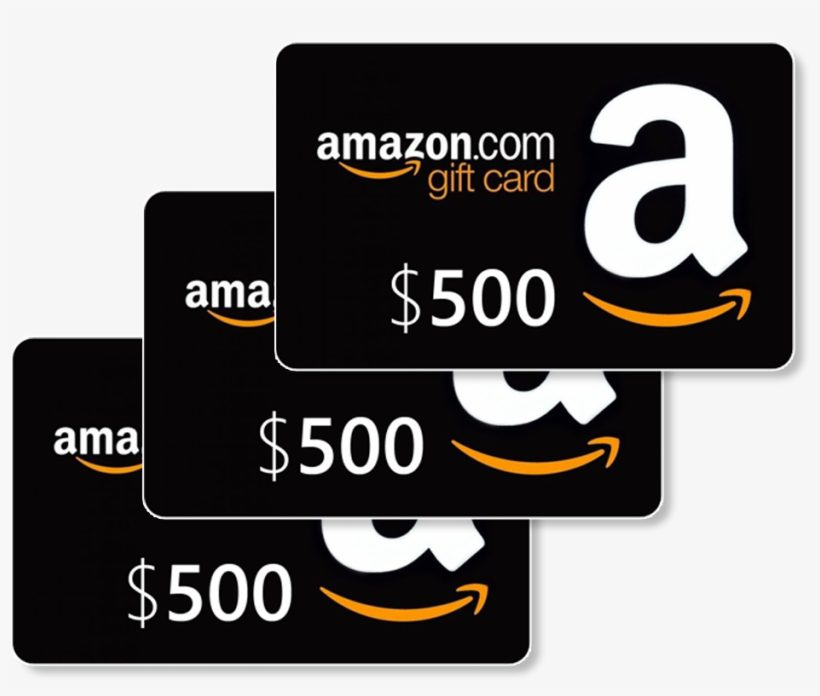
Real Amazon gift cards display clear Amazon logos, professional typography, and high-quality graphics.
For physical cards, this means crisp printing, correct logos, and well-aligned text. For digital or print-at-home cards, the branding shows in the email or PDF design. This feature ensures that every legitimate card, no matter the format, is instantly recognizable as coming from Amazon.
4. Card Material and Print Quality (Physical Cards)
Physical Amazon gift cards are made from durable cardstock or plastic that feels substantial in hand. The printing quality is sharp, vibrant, and precise, with smooth edges and clean finishes. These materials and print features are consistent across all official physical cards and contribute to their overall professional appearance.
5. Purchase or Order Information (Digital / Customizable Cards)
Digital eGift cards and customizable print-at-home cards include Amazon-branded emails or PDF files containing the claim code, sender information, and instructions for redeeming the card.
The design, layout, and formatting of these emails are consistent with Amazon’s official branding. This information is always included alongside the gift card image, making it an integral feature of all legitimate digital and print-at-home Amazon gift cards.
How to Verify Amazon Gift Cards
The safest way to confirm a gift card is to verify it directly through your Amazon account. Verification helps you confirm the card is genuine, hasn’t been used, and that the balance is available for spending.
Here is the simple process.
- Sign in to your Amazon account using the email and password associated with your account.
- Go to Your Account.
- Select Gift Cards from the menu.
- Click Redeem a Gift Card or visit the official redemption page.
- Enter the claim code exactly as it appears on the card or in the email/PDF.
- Click Apply to Your Balance.
If the card is valid, the amount will be added to your Amazon gift card balance and should appear instantly under your Gift Card Balance.
How to Redeem Amazon Gift Cards
Redeeming an Amazon gift card is simple when the card is valid. You only need the claim code and an Amazon account.
Follow these steps:
Step 1: Sign in to your Amazon account.
Step 2: Go to the gift card redemption page. If you are using mobile pay, simply click on “Amazon Pay” on the homepage or dashboard.
Step 3: Click on your Amazon Pay Balance
Step 4: Scroll down to find the “Add a gift card” icon.
Step 5: Input the claim code printed on the card.
Step 6: Click on “Add gift card to balance,” and it will reflect instantly on your balance.
Step 7: Use your gift card balance to make purchases at Amazon
Amazon stores the redeemed value in your gift card balance, and the balance can be applied to eligible future orders.
Amazon gift cards are for Amazon purchases and support Amazon services. Amazon’s terms state that gift cards cannot be used for payment outside Amazon or its affiliated properties.
How to Check an Amazon Gift Card Balance
Always check your Amazon gift card balance before making a purchase or trade decision. It helps you know the exact value available and prevents surprises at checkout.
Here is how to check your balance:
- Visit Amazon and sign in to your account.
- Go to Your Account.
- Select Gift Cards.
- Click View Gift Card Balance and Activity.
- Review your current balance and past gift card activity.
If a notification shows up indicating that the card has already been redeemed, check your balance first because Amazon may have already stored the value in your account.
Safety Tips for Buying or Selling Amazon Gift Cards
Amazon gift cards are convenient and versatile, but they’re also a common target for scammers. Here are some essential safety tips to protect yourself when buying or selling gift cards:
1. Buy from trusted sources
Only purchase Amazon gift cards from official Amazon channels, authorized retailers, or reputable online stores. Avoid third-party sellers on social media, messaging apps, or unknown websites, as these are often sources of fraudulent cards.
2. Confirm the Card before Paying
Before sending money or completing a trade, verify the card’s authenticity using your Amazon account. Make sure the code hasn’t been redeemed and that the card value matches the seller’s promise.
3. Share Codes Carefully
If you’re selling a card, only give the claim code to the buyer after you’ve received full payment. Never share codes via screenshots or messaging apps before confirming the transaction.
4. Keep Proof of Transactions
Keep your receipts, confirmation emails, or screenshots of transactions. These records can help resolve disputes if a card is invalid, redeemed prematurely, or if a transaction goes wrong.
5. Use Secure Payment Methods
When selling your card, stick to secure, verified payment platforms. Avoid cashless transfers through untrustworthy channels or personal accounts, as these offer little protection if something goes wrong.
Best Place to Sell Your Unused Amazon Gift Cards – Prestmit
Prestmit is one of the most trusted platforms to sell Amazon gift cards with ease, speed, and competitive rates. Built for convenience, the platform gives users a smooth trading experience through its easy-to-use mobile app available on both iOS and Android devices.
From the moment you upload your Amazon gift card, everything is designed to help you complete your trade quickly without stress.
What makes Prestmit stand out is its strong focus on helping users get maximum value when selling Amazon gift cards. The built-in gift card rates calculator shows the live exchange rate instantly, allowing you to know exactly how much your card is worth before proceeding with the trade.
Whether you want payment in Naira, Cedis, USD, or cryptocurrencies (Bitcoin, USDT, Ethereum, etc.), Prestmit gives you flexible payout options that suit your preference. With instant payouts and auto-withdrawal features, your money reaches your bank account or crypto wallet without unnecessary waiting time.
Security and reliability are also a major part of the Prestmit experience. Our platform uses advanced protection systems such as SSL encryption, biometric authentication, and two-factor authentication (2FA) to keep every transaction secure.
In addition, the customer support team is available 24/7 to assist you whenever you need help with your trades or account. With fast transactions, excellent rates, secure payments, and dependable support, we remain a top choice for anyone looking to sell unused Amazon gift cards online.
Frequently Asked Questions on the Different Pictures of Amazon Gift Cards
1. How do I identify a real Amazon gift card?
A real Amazon gift card has a unique claim code, professional Amazon branding, and, if physical, durable card material. These consistent features help separate genuine cards from fakes. Authentic cards also come from official retailers or Amazon directly.
2. Where is the claim code on an Amazon gift card?
On physical cards, the claim code is printed on the back, covered by a scratch‑off panel. On digital cards, the claim code is included in the email.
3. How do I verify an Amazon gift card is unused?
The only reliable way to check if a gift card is unused is to redeem it through your Amazon account. Enter the claim code at the redemption page on Amazon. If it adds to your balance, it’s valid and unused.
4. Can I get a refund on an Amazon gift card if I was scammed?
Typically, Amazon gift cards are non‑refundable and treated like cash equivalents, meaning once redeemed, the balance can’t be restored unless required by law in specific jurisdictions. If you suspect fraud, report it immediately to Amazon customer support.
5. Can Amazon gift cards expire?
No, Amazon gift cards do not expire. Under federal guidelines and Amazon’s policies, there are no expiration dates or dormancy fees on the value stored on the card, regardless of when it was bought.
Conclusion
Amazon gift cards come in many different forms, and sometimes, these formats can be confusing. But once you know what to look for, identifying an authentic Amazon gift card becomes much easier.
Pay attention to the claim code, branding, and other features listed in this article, and always verify the card through your Amazon account before using or trading it. A few seconds of checking can save you from losing money or falling for a scam.
Last updated on May 31, 2026