Table of Contents
I love it when things work out on the first try and when they don’t, my first instinct is panic, then anger. The first time I tried to redeem a Nordstrom gift card and it didn’t work, I reacted exactly as you’d expect. I had already planned my shopping in my head, so when I typed in the gift card number to redeem it and got an error message, I took it as a personal attack.
After my initial meltdown, I calmed down and actually tried to fix it, and in the process, I unintentionally took a full masterclass on Nordstrom gift card errors and how to fix them.
They’re frustrating, yes, but totally fixable. If you’re in the same situation, here are the most common Nordstrom gift card errors and how to fix them so that you can skip the panic entirely.
Why Do Nordstrom Gift Card Errors Happen?
Nordstrom gift card errors usually happen because of one of these reasons:
1. The Card Hasn’t Been Activated
Some Nordstrom gift cards, especially digital gift cards, may take a few minutes to activate after purchase. If you try to redeem your Nordstrom gift card immediately, the system might not recognize it yet. This can happen whether you bought the card online or received it from someone else.
2. You Are Entering the Wrong Card Number, PIN, or Format
If you mistype a single digit or confuse the gift card number with an order number, it can trigger an error. And this sometimes happens because printable gift cards or emails can make the digits hard to read.
3. The Nordstrom Card Balance is Lower Than Expected
You might forget that part of the gift card has already been used, or even didn’t check the Nordstrom gift card balance. If your purchase exceeds what’s available on the card, it will naturally trigger an error.
4. The System Has a Temporary Glitch
Sometimes, it is not anyone’s fault. The Nordstrom gift card online system experiences temporary errors or glitches that can make a valid card appear invalid. The errors are usually short-lived and do not necessarily mean your gift card has a problem.
5. The Nordstrom Gift Card is Restricted by Region or Usage Rules
Not all items or purchases accept Nordstrom gift cards. Some promotions, gift sets, or third-party products may have restrictions, and these restrictions will stop your card from working.
Common Nordstrom Gift Card Errors and Their Possible Solutions
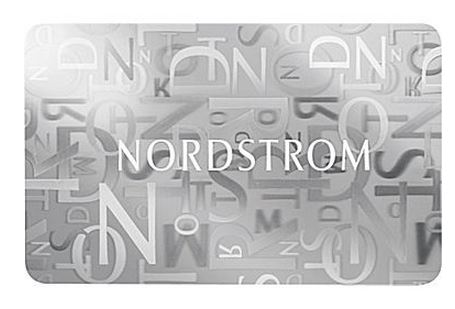
Like I said earlier, Nordstrom gift card errors are fixable. You just need a little knowledge and patience. Here are some common errors and how to fix them like a pro:
1. Invalid Gift Card Number / Card Not Recognized
Sometimes when you try to redeem your Nordstrom gift card, the system simply doesn’t recognize the number. This usually happens if you mistyped a digit, accidentally entered an order number instead of the gift card number, or if the card hasn’t fully activated yet. Both digital and physical cards can trigger this error.
Solution: Double-check the number you entered, slow down, and read each digit carefully. For digital cards, make sure that the card is fully activated (check the confirmation email). If the error persists, try redeeming the card on another device or browser, or contact Nordstrom support to verify the card.
2. Invalid PIN
The gift card number and the PIN are not the same thing, and it is easy to get them mixed up. Even if you’re using the right card, if you enter the correct numbers in the wrong field or leave the space blank, it will trigger an error. Some online and printable cards require the PIN in addition to the card number for security, and it is easy to overlook it or misread the digits.
Solution: Re-enter the PIN carefully. The PIN is usually a 4-digit code, and for physical cards, it’s often under a scratch-off panel. Make sure you’re using the correct number from your email, too. If you’ve lost the PIN, Nordstrom support can help retrieve it once they verify ownership.
3. Insufficient Balance / Low Balance
If you stock your cart full of items worth $500, but the total balance of your card is $380, of course, it will trigger an error. This is the most easily fixable one because the only problem here is that there aren’t enough funds to cover your purchase. It’s especially common for Nordstrom gift card online purchases, where part of the card has already been used or misread.
Solution: Before checking out, verify your remaining balance online. If the card doesn’t have enough to cover your full purchase, you can split the payment between multiple cards or combine the gift card with another payment method. Keeping a record of previous purchases helps prevent surprise declines.
4. Gift Card Already Redeemed
This message appears when the card has already been used. It can happen if the card was purchased from a third-party seller or if it was redeemed online or in-store previously. Sometimes, you actually redeemed the card yourself, but due to a network glitch, you didn’t notice. Seeing this message can be alarming, but it usually has a simple solution.
Solution: First, check your card balance to see if any funds remain. If the balance shows zero but you didn’t actually use the card, reach out to Nordstrom support. They’ll investigate the transaction, clear up the error, and if needed, restore the card’s balance or issue a replacement.
5. System Error / Network Issue
Sometimes, the only person to put the blame on is technology. This error doesn’t happen because of anything you did or didn’t do; the Nordstrom system can experience temporary glitches or network hiccups, and it can happen during high-traffic times. The solution is simple, too.
Solution: Wait a few minutes and try again. Refresh the page, clear your browser cache, or use a different device or the Nordstrom app. If you’re in-store, you can always ask the cashier to enter the card number manually. Most of the time, this resolves the issue immediately.
6. Card Not Activated
If your card hasn’t been fully activated yet, you’ll get errors when trying to redeem it. Digital gift cards are usually the culprits here, but even physical cards can occasionally need activation after purchase.
Solution: Check your purchase confirmation for activation instructions and wait 10–15 minutes after buying the card. If it still doesn’t work, contact Nordstrom support to confirm activation. Once activated, the card should work without issue.
7. Cannot Scan Physical Card
Physical cards can be dramatic, too. A scratched, bent, or faint barcode will refuse to scan, which is not always funny, especially when you’re standing at the cashier and ready to pay.
Solution: Ask the cashier to enter the card number manually. Keep your card in good condition to avoid this issue. If the barcode is completely unreadable, Nordstrom support can replace it once they verify ownership.
How You Can Avoid Nordstrom Gift Card Errors
1. Buy Your Nordstrom Card from Reliable Sources Only
It’s tempting to grab “cheap Nordstrom gift card online deals” from random sellers, trust me, I know. But this is one of the easiest ways to run into errors or even scams. Stick to Nordstrom’s official website or buy Nordstrom gift cards from trusted retailers like Prestmit for your sanity.
2. Keep Receipts and Emails Safe
Receipts and confirmation emails are your backup plan. Store them somewhere easy to access so you can verify activation, balances, or contact support without hunting for them for hours.
3. Redeem the Nordstrom Card Immediately After Receiving It
Your Nordstrom gift cards don’t expire, but still, the longer you wait, the more likely you are to forget activation steps or run into unexpected errors. Redeem your card promptly to avoid headaches.
4. Store Physical Cards in Good Condition
Keep your physical cards flat, dry, and safe, so they don’t get bent out of shape, scratched, or faded, or they might refuse to scan at the register.
5. Always Check Your Nordstrom Card Balance Before Shopping
Nothing kills the mood more than thinking you have a $100 Nordstrom gift card and realizing that your card balance is $76. So it is important to check your gift card balance ahead of time to avoid low balance errors and surprise declines.
6. Activate Before Use
You must ensure to complete the activation process before using your Nordstrom gift card. Digital cards usually take a few minutes after purchase to activate, and physical cards sometimes need a quick verification at the register; the cashier can usually activate them for you.
Frequently Asked Questions (FAQs) on Common Nordstrom Gift Card Errors and Their Possible Solutions
1. How do I activate my Nordstrom gift card?
For digital cards, activation usually happens automatically a few minutes after purchase, but sometimes you might need to confirm it. Check your email for a secure link from Nordstrom, click it, follow the steps, and your card is ready to go. For physical cards, the cashier can activate them at the register for you.
2. Why does my Nordstrom gift card sometimes work online but not in-store?
This usually happens because of differences in systems. Some digital cards might need activation confirmation, or the PIN might need to be entered differently in-store. Double-check your card number and PIN, and don’t hesitate to ask the cashier to manually enter it.
3. Why do I get an error even when my card is activated, and the balance is correct?
Sometimes, it’s just a temporary system glitch or network hiccup. Refresh the page, try another device or browser, or if you’re in-store, ask the cashier to manually enter the card number.
4. Can I use multiple Nordstrom gift cards in one purchase without errors?
Yes, you can. Just enter each card carefully, check balances, and make sure you’re entering the PINs in the right fields.
Conclusion
Nordstrom gift card errors can feel annoying, especially when you already pictured yourself checking out with a fresh new outfit. But most problems have simple fixes. Once you know why these errors happen and how to solve them, redeeming your Nordstrom gift card online becomes quick, easy, and drama-free.
If you ever get stuck, Nordstrom’s support team can verify your card, resend your digital gift card, or help you redeem it if your Nordstrom gift card isn’t working. So breathe easy, your shopping spree is still very much alive.
Last updated on October 2, 2026