Table of Contents
Checking your Nordstrom gift card balance is an important step before making a purchase. You can easily plan your shopping, avoid declined transactions at checkout, and determine whether you need an additional payment method to complete your order if you know the balance on your gift card.
Nordstrom provides several convenient ways to verify your gift card balance, making it easy to stay informed about the remaining funds on your card.
In this article, you’ll learn how to check your Nordstrom gift card balance, the common issues and their solutions when checking your balance, and where you can buy or sell Nordstrom gift cards.
Different Ways to Check Nordstrom Gift Card Balance
1. Check Your Nordstrom Gift Card Balance Online
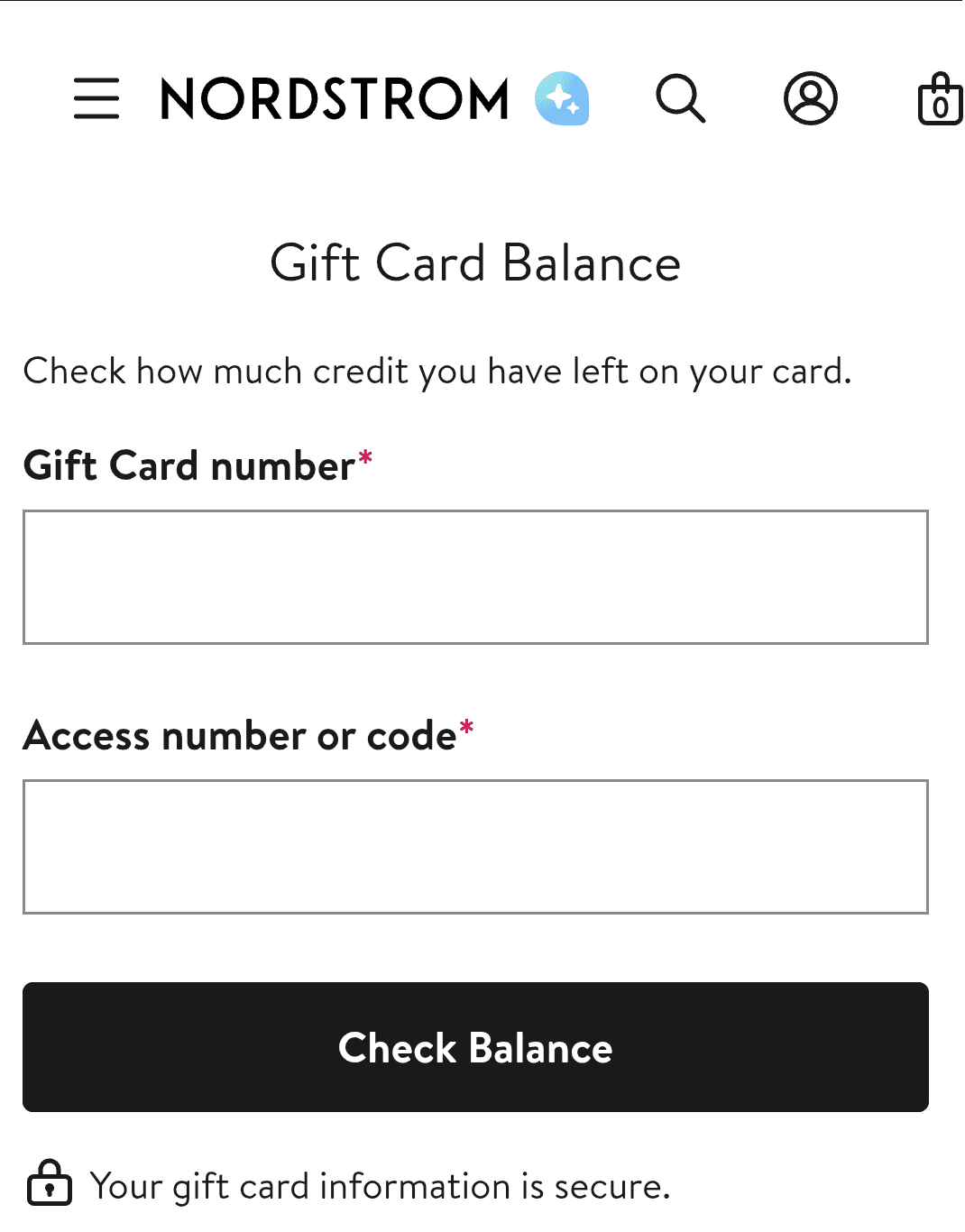
Checking your Nordstrom gift card balance online is one of the fastest and most convenient methods. You can do it from your smartphone, tablet, or computer without visiting a store.
To check your balance online, do the following:
- Visit the official Nordstrom gift card balance checker page
- Enter your gift card number in the required field
- Enter the access code or security code associated with the card
- Click the “Check Balance” button.
- Your remaining gift card balance will appear on the screen.
2. Check Your Nordstrom Card Balance by Phone
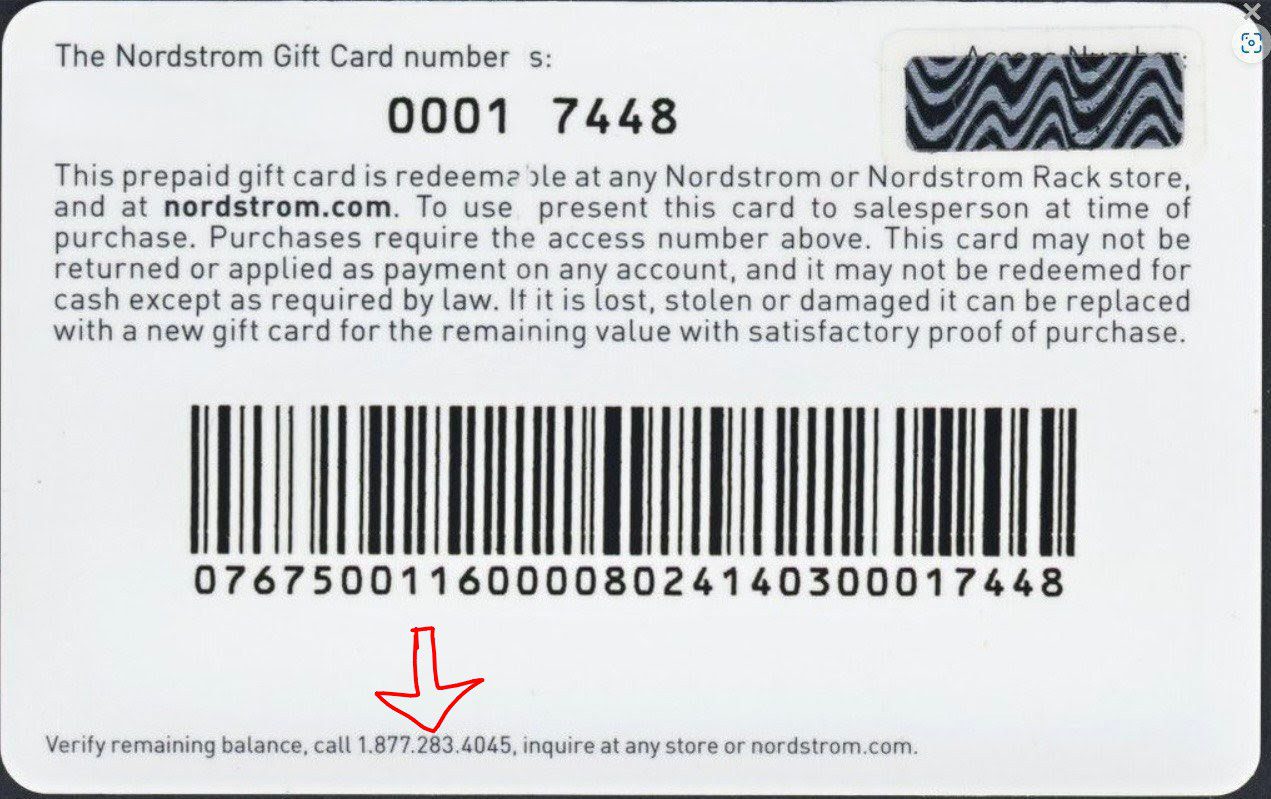
Another easy way to check your Nordstrom gift card balance is by phone. This option is helpful if you do not have internet access or prefer speaking with an automated system.
To check your balance by phone, follow the steps below:
- Check the customer service number provided on the back of your Nordstrom gift card
- Call the number using your mobile phone
- Follow the automated instructions
- Enter your gift card number when requested
- Listen to the balance information provided by the system
3. Check the Balance In-Store
If you are already shopping at a Nordstrom or Nordstrom Rack location, you can ask a store attendant to check your gift card balance. To check your balance in-store, follow the steps below:
- Visit any Nordstrom outlet or Nordstrom Rack store
- Present your gift card to a cashier or customer service representative
- Request to check your balance
- The attendant will scan or enter the card information and provide your current balance
Common Issues When Checking Your Nordstrom Gift Card Balance
1. Incorrect Gift Card Number or Access Code
Entering the wrong gift card number or access code is one of the most common reasons users can’t check their Nordstrom gift card balance. If you enter your gift card number as 6045 7812 9934 5678 instead of 6045 7812 9934 5673, even though only the last digit is different, the Nordstrom balance checker will not be able to locate the correct card and may display an error message or indicate that the card information is invalid.
Similarly, confusing characters such as “0” for “O” or “1” for “I” when entering the access code can also prevent the system from verifying the card. Before trying again, carefully review all the information entered and ensure it matches the details printed on the gift card.
2. Damaged or unreadable gift card
Physical gift cards can become damaged through regular handling, exposure to moisture, or general wear and tear. When the gift card number or access code becomes scratched, faded, or partially removed, the balance checker may not be able to identify the card. This can make it difficult to check the balance online or by phone.
If the information on your card is no longer readable, visiting a Nordstrom store or contacting customer support may help you recover the card details and verify the remaining balance.
3. Website or network problems
Sometimes the issue has nothing to do with the gift card itself. Temporary website maintenance, server problems, or a poor internet connection can prevent the balance checker from loading properly. Users may encounter error messages, slow page loading times, or failed requests when trying to access the balance-checking page. If this happens, refresh the page, check your internet connection, or wait a few minutes before trying again.
In many cases, the problem resolves itself once the website or network connection becomes stable.
4. Gift Card Not Activated
You must properly activate a newly purchased Nordstrom gift card before it can be used or checked. If your card is not successfully activated for a purchase, the balance checker may not recognize the card. This issue is more likely to happen with gift cards bought from a third-party retailer or when there is a technical issue at checkout.
If you suspect your card was not activated, keep your purchase receipt and contact the retailer or Nordstrom customer service for assistance.
5. Expired browser cache or technical device issues
In some situations, the device or browser you’re using can interfere with the balance-checking process. An outdated browser, corrupted cache files, or disabled website features may prevent the Nordstrom balance page from functioning correctly.
To resolve these issues, clear your browser cache, update your browser, or switch to a different device. These simple troubleshooting steps can save time and help restore access to the balance checker.
6. Temporary account or system restrictions
Although uncommon, Nordstrom’s systems may occasionally place temporary restrictions on gift card verification requests due to technical updates or unusual activity.
When this happens, users may be unable to check their balance immediately. To address this issue, you need to wait for a short period and try again later. This is usually enough to resolve the issue, but if the problem persists, contact Nordstrom customer support to provide clarification and assistance.
Best App to Buy and Sell Nordstrom Gift Cards – Prestmit
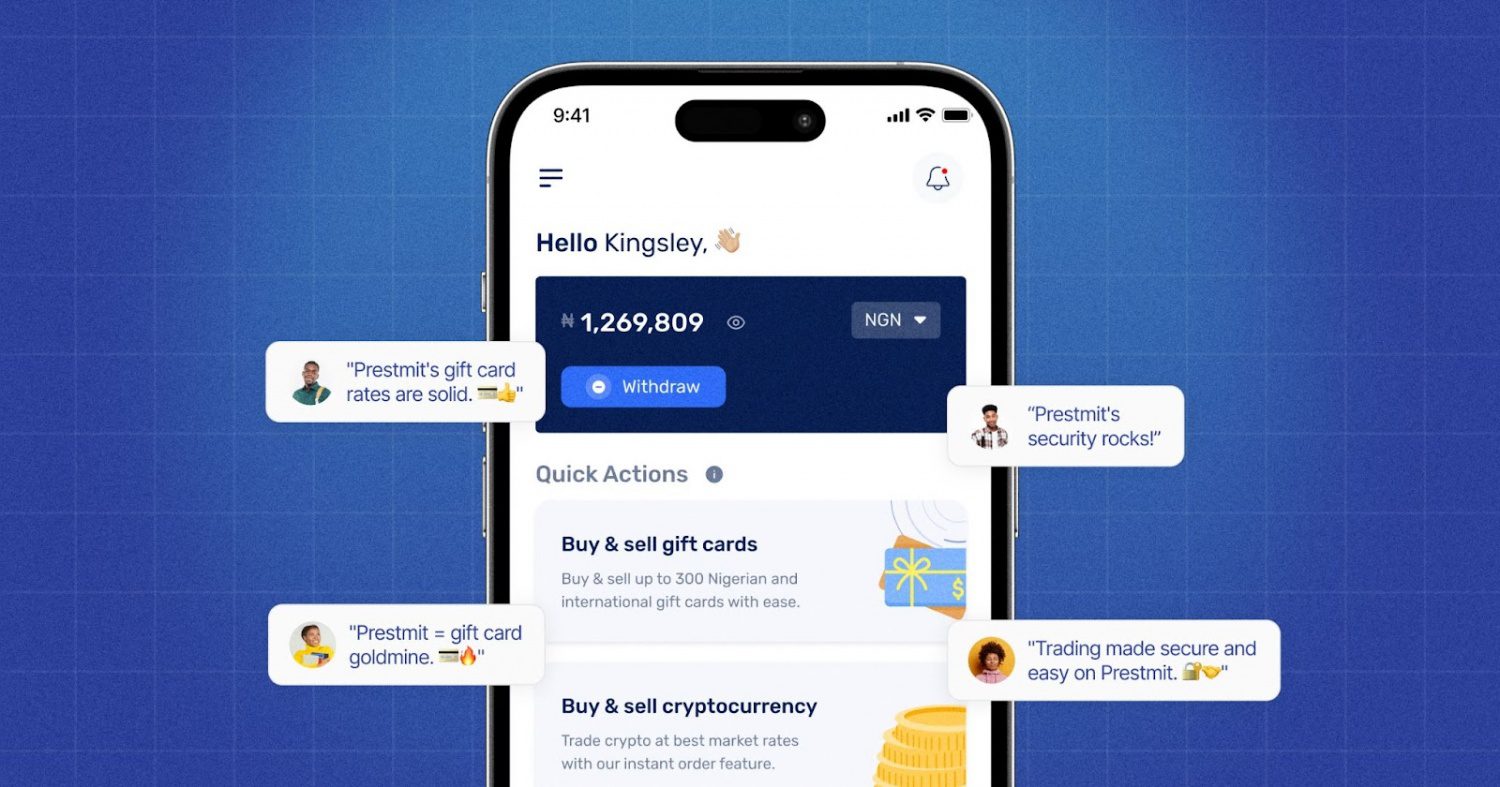
Prestmit provides a seamless way to manage your digital needs, whether you want to buy a Nordstrom gift card or want to turn an unused one into cash. We offer fast delivery of gift card codes to your email immediately after payment is confirmed. Prestmit also supports multiple payment options for gift card purchases.
You can pay using Naira, Cedis, USD, or crypto, making the platform accessible to users across different countries and regions. Our customer support is available round the clock to assist you, whether you have questions about payments, transactions, account verification, or gift card delivery
If you want to sell a Nordstrom Gift Card, Prestmit provides a straightforward trading process with quick transaction processing. Once your gift card has been verified, payment is processed promptly, helping you convert your gift card into usable funds without a lengthy waiting period. The platform also gives you multiple payout options. Depending on your preference, you can receive payment in Naira, Cedis, USD, or crypto.
The platform has competitive rates for all gift cards, so you can get the best value for your gift card whenever you sell it. We also have an in-app gift card rate calculator that allows you to check the current value of your gift card before you sell, so you know exactly how much you’re getting. We use SSL encryption, two-factor authentication, and biometric authentication to protect user information and transactions and secure your account against unauthorized access.
BUY OR SELL YOUR NORDSTROM GIFT CARDS ON PRESTMIT NOW
Frequently Asked Questions
1. Can I check my Nordstrom gift card balance online?
Yes. You can check your Nordstrom gift card balance through the official Nordstrom website by entering your gift card number and access code.
2. Can I check my Nordstrom gift card balance by phone?
Yes. Nordstrom provides a phone option that allows users to verify their gift card balance through an automated system.
3. Can I check my Nordstrom gift card balance at a store?
Yes. You can visit any Nordstrom or Nordstrom Rack location and ask a store associate to check the balance for you.
4. Do Nordstrom gift cards expire?
Nordstrom gift cards generally do not expire, and no fees are deducted from the balance due to inactivity.
5. What should I do if my Nordstrom gift card balance is incorrect?
Review your recent transactions first. If the balance still appears incorrect, contact Nordstrom customer service for assistance.
Conclusion
Knowing your Nordstrom gift card balance before shopping helps you avoid payment issues and plan your purchases more effectively. Fortunately, Nordstrom makes the process simple by offering multiple balance-checking options, including online, phone, and in-store methods.
Whether you prefer the convenience of checking online, the simplicity of a phone call, or assistance from a store attendant, you can quickly find out how much remains on your gift card. If you decide to buy or sell Nordstrom gift cards, a trusted platform like Prestmit can provide a secure, convenient, and efficient experience.
Last updated on June 17, 2026