Table of Contents
Amazon gift cards are valuable, but sometimes what you really need is cash or cryptocurrency instead of an online shopping balance. That’s where converting your gift card into crypto like USDT becomes useful.
Tether (USDT) is a stable cryptocurrency widely used because its value is closely tied to the US dollar. This makes it a more stable option compared to other cryptocurrencies like Bitcoin or Ethereum that can rise or fall quickly.
Prestmit is a trusted platform that allows you to sell your Amazon gift card for USDT in a fast and secure way. It supports different Amazon card types and regions, making it easier for you to trade your card without stress.
In this article, you will learn how to sell your Amazon gift card for USDT on Prestmit step by step. We’ll also discuss practical tips to help you get the best value for your card and how to avoid common mistakes when selling your Amazon gift cards for USDT.
Why Sell Amazon Gift Cards for USDT on Prestmit?

1. Flexibility of USDT
Selling your Amazon gift card for Tether (USDT) gives you more financial flexibility. Unlike gift cards, which are limited to purchases on Amazon, USDT can be used in many ways. You can hold the token,, trade it, send it to others, or convert it into local currency when needed.
This flexibility gives you more control over your money as you can move your funds freely and use them in ways that suit your needs.
2. Fast Transactions
Your USDT is usually sent within minutes once your transaction is confirmed. This makes it a good option if you need quick access to funds. Fast processing also helps reduce uncertainty and removes long wait periods or worry about delayed payments, which is common when dealing with unreliable platforms.
Prestmit also offers an automated gift card rate calculator that allows you to check current rates of your Amazon gift card before you sell.
3. Secure Trading Environment
Prestmit provides a structured and secure system that protects users from fraud and unauthorized transactions. The platform uses SSL certificate encryption and biometric and 2FA authentication to protect your funds and data.
Unlike peer-to-peer deals where trust can be an issue, using Prestmit ensures that your transaction is handled safely from start to finish. This reduces the chances of losing your funds.
4. 24/7 Customer Support
Another key advantage of using Prestmit is access to 24/7 customer support. This means you can get help anytime, whether you have a question, or need guidance during a transaction. Having constant support gives users confidence, especially beginners who may not fully understand the process.
Prestmit’s customer support ensures that all issues are resolved quickly, and your overall experience is smoother and less stressful.
Step-by-Step Guide to Sell Amazon Gift Card for USDT on Prestmit
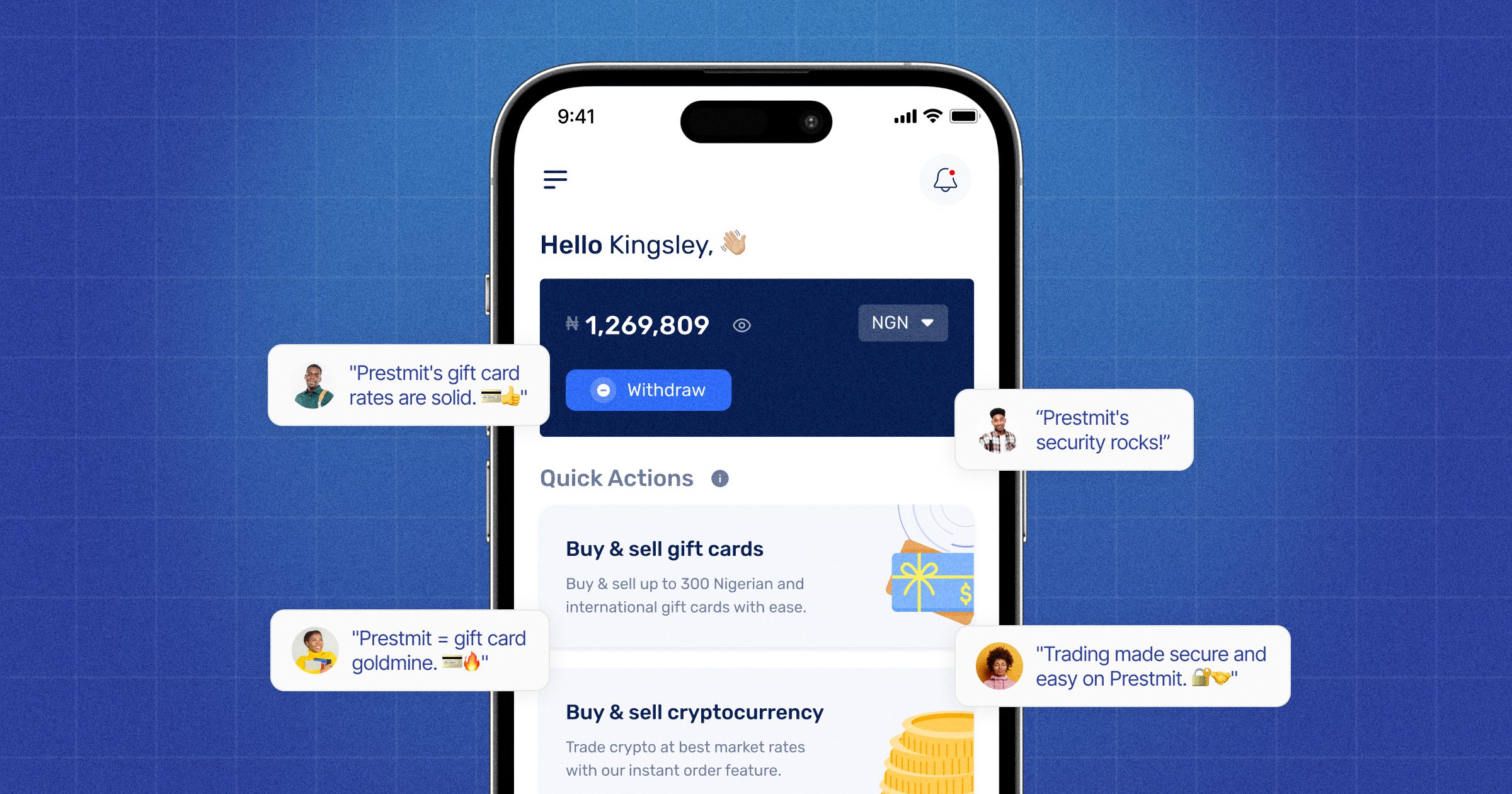
Step 1: Create an account
Download the Prestmit app on the Google Play Store if you’re an Android user or from the App Store if you’re an iPhone user.
Alternatively, you can simply visit Prestmit’s website to get started. Enter the required details like your name, phone, and email to create an account. Skip the account creation step and simply log in with your details if you already have a Prestmit account.
Step 2: Log in to your dashboard
After signing up, log in to your dashboard where you can initiate and manage all transactions.
Step 3: Select “Gift Cards”
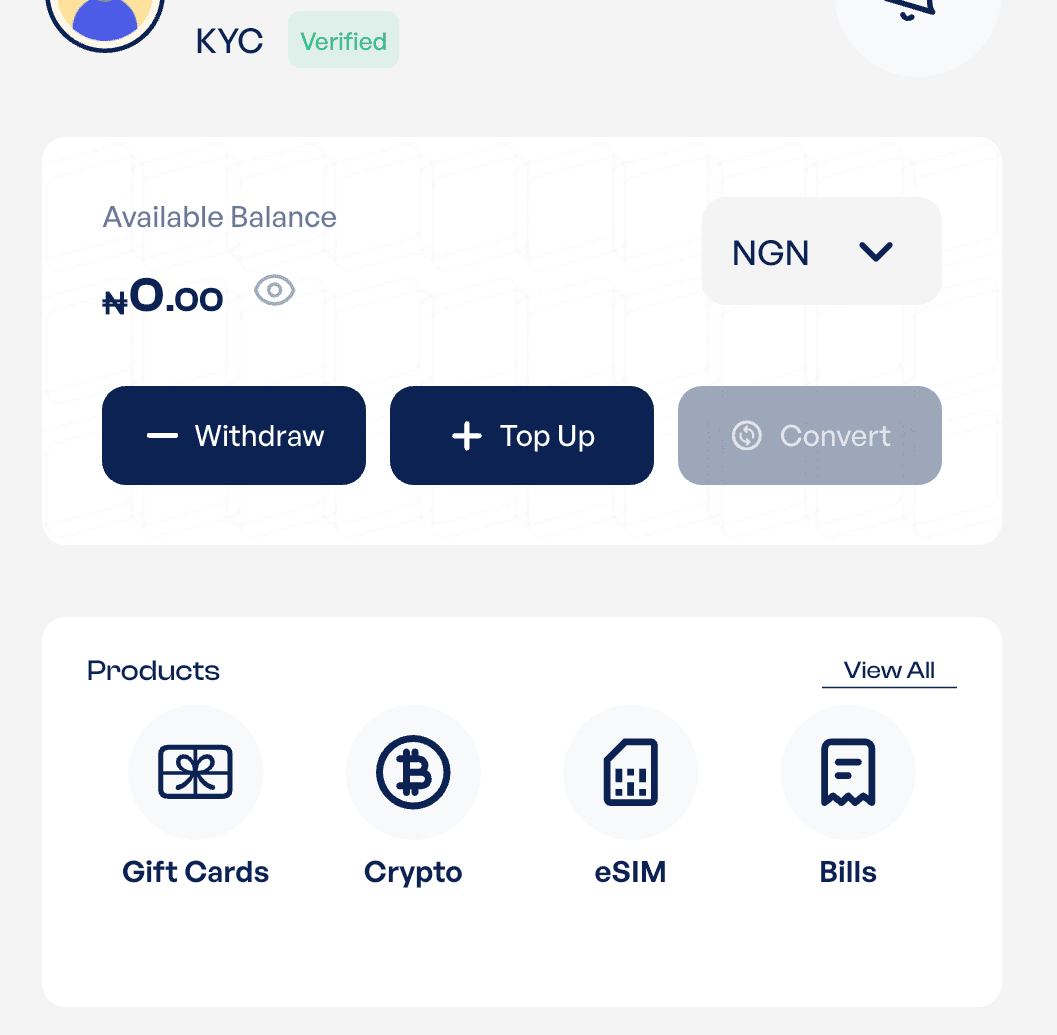
Once logged in, click on “Gift Cards” on the homepage. Next, select “Sell Gift Cards” from the subsequent menu. .
Step 4: Choose “USDT” as the payment method
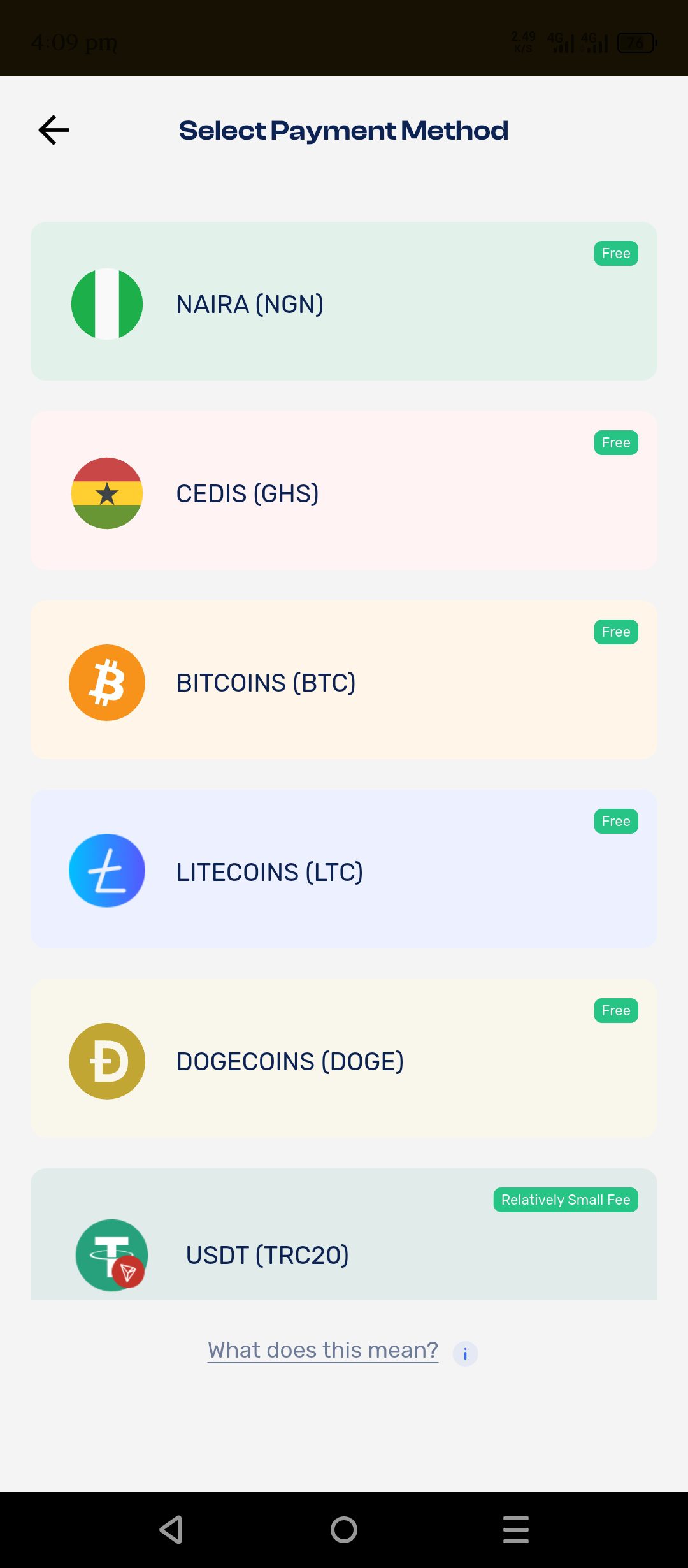
From the next menu, select “USDT (TRC20)” as your preferred payment option.
Step 5: Enter gift card details
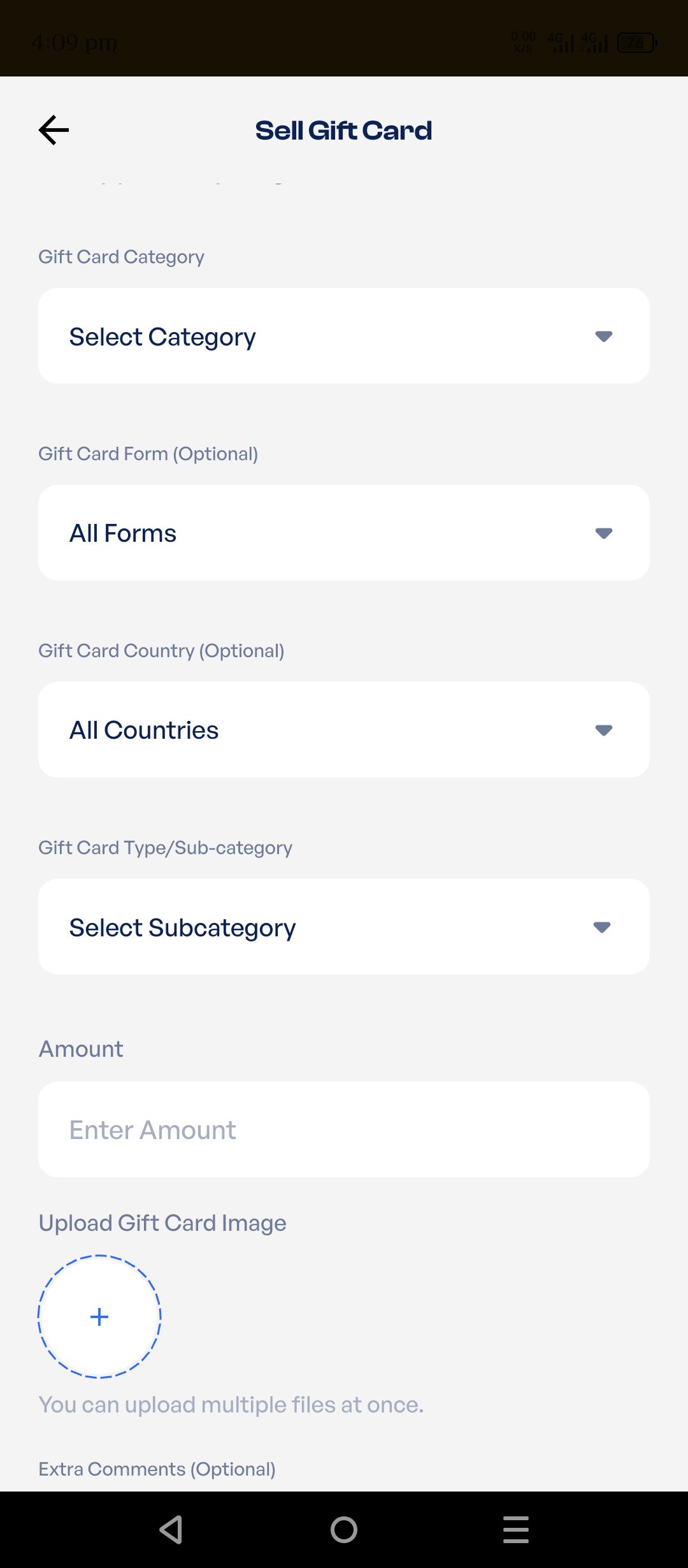
Choose “Amazon” as your gift card category. Enter your gift card type/subcategory and upload your gift card picture. If your gift card is an e-code, enter the code in the “Extra Comments” box.
Step 6: Enter your USDT (TRC20) address
Enter your wallet address carefully. This is where your Tether (USDT) will be sent after the transaction is completed.
Step 7: Review Rate and Proceed
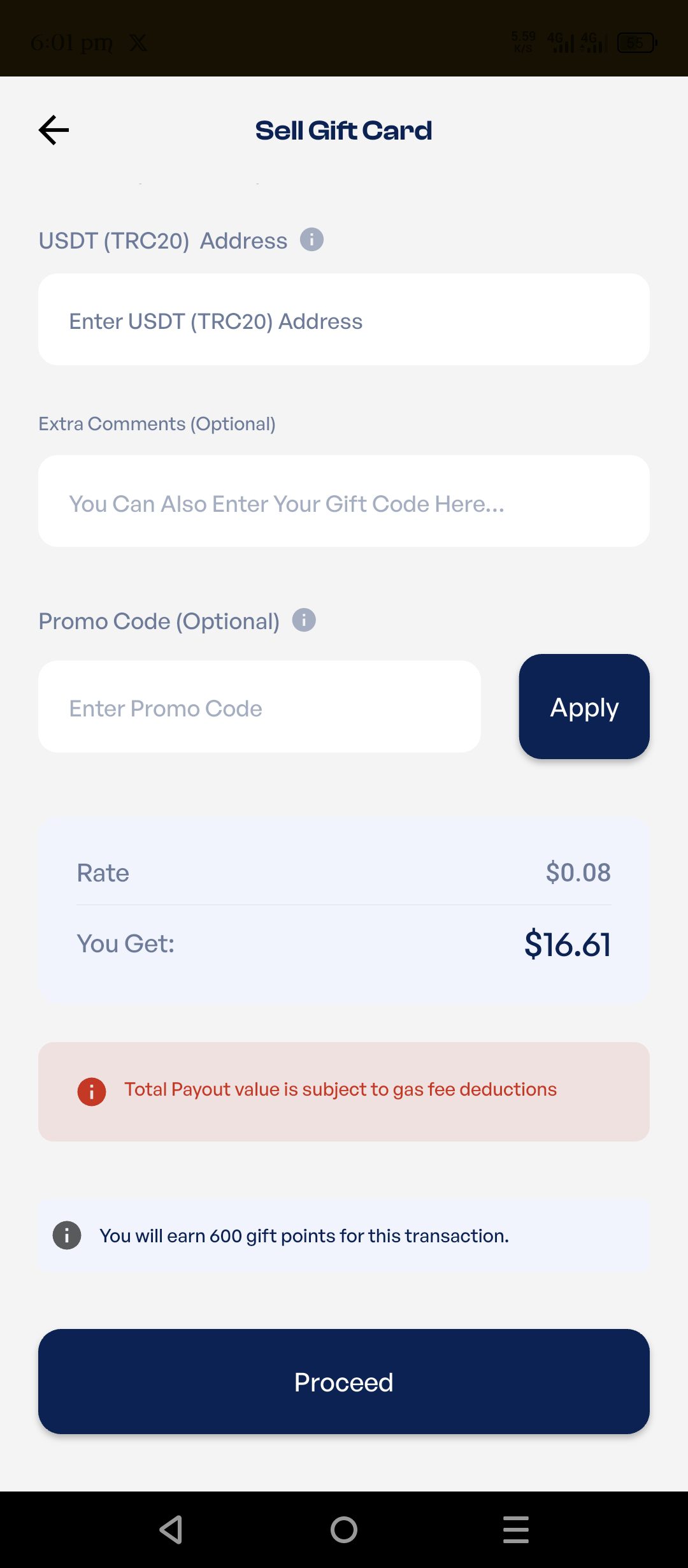
Before completing the trade, the rate will be shown on the page.. This helps you understand how much USDT you will receive. Click on “Proceed” after reviewing the rate.
Step 8: Complete Transaction
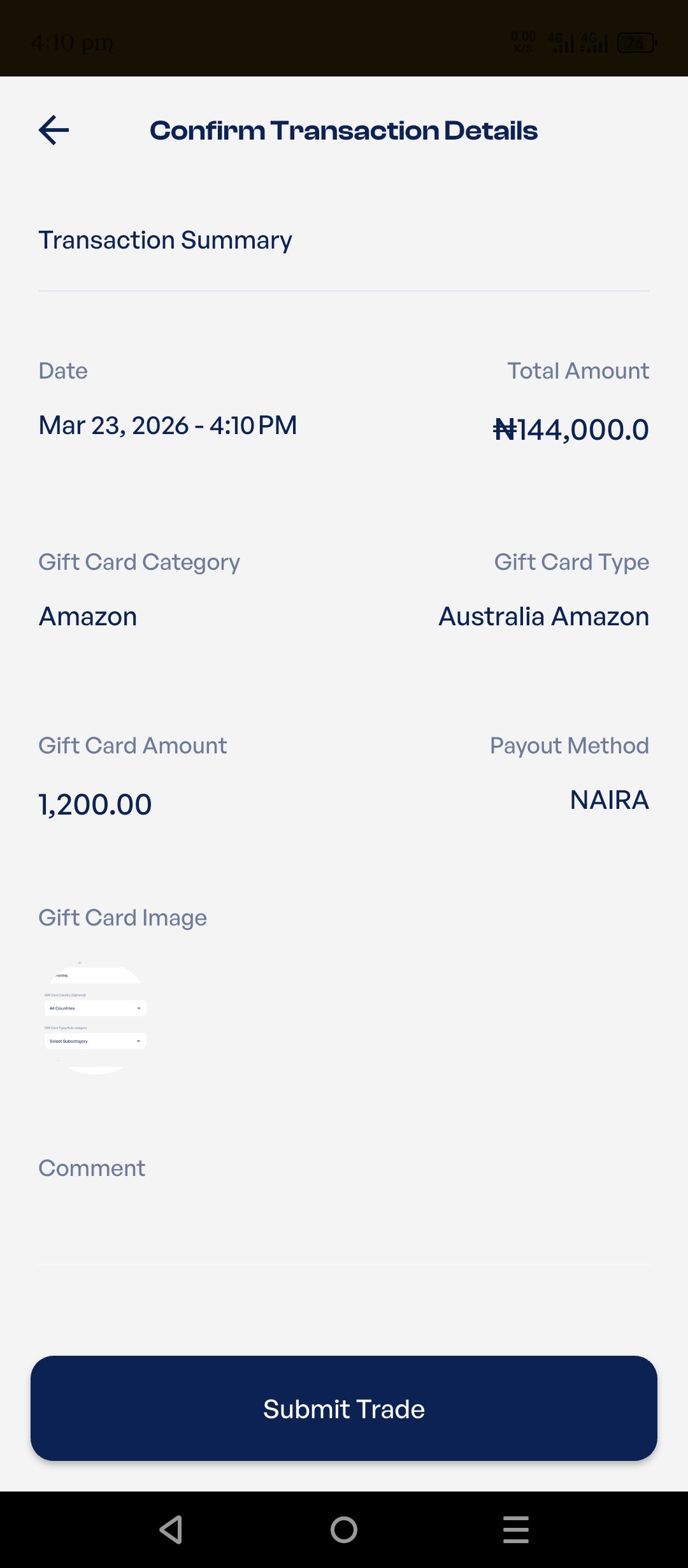
Click on “Confirm Trade” on the next page to complete your transaction and wait for your USDT to be credited.
START SELLING YOUR AMAZON GIFT CARD FOR USDT ON PRESTMIT
Factors That Affect Amazon Gift Card to USDT Rates
1. Card region
The region of your Amazon gift card plays a major role in determining its value. For example, US Amazon gift cards are usually in higher demand, which means they often have better rates. This is because they can be used on a larger marketplace with more product options, making them more attractive to buyers.
2. Market demand
Market demands heavily influence the rates of gift cards. The prices of Amazon gift cards rise when there is high demand for them, and in the same vein, the prices fall when there is low demand for them. This means timing can affect how much USDT you receive, so it’s helpful to check rates before making a trade.
3. Platform rates
Different platforms offer different rates based on their pricing models. Prestmit is widely known for offering competitive rates. Choosing the right platform can make a noticeable difference in the value you receive for your gift card.
Common Mistakes to Avoid When Selling Amazon Gift Cards for USDT
1. Using untrusted platforms
One of the biggest mistakes is using unreliable or unknown platforms. These platforms may not have proper security measures, increasing the risk of scams.
Also, some of these platforms are fraudulent and designed to steal funds from unsuspecting users. They might offer unrealistically high rates to lure users or use other malicious means to steal your funds. Always use trusted digital exchange platforms like Prestmit to ensure your transaction is safe and secure.
2. Entering incorrect Amazon card details
Providing wrong information, such as incorrect gift card details or wallet address, can cause serious issues. It may delay your transaction or even result in loss of funds. Always take a moment to review your details before confirming any transaction.
3. Not checking rates
Some users rush into selling without checking the current rates. This can lead to receiving less value than expected. Taking a few seconds to review the rate can help you make a better decision and maximize your returns.
4. Sharing Amazon gift card code carelessly
Never share your gift card code outside a secure platform. Once someone has access to it, they can use it immediately. Always complete transactions within a trusted system to protect your funds.
Frequently Asked Questions (FAQs) About Selling Amazon Gift Card for USDT on Prestmit
1. What type of Amazon gift cards can I sell for USDT?
Only unused, full-value Amazon gift cards are accepted. Most platforms support both physical and digital (e-code) cards. Partially used or expired cards are generally not accepted.
2. Is it safe to sell Amazon gift cards on Prestmit?
Yes, Prestmit provides a secure environment for trading. It uses systems designed to protect users and prevent fraud. This makes it a safer option compared to direct deals with dubious platforms.
3. What is the current rate for Amazon gift cards to USDT?
Rates change daily depending on card type, country (e.g., USA, UK), and demand. Before confirming your trade, it’s best to use the gift card rate calculator on Prestmit to your conversion rate.
4. How do I know if my Amazon gift card is still valid?
Amazon gift cards don’t expire, so as long as they haven’t been used and the code is correct, they should still hold value. You can also check the balance by logging into an Amazon account and entering the code.
4. Do I need a crypto wallet to receive USDT?
Yes. To receive USDT, you need a USDT wallet. Ensure the wallet supports the correct network (TRC20, ERC20, or BEP20) based on the platform’s use.
Conclusion
Selling your Amazon gift card for Tether (USDT) is a smart way to turn unused value into a flexible, usable asset. Instead of being limited to shopping on Amazon, your gift card can become digital currency that you can hold, spend, or convert as you need.
Using a trusted platform like Prestmit ensures the process is safe, fast, and reliable. With clear rates, secure transactions, and 24/7 support, you can trade your card with confidence.
Turning your Amazon gift card into USDT gives you freedom, control, and convenience, making it a practical choice for anyone looking to make the most of their digital assets.
Last updated on March 25, 2026