
Table of Contents
Gift cards have become a popular way to pay for everyday purchases, offering flexibility, convenience, and an easy alternative to cash. With many shoppers turning to gift cards as a go-to option, it’s natural to wonder which ones are available at major retailers.
If you’re curious about what gift card you can buy at Tesco, this guide will help you explore your options.
What Is Tesco?

Tesco is a British multinational grocery and general merchandise retailing chain store headquartered in England. Shoppers can purchase electronics, books, furniture, toys, software, internet services, financial services, gift cards, etc., at Tesco with thousands of store locations in the United Kingdom, Ireland, Slovakia, Hungary, and the Czech Republic.
Notably, Tesco has a subsidiary store called Tesco Express, where you can also buy different kinds of gift cards. All Tesco stores sell a wide range of gift cards, depending on the location you visit. If you’re looking for the top gift cards in the UK, Tesco is an excellent place to get them.
Types of Gift Cards Available at Tesco
1. Retail Gift Cards

These are gift cards you can use to make purchases at retail stores. You can use retail gift cards to buy products like fashion items, electronics, mobile phones and tablets, groceries, etc. Leading this pack of retail gift cards is the Tesco e-gift card that you can redeem across over 2,500 Tesco stores in the United Kingdom.
Other gift cards that fall into this category are Apple gift cards, Amazon gift cards, ASOS gift cards, Adidas gift cards, Primark gift cards, and H&M gift cards.
Retail gift cards come in different denominations, and you can redeem them for your preferred products either at the Tesco store or other stores.
2. Entertainment Gift Cards

These are gift cards that give you access to various entertainment content when you redeem them. They may serve as a ticket for you to gain entry to a physical entertainment gathering or download and watch different entertainment content.
You can buy this type of gift card at Tesco, and they come in varying denominations. Examples of entertainment gift cards available on Tesco Express include Google Play gift cards and Spotify gift cards. Others are Cineworld, PlayStation, Xbox, Netflix, Roblox, and Disney+ gift cards.
This type of gift is recommended for birthdays, holidays, students, gamers, and movie lovers.
3. Restaurant Gift Cards

A restaurant gift card, otherwise called a dining gift card, is a gift voucher you can use to buy a meal at designated locations. Whether you prefer casual dining at Nando’s, Asian-inspired meals at Wagamama, Italian dishes at Prezzo, French-style dining at Côte, a carvery meal at Toby Carvery, or takeaway through Just Eat, these cards give you flexible food choices.
You can treat your loved ones to a great and memorable time when you give them a restaurant gift card. Similar to other types of gift cards, restaurant gift cards are available in different designs and denominations.
4. Sports Gift Cards
Sports gift cards at Tesco lean toward sportswear and sports experiences. Tesco lists a Nike e-Gift Card that can be spent online or in UK Nike stores. Tesco also lists BucketlistGift, which includes access to experiences such as global sporting events, concerts, hotels, and resorts.
This category is perfect for lovers of sportswear, fitness gear, and sneakers, with popular card options including Adidas, Nike, JD Sports, Sports Direct, Decathlon, and Foot Locker gift cards.
How to Buy Gift Cards at Tesco
Buying Tesco gift cards is straightforward. Follow the steps below to buy gift cards at Tesco conveniently:
Step 1: Visit a Tesco store:
Go to a nearby Tesco store. Bigger Tesco stores usually have a gift card section or rack close to the checkout area or customer service desk.
Step 2: Choose your preferred gift card:
Look through the available gift cards and select the one you want. This could be Apple, H&M, ASOS, Adidas, Decathlon, Google Play, Costa Coffee, or a Tesco gift card.
Step 3: Check the card value:
Some gift cards come with fixed values, while others can be loaded with a chosen amount at checkout. Always check the card packaging or ask a Tesco staff member before payment.
Step 4: Take it to the cashier:
After choosing the gift card, carry your items to checkout.
Step 5: Pay and activate the card:
Pay for the card. The cashier will activate it during checkout. Without activation, the gift card may not work.
Step 6: Keep your receipt:
Keep the receipt safely. It may help if there is any issue with activation or balance.
Tesco also has a purchase limit of a maximum of five of one type of gift card in-store. For orders of 20 or more Tesco gift cards, Tesco provides a special sales service.
How to Redeem Gift Cards at Tesco
Here is the simple way to redeem Tesco gift cards:
Step 1: Visit a Tesco store:
Take your Tesco gift card to a Tesco store when you want to shop.
Step 2: Pick your items:
Select the items you need in the store. After that, you can use Tesco gift cards for eligible in-store purchases, including at Tesco Cafés that accept cash payments.
Step 3: Present the gift card at checkout:
When you get to the cashier, present your gift card as your payment method.
Step 4: Pay any remaining balance:
If your shopping costs more than the gift card balance, you can pay the remaining amount with another accepted payment method.
Step 5: Keep the card if the balance remains:
If you do not use the full amount, keep the card. The remaining balance stays on it until it expires.
Best Place to Sell Tesco Gift Cards — Prestmit
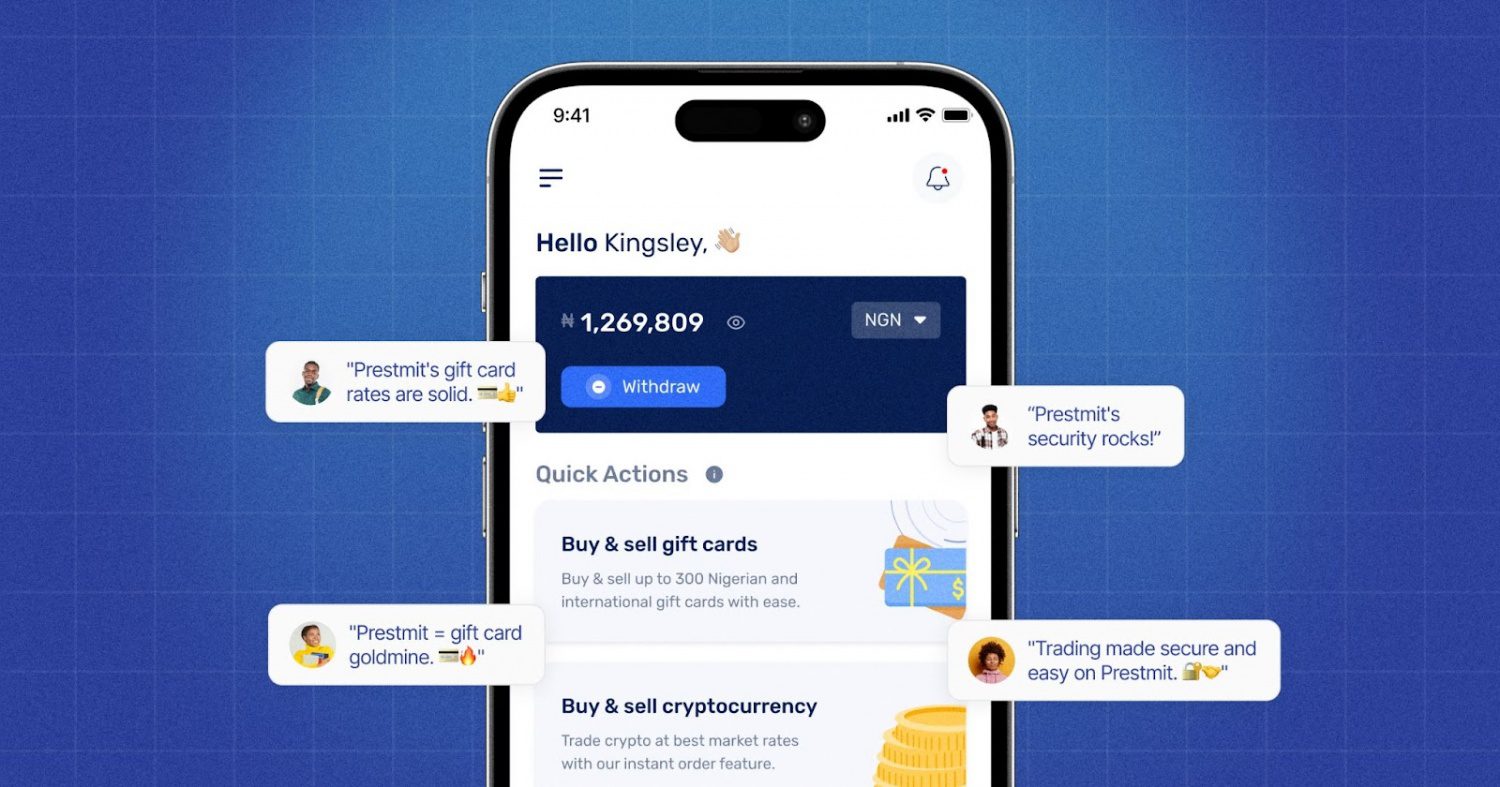
If you have a gift card from Tesco you no longer want to use, you can sell it easily on Prestmit. There is a real-time gift card rate calculator you can use to confirm the actual value of your card, as the platform offers excellent rates that are highly competitive in the market. It gives you an idea of the current market rate and the exact amount you will be receiving after the transaction is completed.
Prestmit offers an excellent The good part is that you can sell your gift cards for fiat currencies like Naira, Cedis, or USD, and you can also get paid in crypto like Bitcoin, USDT, and Ethereum. We offer fast payouts and auto-withdrawal that moves your funds directly to your bank account within a short period.
Prestmit is known for having solid security attributes like SSL encryption, biometric login, and 2FA authentication, and these security features will help protect your account against unneeded access.
Our 24/7 customer support is always available anytime you need them, whether you need help with selling your gift card or you want to make a general enquiry. No doubt, Prestmit is the best place to sell gift cards from Tesco.
How to Sell Gift Cards on Prestmit
Below are the steps to follow to sell your gift cards on Prestmit.
Step 1: Visit the Prestmit website or download the app
Visit the official Prestmit website or download the mobile app from your app store.
Step 2: Create an account and log in
Sign up with your email and create a secure password. Verify your account if needed, then log in.
Step 3: Navigate to the gift cards section
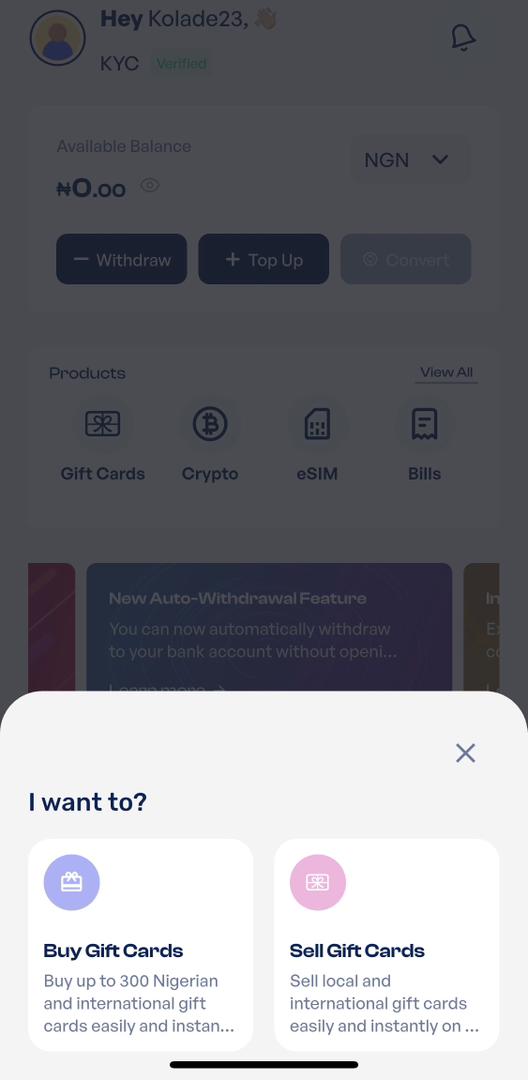
Click on “Gift Cards” and select “Sell Gift Cards.” This takes you to the trading interface.
Step 4: Select your payment method
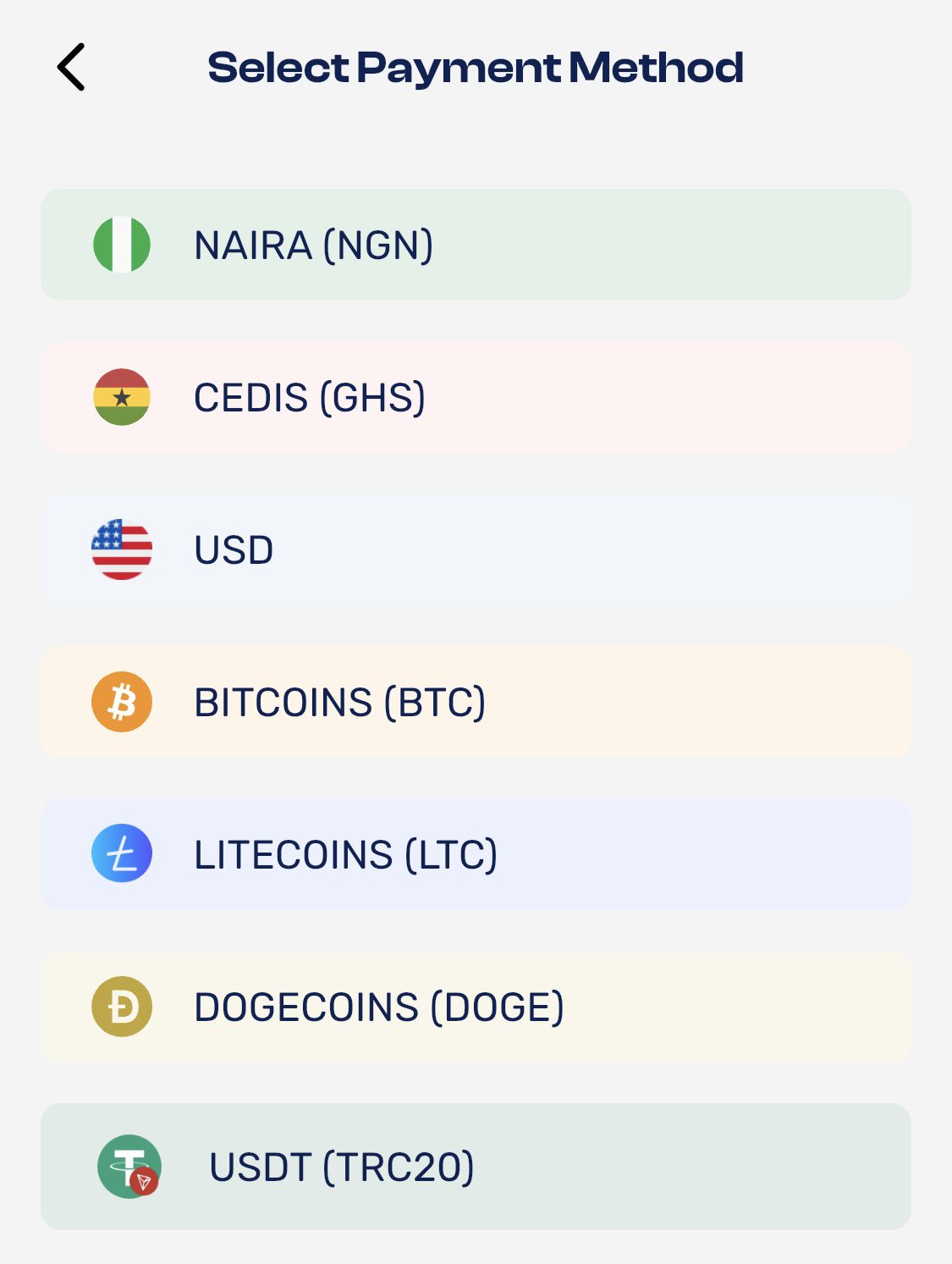
Choose your preferred payment options with options like Naira, Cedis, and USD. If you want a direct bank payment. You can also select crypto if that suits you better.
Step 5: Choose your gift card from the Category
Select any Tesco “gift card” from the category list and pick the correct card type.
Step 6: Enter the gift card amount
Input the exact value of your gift card. The system will calculate how much you will receive instantly.
Step 7: Upload the card details
Upload a clear image of the card or enter the E-code correctly. Double-check to avoid errors.
Step 8: Complete the transaction
Review your details and proceed.
Step 9: Receive payment instantly
Once your card is verified, your payment will be processed immediately. And, you’ll receive funds in your bank account or crypto wallet.
Frequently Asked Questions on Available Tesco Gift Cards
1. Does Tesco sell gift cards for other shops?
Yes. Tesco provides a variety of gift cards for various popular companies. These include retail, entertainment, restaurant, or sports gift cards. However, this might differ by store. So it is always better to check your nearest Tesco store or use the store locator. Tesco also notes that customers do not receive Clubcard points when buying Tesco gift cards.
2. What cards are accepted at Tesco?
Tesco accepts payment methods such as Visa, Mastercard, American Express, Maestro, Visa Debit, Clubcard Plus, Tesco Bank credit cards, and Tesco Bank debit cards for online grocery payments. Tesco does not currently accept Visa Electron, Solo cards, or Tesco Gift Cards online.
3. Can I return a gift card to Tesco?
No, Tesco does not allow its users to return or refund either Tesco gift cards or gift cards of other companies, such as Amazon, Next, and New Look.
4. Can I use a Tesco gift card online?
Tesco states that Tesco Gift Cards are not currently accepted online for grocery shopping. They can be used for eligible in-store purchases.
5. Do Tesco gift cards expire?
Yes. Tesco gift cards (the cards issued by Tesco) expire five years after the last time they were used.
Conclusion
Tesco remains one of the most convenient places to buy gift cards in the UK. However, if you already have a Tesco gift card or any other gift card you do not need, do not let it go to waste. You can sell it on Prestmit and convert it to real cash. Prestmit gives you a fast, secure, and flexible way to trade gift cards, manage your balance, and move money across supported currencies.
So, the next time you see a gift card rack at Tesco, you now know where to sell it when you need cash instead.
Last updated on May 24, 2026