Table of Contents
There are so many reasons you might want to sell a Brazil iTunes gift card. Maybe you had dreams of all the games, music, movies, or subscriptions you could buy with it, and those dreams got crushed the moment you realized the card only works with a Brazilian Apple ID.
Since you don’t have an emergency relocation to Brazil planned anytime soon, you’re stuck with a card you can’t use. Or maybe you bought it as a way to save money, and now you just want cash instead. Either way, you’re here now, and if you’re reading this, you’re trying to sell it. So let’s make that easy.
I’ll show you the fastest way, the best platform to sell your iTunes card, and a few smart tips to help you complete your transaction in minutes.
Why Sell Brazil iTunes Gift Cards?
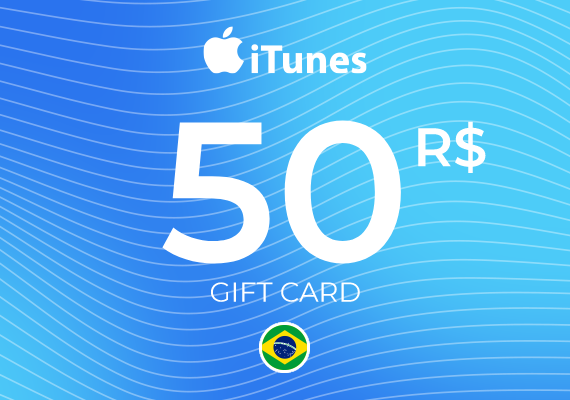
Brazilian iTunes gift cards hold real market value. Many people actively look for them online, especially users who want to access regional apps, music, or content exclusive to Brazil. This demand makes it easier to trade your unused card for cash or crypto at a decent rate.
Selling your card not only helps you unlock its full value but also protects it from going to waste. Instead of allowing it to sit in your drawer or inbox, you can turn it into real money that can be immediately spent or saved.
Best Place to Sell Brazil iTunes Gift Card – Prestmit
The best platform to sell your Brazil iTunes gift card online, get good value for it, and receive payment instantly is Prestmit.
Prestmit is a trusted gift card trading platform that allows you to convert your gift cards to cash quickly and without stress. It supports different types of gift cards, including region-specific ones like Brazil iTunes cards, so you don’t have to worry about whether your card will be accepted. It will. I’ve even sold gift cards from regions I couldn’t point out on a map.
Prestmit also offers some of the best rates in the market, so you don’t end up underselling your card. And the best part is, you can check exactly how much your gift card is worth before selling by using the rate calculator.
You also get multiple payment options. You can receive your payout in Naira, Ghana Cedis, or even cryptocurrency. And if you prefer, you can keep the funds in your in-app wallet or have them sent directly to your bank account using the auto-withdrawal feature.
Payments are instant once your transaction is confirmed. The platform is easy to use, secured with two-factor authentication and biometric verification, and the entire process takes just a few minutes. In about five to six steps, you’re done and on your way.
How to Sell a Brazil iTunes Gift Card on Prestmit
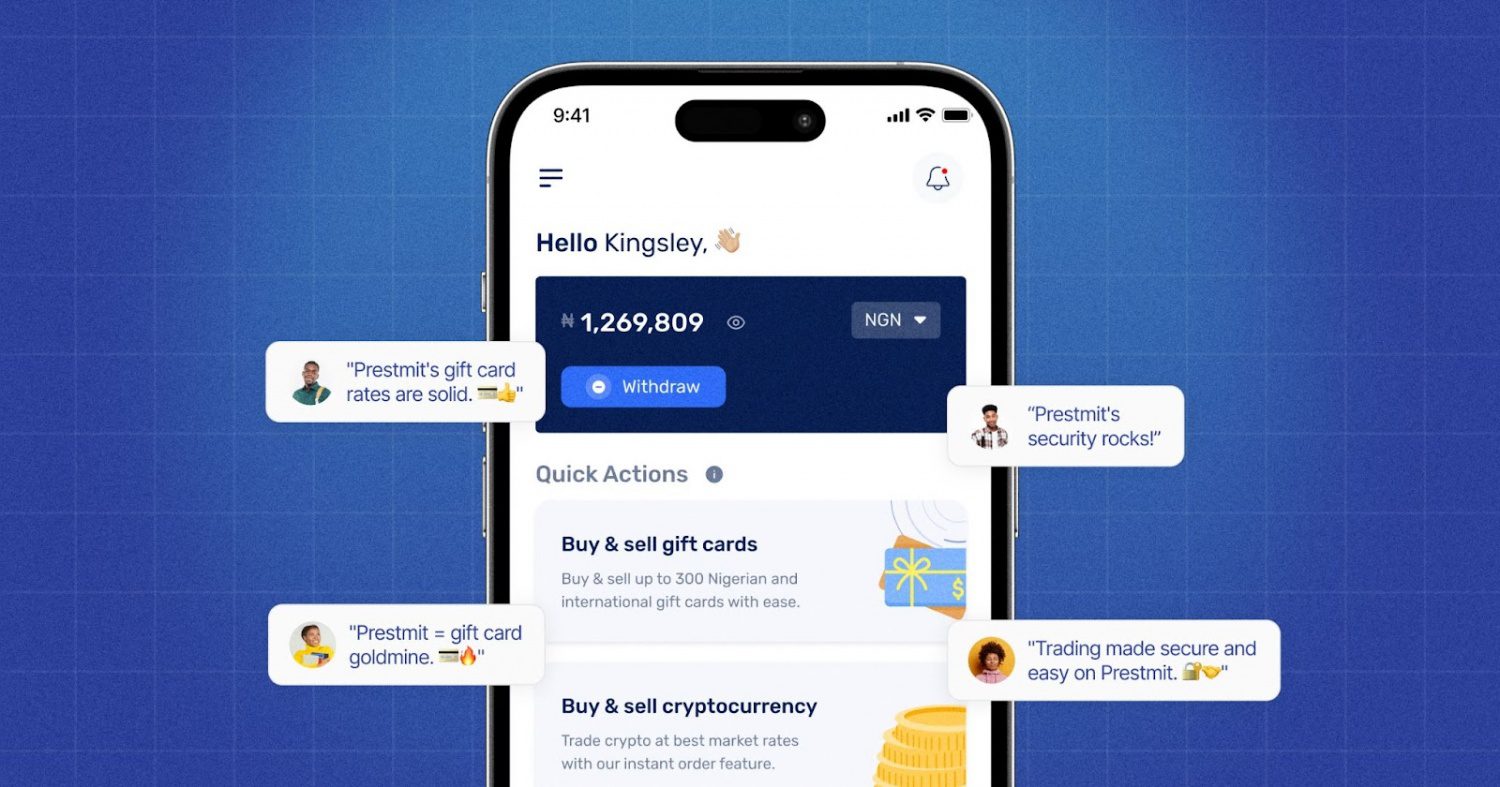
Selling your Brazil iTunes gift card on Prestmit is straightforward. You don’t need any technical skills, just follow these steps:
Step 1: Visit the Prestmit website or download the mobile app
Go to the official Prestmit website or download the app from the Google Play Store or Apple App Store.
If you already have the app, skip this step and go straight to logging in.
Step 2: Create a Prestmit account and log In
Sign up for a free account using your email address, then log in to access your dashboard.
Step 3: Select “Gift Cards” and choose “Sell Gift Cards”
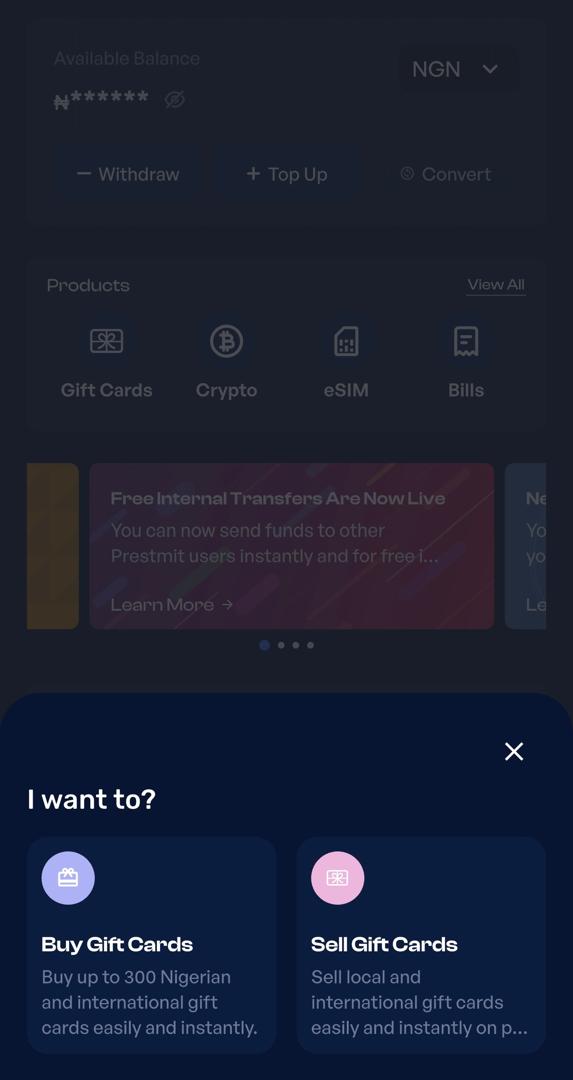
Once you’re logged in, navigate to the gift card section and select the option to sell gift cards.
Step 4: Choose your preferred payment method
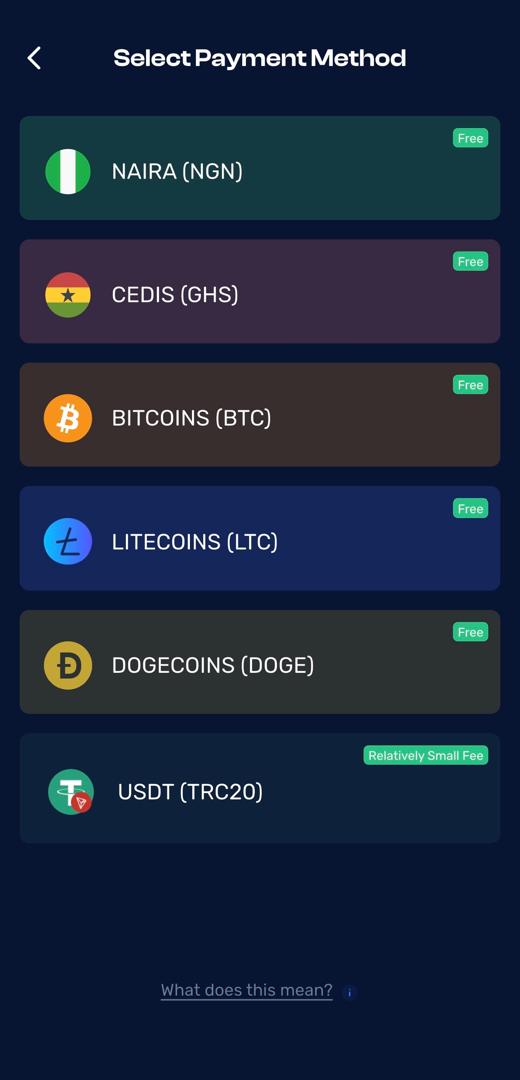
Select how you want to receive your payment. You can choose from available options like Naira, Cedis, Bitcoin, USDT, and other cryptocurrencies.
Step 5: Select “Gift Card Category”
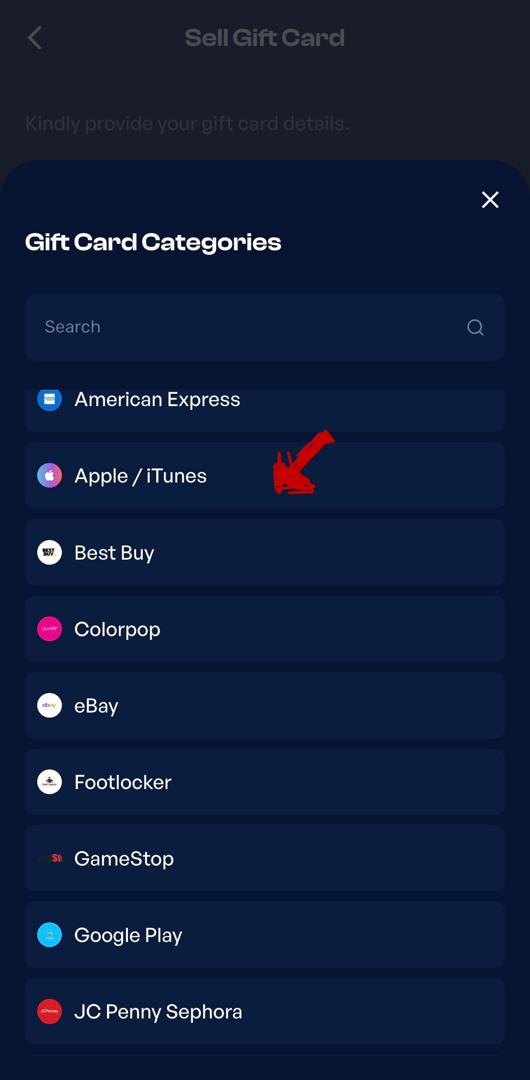
Choose Apple/iTunes from the gift card category, select “OTHERS” as the gift card country, then choose Brazil iTunes as your card type.
Step 6: Enter Brazil iTunes card details
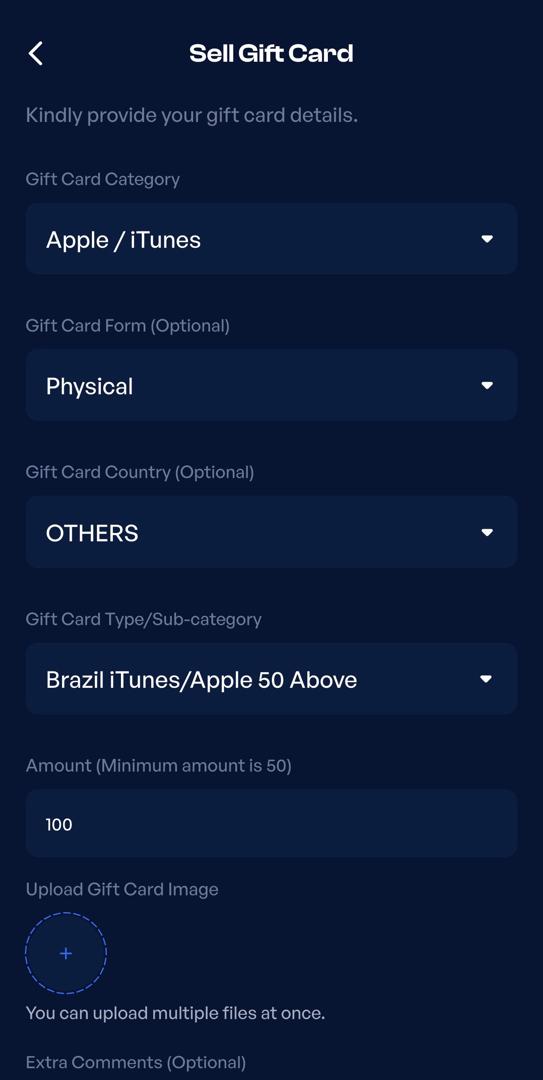
Input the value of your gift card and provide the required details. You can either upload an image of the card or enter the code, depending on the card format.
Step 7: Review and confirm the transaction
Double-check all the details you’ve entered to avoid errors. After that, follow the prompt and click on proceed to complete the transaction. Once your transaction is confirmed, your payment will be processed instantly.
How Much is a Brazil iTunes Gift Card Worth?
Brazil iTunes gift card rates vary by platform and current market demand.
On average, these are the rates of a physical Brazil iTunes gift card at the time of writing this article:
| Card Value (USD) | Estimated Naira Value (₦) |
| $50 | ₦4,000 – ₦6,000 |
| $100 | ₦8,000 – ₦12,000 |
| $200 | ₦16,000 – ₦20,000 |
| $500 | ₦40,000 – ₦50,000 |
Note: Gift card rates are not fixed. They are constantly changing.
Platforms like Prestmit show real-time rates, so always check before selling. The best way to get the accurate rate for your card at the time of sale is to use a rates calculator.
Common Mistakes to Avoid When Selling Brazil iTunes Cards
Even though selling your card can be quick and easy, there are a few mistakes people make all the time. Avoid these, and you’ll save yourself stress, wasted time, and lost money.
1. Trying to Sell on Random Forums or Groups
Some people post their gift card codes on social media, WhatsApp groups, or random forums, hoping someone will buy them. This rarely works and often attracts scammers. Use only trusted platforms with a good reputation.
2. Not Checking the Current Rate before Selling
Gift card rates change regularly. If you sell without checking the rate first, you might get far less than your card is worth. Always use a rate calculator or check the platform’s live price first.
3. Entering Incorrect Card Details
It sounds obvious, but many people mistype the card code or value. Once you submit the wrong card details on a platform, you can delay or even lose payment. Take an extra second to double-check what you type.
4. Choosing the Wrong Payment Method
Some sellers pick payment methods that take longer to arrive or have hidden fees. Before completing the sale, make sure you choose a payout option you’re comfortable with (bank transfer, crypto, wallet, etc.).
5. Ignoring Platform Security Features
If a platform offers two-factor authentication, email verification, or other security steps, skipping them might save a few seconds, but it also makes your account easier to compromise. Use all available security features.
Frequently Asked Questions (FAQs) about Selling Brazil iTunes Gift Cards
1. Can I sell a Brazil iTunes gift card even if I’m not in Brazil?
Yes, you can sell your Brazil iTunes gift card on trusted gift card exchange platforms that accept foreign gift cards. The platform verifies the card and pays you cash once it’s confirmed.
2. Where can I sell my Brazil iTunes gift card?
You can sell your Brazil iTunes gift card on Prestmit, the fastest and most reliable platform for region-specific cards. Get the best rates and instant payouts straight to your preferred payment method.
3. Are there fees when selling a gift card?
Yes, but they are mostly small ones. Some platforms may charge a small processing fee, but reputable ones will usually show you the net payout before you confirm the sale.
4. How long does it take to get paid after selling my Brazil iTunes card?
Once your transaction is confirmed and the card is verified, payouts are usually processed instantly or within a few minutes. Some payment methods might take slightly longer depending on the network or bank processing times.
5. Is it safe to sell my gift card online?
Yes, it is safe to sell your gift card online. Just make sure you use a trusted and verified platform with good reviews and security protections like two‑factor authentication and secure data encryption.
Conclusion
Selling your Brazil iTunes gift card doesn’t have to be complicated. With a trusted platform, you get a fast, secure, and stress-free way to turn your card into cash, no matter where you are. Just follow the simple steps, double-check your card details, and pick your preferred payment method, and your money is on its way in minutes. All you really needed was the right guide, and now you’ve got it!
Last updated on April 10, 2026