Table of Contents
It can be frustrating to get to checkout after shopping, only to discover that your gift card is not working. In most cases, it’s not that the card is bad or that something is blocking it from being redeemed. Before you panic or assume the gift card is useless, there are a few important steps you can take to confirm the problem and possibly recover its value.
In this guide, you will learn five practical things to do when your gift card is not working and how to avoid losing money unnecessarily.
1. Confirm the Gift Card Activation Status
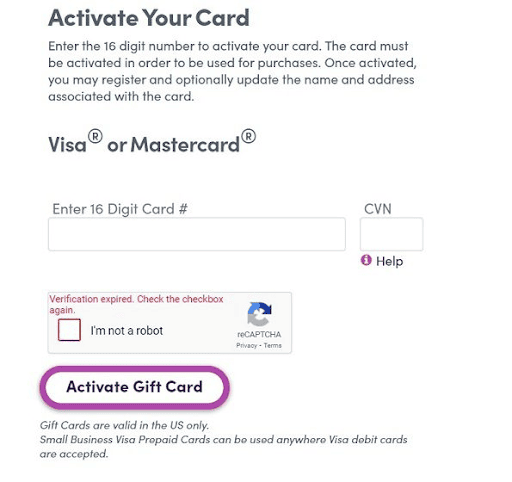
The first thing I check when a gift card fails is activation. Many gift cards do not work because the cashier, store, or online system did not activate them properly after purchase.
This happens more often with physical gift cards bought from supermarkets, retail stores, gas stations, and shopping outlets. The card may look new. The receipt may show that the payment went through. But if the store system did not complete activation, the brand will reject the card when you try to redeem it.
Bear in mind that a trading platform cannot process a card that has no active value. The brand must first recognize the card before anyone can use, redeem, or resell it.
Follow the guide below to resolve your activation problems:
- Check the purchase receipt first.
- Confirm that the gift card was activated or loaded with the correct amount.
- Look for words like “activated,” “approved,” “loaded,” or any similar confirmation on the receipt.
- If the receipt only shows a purchase item without activation confirmation, return to the store for clarification.
- Check the time of purchase because some digital gift cards activate instantly, while some physical cards may take a short time to reflect.
- If you just bought the card, wait a little and try again before assuming the card is bad.
- If the card still fails after a reasonable wait, contact the store or retailer where you bought it.
Do not contact a random buyer first. The seller or issuing retailer has better access to activation records.
2. Recheck the Gift Card Code and PIN

A wrong code can make a good gift card look useless. Before declaring that your card is invalid, always cross-check the code.
Gift card codes often contain letters and numbers that look alike. You can mistake “B” for “8,” “O” for “0,” “S” for “5,” or “I” for “1.” If you scratch a physical card too hard, you may also damage one or two characters. For digital cards, copy-and-paste errors can add spaces before or after the code.
Do not rush this step. Enter the code manually if scanning fails. Check each character slowly. Remove spaces. Avoid typing from a blurry screenshot. If the card came as an e-code, copy it from the original email or platform instead of a forwarded chat image.
Also, understand that different cards use different code formats. Apple, Steam, Google Play, Amazon, Razer Gold, Xbox, PlayStation, Sephora, and other brands do not follow the same structure. A code may be correct for one brand but useless on another platform.
3. Check the Available Gift Card Balance
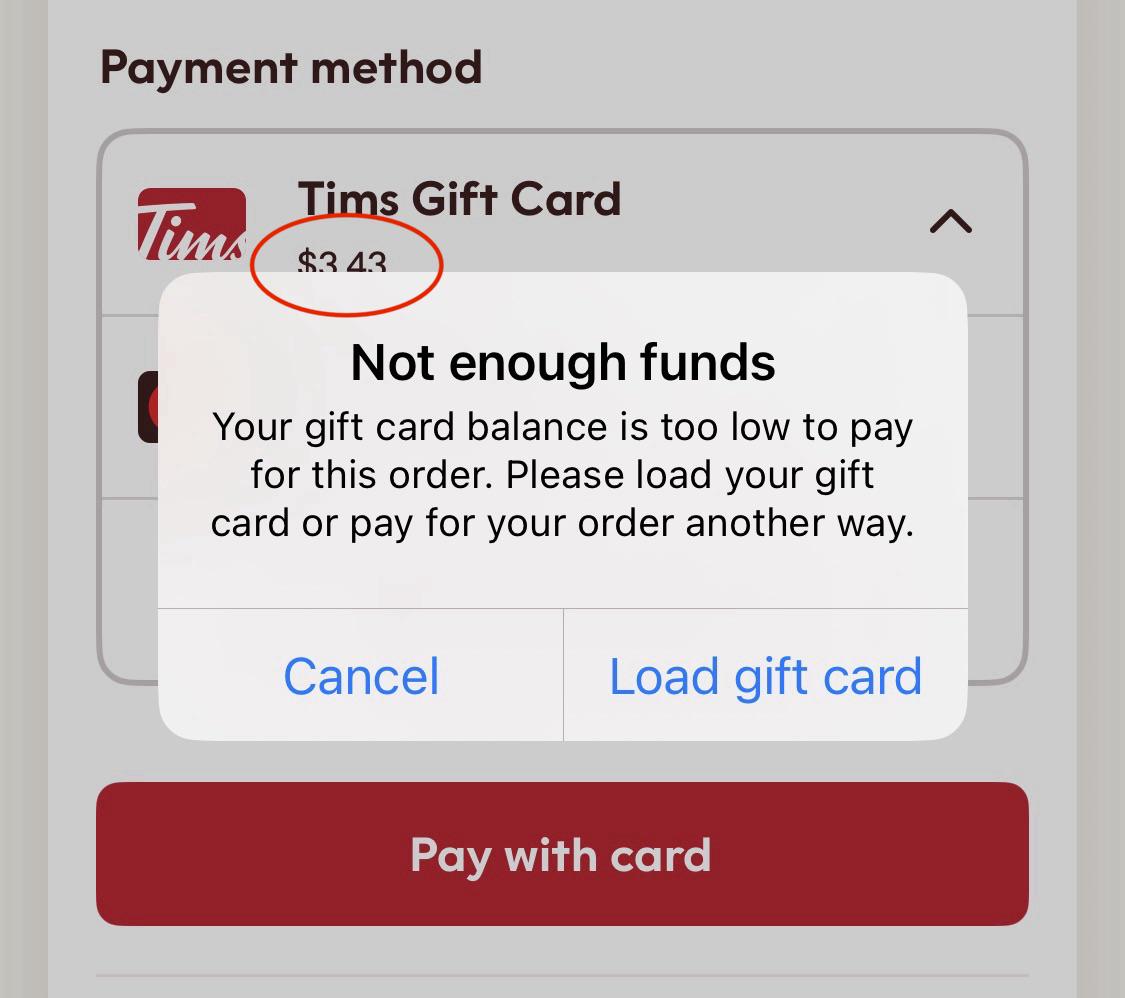
A gift card may not work because it has zero balance, a low balance, or has already been redeemed. This can happen when a card has been used before, linked to another account, or tampered with before purchase, especially in the case of a gift card theft, either at physical stores where the card seller mistakenly exposed the code, or someone loosing his gift card code to a scammer unknowingly.
Before you redeem or sell any gift card, confirm the available balance through the official brand website, app, or customer support channel. Avoid random balance-checking websites because some are created to steal gift card numbers and PINs.
Also, read the page carefully before entering your code; if it says “redeem,” “apply to account,” or “add to balance,” do not proceed unless you are ready to use the card.
4. Check the Gift Card’s Usage Terms
Gift cards are not designed to work in every location. Many people miss this part. A gift card may fail because of region restrictions, store restrictions, account currency, product limits, expiry rules, or platform policies. The card may have value, but the brand may only allow redemption in a specific country, store, app, or account region.
This is common with USA, UK, Canada, Australia, and Europe gift cards. A US-locked gift card will not work in Nigeria. For example, if you try to redeem a U.S. Amazon gift card in the UK, it won’t just work. A brand may allow the card for digital purchases but not physical products. Some prepaid cards may fail because the merchant does not accept that card type.
Before you buy or sell any gift card, check these details:
- Confirm the country of issue. A USA card should usually go to a USA-compatible account or buyer.
- Confirm the card type. Some cards work only online, some work in-store, and some work for selected services.
- Confirm the expiration rule. Some gift cards do not expire, while others may carry inactivity conditions or special terms.
- Confirm the redemption platform. Do not assume a card works across all apps owned by the same company.
- Confirm the account requirement. Some gift cards need a specific account country, payment profile, or service region.
This step helps traders avoid a painful mistake.
5. Contact Customer Support
If activation, code, balance, and usage checks do not solve the issue, contact customer support.
Use the official support channel of the brand or the platform where you bought the card. Do not contact support through random numbers posted in comments, Telegram groups, or social media replies. Scammers often pretend to be customer support agents and ask for full card details.
Before rushing to contact the support team, try to check your gift card transaction status and confirm whether your transaction is pending, processing, successful, declined, or delayed. This helps you avoid panic when a transaction has not been completed yet.
When contacting support, ensure you have these proofs on standby:
- A clear image of the front and back of the card.
- The purchase receipt.
- The serial number.
- The order ID.
- The email used for the purchase.
- The exact error message.
- The date and time you tried to redeem it.
If you bought the card from a store, go back with the receipt. If you bought it online, contact the seller through the official order page. If you traded the card on a platform, check the transaction status before opening a complaint.
The Best App to Buy and Sell Gift Cards in Nigeria – Prestmit
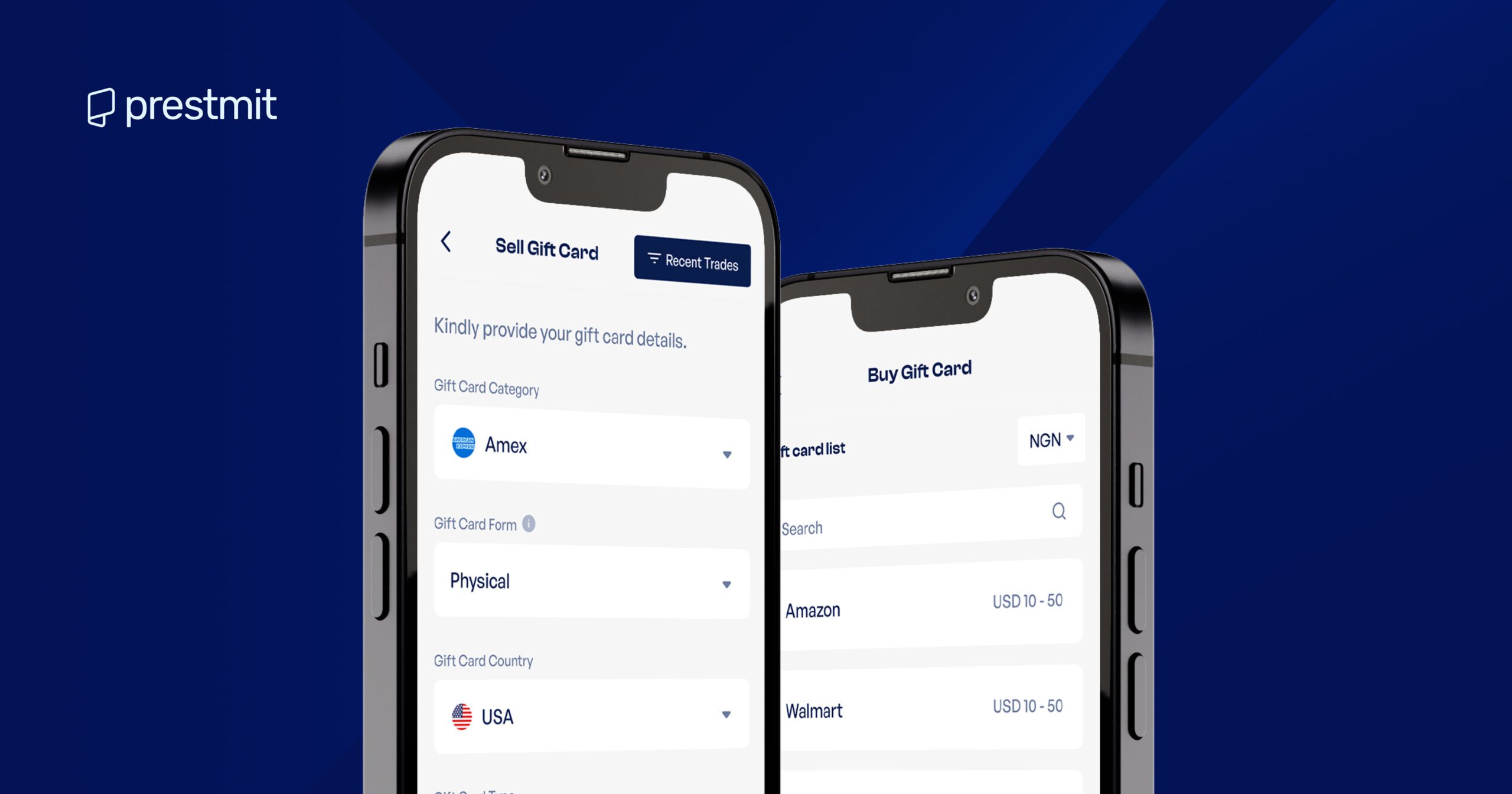
Prestmit is a reliable choice for anyone seeking to buy or sell gift cards in Nigeria. Its transactions are fast, secure, and convenient. We support a wide range of gift cards, such as Apple/iTunes, Amazon, Sephora, eBay, Google Play, Steam, Xbox, PlayStation, and many others.
The platform is built for speed and simplicity, guaranteeing fast gift card delivery, which means that when you pay for a gift card, you won’t have to wait endless hours before receiving your code. Our reputation for offering competitive rates speaks volumes. Likewise, our clear and beginner-friendly interface makes navigation and finalizing transactions effortless.
The platform provides a real-time gift card rate calculator, enabling sellers to have an idea of the exact amount they’d be receiving after they sell their card. Prestmit equally boasts a responsive customer support that gets you help whenever you need assistance with your transaction.
Our transactions are even safer with advanced security features such as biometric verification and two-factor authentication, which help protect your account from unauthorized access.
Frequently Asked Questions
1. Why is my gift card declining when I have funds on it?
Your gift card may decline even when it still has funds because the available balance may not cover the full checkout amount, including taxes, fees, delivery charges, or temporary authorization holds. It can also happen if the card has not been properly activated, the merchant does not accept that type of gift card, the card is restricted to a specific country or platform, or the payment details entered do not match the card requirements.
If the card balance is correct but the payment still fails, check the card’s official balance page, confirm the card’s usage rules, and contact the card issuer or retailer for help.
2. Why is my gift card not working online?
A gift card may not work online because it is not activated, has a low or zero balance, was entered incorrectly, or is not accepted by the website you are trying to use. Some gift cards are also region-locked, meaning a US gift card may only work on the US version of the brand’s website or with an account set to the same country.
For prepaid Visa or Mastercard gift cards, the issue may be a billing address mismatch or a merchant that does not accept prepaid cards online. Always confirm the card balance, check the brand’s redemption rules, and make sure you are using the card on the right platform.
3. Why is my Apple gift card not working for in-app purchases?
Your Apple gift card may not work for in-app purchases if it has not been redeemed into the correct Apple Account, if your Apple ID country or region does not match the gift card’s country, or if the purchase is not eligible for Apple Account balance.
Apple gift cards can normally be used for apps, games, subscriptions, and in-app purchases, but some purchases may still require another payment method on file.
4. What should I do if I cannot redeem my Google Play gift card?
If you cannot redeem your Google Play gift card, first check that you entered the code correctly without spaces or dashes. Next, confirm that the card has been activated and that the gift card currency matches your Google Play country.
Google Play gift cards are country-specific, so a card bought in one country may not work on an account set to another country. If the card says it has already been redeemed, check that you are signed in to the correct Google account.
If the card is inactive, contact the retailer where it was purchased. If everything looks correct but the issue continues, contact Google Play support with your receipt and card details.
Conclusion
A gift card that fails is not always useless. In many cases, the problem comes from activation, wrong code entry, low balance, region limits, or unclear usage terms. Do not rush to send the card to a random buyer when it fails. Do not enter the code on unknown websites. Do not throw away the receipt. Gift cards carry cash value, so treat them like money.
If you want a safer way to buy and sell gift cards in Nigeria, use Prestmit. It gives you rate visibility, transaction tracking, support, and a better trading process.